logo

Microsoft Power BI

Microsoft Power BI serves as a robust tool for business intelligence and data visualization, aimed at transforming intricate raw data into meaningful strategic...

0.00 | 0 Reviews

Microsoft Power BI serves as a robust tool for business intelligence and data visualization, aimed at transforming intricate raw data into meaningful strategic...

Product Overview

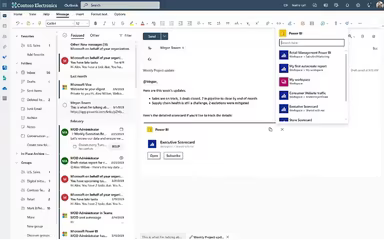
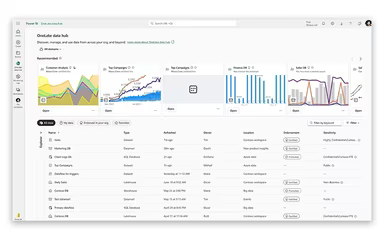
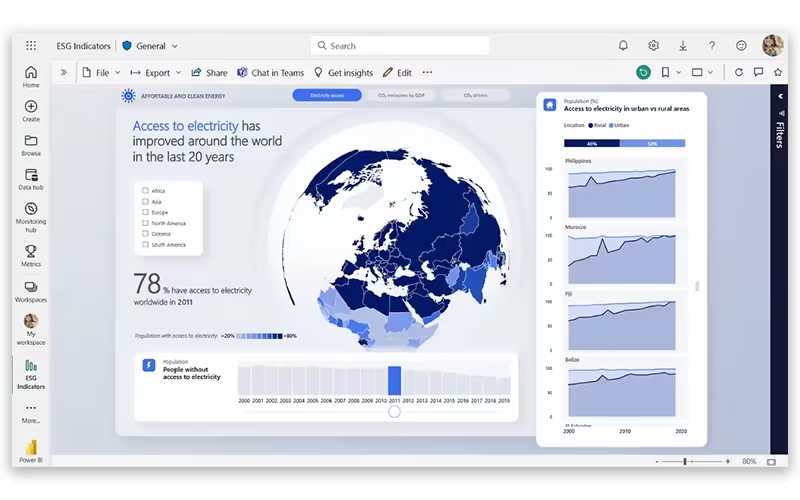
Microsoft Power BI serves as a robust tool for business intelligence and data visualization, aimed at transforming intricate raw data into meaningful strategic insights. Although new users might need some training and support to navigate the platform effectively, it boasts features such as AI-Driven Data Modeling and Real-Time Interactive Dashboards, which contribute to high levels of customer satisfaction.
Product Snapshot

Product Details

What Is Microsoft Power BI?

Microsoft Power BI serves as a comprehensive and scalable solution for both self-service and enterprise-level business intelligence (BI). This platform allows users to connect with and visualize data from virtually any source. As an integral part of the Microsoft Power Platform, it facilitates the merging of data from a multitude of sources, including Excel, SQL databases, and cloud services like Azure, into coherent and visually engaging insights. The software comprises several key components: Power BI Desktop for creating reports, the Power BI Service (SaaS) for sharing and publishing, and mobile applications for accessing data while on the move. By utilizing leading-edge AI technology and robust security measures, Power BI enables users to uncover answers to vital business inquiries through an intuitive drag-and-drop report creation interface.

Microsoft Power BI Pricing

The pricing structure for Microsoft Power BI begins with a Free plan, and other options include:

  • Power BI Pro: $14/user/month

  • Power BI Premium User: $24/user/month

  • Power BI in Microsoft Fabric: custom pricing

For a tailored quote on Microsoft Power BI pricing for your organization, please reach out today!

Please note that prices may vary.

Microsoft Power BI Integrations

This software seamlessly integrates with its own ecosystem, including Dynamics 365, Microsoft Teams, Azure, and more. To explore these integrations further, be sure to watch the Microsoft Power BI demo.

Who Is Microsoft Power BI For?

The Microsoft Power BI software is well-suited for various industries and sectors such as:

  • Data analysts and BI professionals

  • Sales and marketing teams

  • Financial Planning and Analysis (FP&A)

  • Manufacturing and supply chain sectors

  • Healthcare administration and research

  • Government and non-profit organizations

Is Microsoft Power BI Right For You?

If your organization is already deeply embedded in the Microsoft ecosystem and requires a powerful tool to unify various data sources, then Microsoft Power BI might be the ideal solution. It offers advanced AI features such as natural language querying and automated trend detection at an accessible entry price. For businesses in search of a scalable, secure, and highly integrated analytics platform, Microsoft Power BI stands out as the top choice.

If you still have questions about the features of Microsoft Power BI, feel free to contact us at info@softwareseekers.com for additional assistance.

Analytics Tools & Software Features

dashboard
live chat
reporting
automation
mobile app
ssl security
geo analytics
time tracking
kpi monitoring
seo management
budgeting tools
crm integration
email marketing
funnel analysis
lead management
task management
user management
audit management
canned responses
customer support
order management
anomaly detection
budget management
cloudbased access
context awareness
email integration
project templates
refund management
sales forecasting
ticket management
catalog management
cloud based access
contact management
content scheduling
content versioning
data visualisation
data visualization
project scheduling
reportinganalytics
visual recognition
ai powered insights
analytics reporting
automation workflow
collaboration tools
document management
employee management
omnichannel support
resource allocation
scheduled reporting
security compliance
shipping management
template management
gift card management
mobile accessibility
performance tracking
sales tax management
smart data discovery
statistical modeling
bot design deployment
customer segmentation
promotions management
role based permission
statistical modelling
attendee communication
credit card processing
customizable templates
multi language support
opportunity management
potentially applicable
text analysis software
user activity tracking
analytics and reporting
customer servicesupport
customizable dashboards
file sharing management
non destructive editing
predictive capabilities
registration management
reporting and analytics
self service dashboards
task project management
analytics tools software
deal pipeline management
geospatial visualization
insight engines software
media library management
multi channel management
multi channel publishing
sales analytics software
social media integration
time series intelligence
bot design and deployment
natural language dialogue
rolebased access controls
sales pipeline management
enterprise search software
role based access controls
data analysis and reporting
incident and issue tracking
retail inventory management
data virtualization software
integration with other tools
multi track or layer support
text to speech speech to text
visitor behavior intelligence
business intelligence software
data collection and management
policy and document management
regulatory compliance tracking
risk assessment and mitigation
customer communication tracking
data integration and management
multiple data source aggregation
text to speech and speech to text
third partyvendor risk management
advanced analytics and forecasting
esg metrics tracking and reporting
machine learning and ai integration
customer relationship management crm
defect detection using image analysis
entity extraction with text analytics
analytics software platforms and tools
predictive analytics tools and software
revenue operations intelligence software
content creation and editing tools wysiwyg
anomaly detection and predictive maintenance
compliance framework builder and checklist tools
regulatory change monitoring and impact analysis
carbon emissions data capture and calculation tools
transaction monitoring and suspicious activity detection

Pros

  • Deep, native integration with Excel, Teams, and the Azure ecosystem
  • Massive library of custom visualizations and community-built templates
  • Rapid monthly update cycle ensures the platform stays at the cutting edge

Cons

  • Excessive capabilities may overwhelm new users, thereby necessitating guidance
  • Platform interface can be improved to ease users

Price

Professional

Custom

Get Free Guidance from Our Solution Experts.

Ratings

0.00 | 0 reviews

Ratings Distribution

Positive

0%

Neutral

0%

Negative

0%

User Reviews

No reviews yet

Be the first to share your experience with Microsoft Power BI.

Frequently Asked Questions

Find answers to the most common queries about our software recommendation service.

Yes, Microsoft Power BI does offer a dedicated mobile app.

Microsoft Power BI supports integration with a wide range of platforms, including Microsoft 365 suite (Excel, Teams, SharePoint) and Azure.

Microsoft Power BI features are used by data analysts, financial controllers, sales managers, and C-suite executives.

Microsoft Power BI price starts with a free plan, and Power BI Pro at $14/user/month, Power BI Premium User at $24/user/month and Power BI in Microsoft Fabric at custom pricing. Get a detailed Microsoft Power BI cost breakdown tailored to your specific requirements.

Microsoft Power BI software primarily supports English alongside multiple other languages.

Yes, Microsoft Power BI offers an API.

Microsoft Power BI offers support via an online help center, guided learning paths, and a massive community forum.