

logo

Camtasia

Camtasia is a powerful tool designed for educators and corporate trainers who want to make polished tutorials. It offers features like screen recording and a va...

0.00 | 0 Reviews

Camtasia is a powerful tool designed for educators and corporate trainers who want to make polished tutorials. It offers features like screen recording and a va...

Product Overview

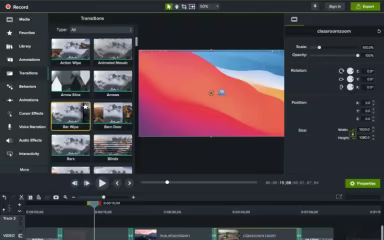
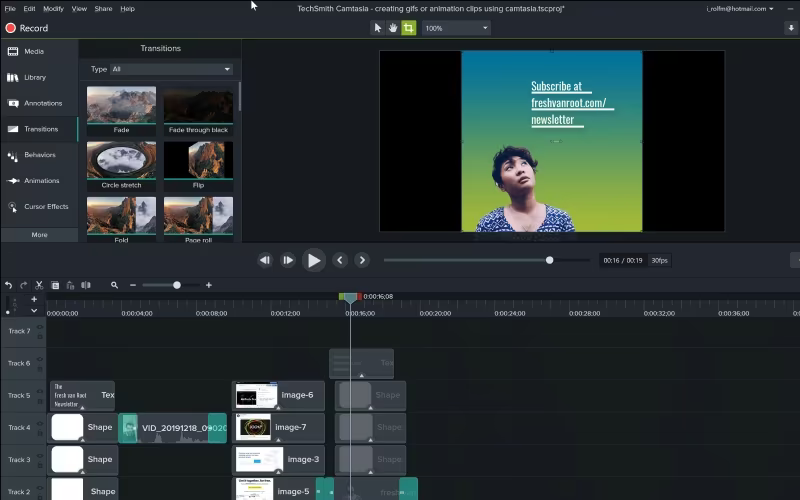
Camtasia is a powerful tool designed for educators and corporate trainers who want to make polished tutorials. It offers features like screen recording and a variety of pre-designed templates. Although mobile editing options are somewhat restricted, its comprehensive timeline and extensive asset library guarantee effective visual communication. In summary, this software is vital for anyone looking to create clear and captivating instructional videos.
Product Snapshot

Product Details

What Is Camtasia?

Camtasia is a powerful desktop application designed for screen recording and video editing, primarily catering to the education, corporate training, and marketing industries. This software equips users with extensive tools to create software demos, online courses, and presentation videos. Developed by TechSmith, it acts as a middle ground between simple screen capture tools and advanced professional editing software. Camtasia serves as a unified platform for sharing information through video, allowing organizations to convert static data into engaging, visual content for teams and learners worldwide.

How Much Does Camtasia Cost?

The starting price for Camtasia is $39.00 per year. This entry-level plan, referred to as Starter, includes features such as online access to Camtasia, live chat support, and the ability to upload up to 25 videos on Screencast. The software offers several additional pricing tiers:

  • Essentials: $179.88/year

  • Create: $249.00/year

  • Pro: $599.00/year

  • For Teams & Business module:

    • Business: $198.00/user/year

    • Enterprise: Custom pricing

Camtasia also offers an Education module that features plans for Educators and Students.

Aside from the base software fees, organizations should consider the following potential costs:

  • Maintenance and Support: $50–$75/user per year for perpetual license holders to access the latest updates and priority technical assistance.

  • Custom Asset Libraries: $500–$2,000 for creating or acquiring branded intros, outros, and motion graphic templates to maintain uniformity in corporate communications.

  • Internal User Training: $1,000–$5,000 for onboarding sessions focused on advanced editing techniques, closed captioning compliance, and effective screen capture methods.

  • Asset Management Integration: $1,500–$8,000 for establishing efficient workflows between Camtasia and existing Video Content Management Systems (VCMS) or cloud storage solutions.

To get precise pricing tailored to your organization's requirements, it is advisable to request a personalized estimate for Camtasia.

Please note: Pricing is subject to change.

Camtasia Integrations

This software is compatible with various systems and platforms including:

  • Screencast

  • YouTube

Watch the Camtasia demo to gain insights into its integration options.

Who Is Camtasia For?

Camtasia is well-suited for a diverse array of professionals across different fields such as:

  • Educators

  • Creators

  • Corporate training personnel

  • Software marketers

  • Technology trainers

  • Team communicators

Is Camtasia Right For You?

If your goal is to convert your expertise into captivating, professional videos, Camtasia provides an all-inclusive platform for recording, editing, and sharing screen-focused content. Its AI-driven features streamline video production, covering everything from text-based edits to realistic voiceovers and avatars. This makes it an excellent choice for educators, corporate trainers, and customer educators alike.

Camtasia has garnered recognition within the industry, receiving accolades from G2 and SourceForge for its video creation functionalities. If you're in search of a comprehensive solution that enables you to produce high-quality instructional videos effectively, then Camtasia could be an excellent match for your needs.

If you're still unsure whether Camtasia is the right option for you, feel free to reach out to our customer support team at info@softwareseekers.com for further assistance.

Collaboration and Productivity Software Features

dashboard
live chat
reporting
mobile app
phone support
time tracking
call recording
email software
knowledge base
call monitoring
case management
crm integration
email marketing
lead generation
lead management
room management
task management
time management
user management
customer support
event management
focus scheduling
sales automation
smart scheduling
activity tracking
automation workfl
billing invoicing
budget management
calendar software
customer profiles
email integration
project templates
real time preview
sales forecasting
ticket management
contact management
payment processing
project scheduling
virtual workspaces
alertsnotifications
analytics reporting
automation workflow
calendar scheduling
campaign management
collaboration tools
communication tools
document management
employee management
feedback management
omnichannel support
reporting analytics
resource allocation
security compliance
workflow automation
integration with crm
mobile accessibility
note taking software
performance tracking
real time management
workforce management
boardworks scheduling
client management crm
customer segmentation
email client software
escalation management
front desk operations
regulatory compliance
automation andworkflow
customizable reporting
opportunity management
performance management
realtime communication
timeline based editing
analytics and reporting
automation and workflow
calendar and scheduling
customer servicesupport
customizable dashboards
file converter software
file sharing management
non destructive editing
real time communication
registration management
reporting and analytics
security and compliance
task project management
automation and workflows
calendar synchronization
communication management
deal pipeline management
e signature capabilities
guest management and crm
reservations and booking
social media integration
task nproject management
time tracking timesheets
board management software
bookmark manager software
customer feedback surveys
email management software
group chat app scheduling
multi format importexport
multi property management
sales pipeline management
document creation software
email marketing automation
employee intranet software
keyframe animation support
audio conferencing software
file sharing and management
integration and api support
meeting management software
task and project management
unified workspaces software
video to text ai scheduling
business scheduling software
cloud pbx platforms software
document generation software
hardware acceleration gpucpu
integration with other tools
internal newsletter software
mobile accessibility limited
multi track or layer support
other collaboration software
tasks and project management
time tracking and timesheets
customer feedback and surveys
integrations with other tools
personalization and targeting
ai meeting assistants software
call transfer and conferencing
high resolution output support
lead generation and management
visual collaboration platforms
customer communication tracking
employee information management
automated responses and chatbots
integration with marketing tools
internal communications software
collaborative whiteboard software
screen and video capture software
color grading and correction tools
plugin and extension compatibility
recruitment and applicant tracking
collaboration productivity software
financial and accounting management
security compliance user management
mobile access and contactless services
sf collaboration productivity software
analytics reporting time tracking timesheets
mobile accessibility limited web basedtablet support
calendar scheduling via form based scheduling and integrations

Pros

  • Easy-to-use interface for beginners
  • Drag-and-drop editing tools simplify workflow
  • Strong tutorial and training video creation capabilities

Cons

  • Large projects may slow down performance
  • Resource-heavy on lower-end computers sometimes

Price

Professional

Custom

Get Free Guidance from Our Solution Experts.

Ratings

0.00 | 0 reviews

Ratings Distribution

Positive

0%

Neutral

0%

Negative

0%

User Reviews

No reviews yet

Be the first to share your experience with Camtasia.

Frequently Asked Questions

Find answers to the most common queries about our software recommendation service.

Camtasia pricing starts at $39/year for the Starter plan under Individual module, with additional tiers available: Essentials ($179.88/year), Create ($249/year), and Pro ($599/year). It also offers other modules with names of Teams & Business and Education. Get a detailed Camtasia cost breakdown tailored to your specific requirements.

No, Camtasia does not offer a dedicated mobile app.

Camtasia features are used by organizations across sectors such as corporate training, team communication, and software marketing.

Camtasia supports several languages, including English, Japanese, German, and Spanish.

No, Camtasia does not offer an API.

Camtasia offers support through tutorials, a help center, support tickets, and live chat.

Camtasia integrates with various third-party applications, such as Screencast and YouTube.