

Google Forms
Create surveys and quizzes effortlessly with Google Forms, featuring real-time tracking and customizable templates for efficient data collection and analysis.
Google Forms provides a user-friendly online solution for designing surveys, quizzes, and forms effortlessly. Although its offline capabilities are somewhat restricted, the ability to track responses in real-time, its smooth integration with Google Workspace, and a variety of customizable templates position it as a dependable option for teams focused on effective data collection and analysis.
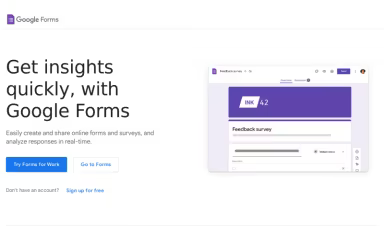


What Is Google Forms?
Google Forms serves as a robust online tool for creating forms, making data collection straightforward for both individuals and businesses. Users can effortlessly design surveys, quizzes, and event registrations through a collaborative drag-and-drop interface. Noteworthy features include intelligent logic branching, allowing for customized questions, along with real-time visualization of responses for immediate insights. By automating the organization of data, Google Forms tackles the issue of unstructured information, enabling teams to enhance their feedback processes without needing technical skills.
Google Forms Pricing
Google Forms comes as part of Google Workspace, which provides the following pricing tiers:
Starter: $8.40/user/month
Standard: $16.80/user/month
Plus: $26.40/user/month
Enterprise: Custom pricing
Get in touch for a tailored Google Forms pricing estimate for your organization today!
Please note: Pricing may vary.
Google Forms Integrations
Google Forms works smoothly with other Google Workspace applications. Check out the Google Forms demo to discover more about its integration capabilities.
Who Is Google Forms For?
This tool is perfect for various industries and sectors, such as:
Technology
Healthcare and life sciences
Professional services
Retail
Manufacturing
Government and public sector
Is Google Forms Right For You?
If you are looking for a secure and scalable solution for data collection within the Google Workspace environment, Google Forms is an excellent choice. The platform offers enterprise-level reliability with encryption both during transmission and at rest, ensuring compliance with regulations while providing advanced malware protection. Its integration with Workspace applications promotes effective collaboration and streamlined processes. For teams that emphasize data security and organized insights, Google Forms presents a reliable and user-friendly platform that evolves alongside your business.
If you still have questions about Google Forms, reach out to us at info@softwareseekers.com for additional support.