

Google Slides Software
Create, edit, and collaborate in real-time with Google Slides, the flexible cloud-based presentation tool that enhances teamwork and accessibility.
The software known as Google Slides is a cloud-oriented presentation application that enables individuals to design, modify, and work together in real-time. Its integration with Google Workspace ensures effortless collaboration among team members. Although it functions optimally when connected to the internet, its offline capability provides access whenever necessary, making it an adaptable option for both professionals and educators.

What Is Google Slides Software?
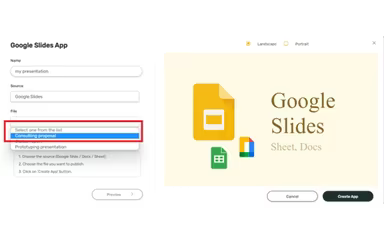
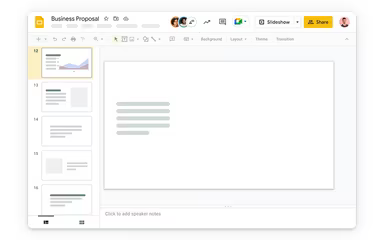
Google Slides is a user-friendly presentation application designed to facilitate the creation and sharing of slides. Its powerful cloud-based features allow teams to work together and make edits in real-time, regardless of their location. With a variety of pre-designed templates, animations, and offline capabilities, it's an adaptable option for professionals, educators, students, and anyone looking to present ideas in an engaging manner.
Google Slides Pricing
The cost of Google Slides depends on the specific plan you choose from three available Google Workspace options. Here’s a breakdown:
Personal Use: Google Slides is available at no cost for individuals with a Google Account.
Business Use: Included in Google Workspace plans with the following pricing:
Business Starter: $7 per user per month
Business Standard: $14 per user per month
Business Plus: $22 per user per month
Business Enterprise: Custom pricing available
You can also ask for a detailed overview of each pricing option to help determine which one suits your needs best.
Note: Pricing may change over time.
Google Slides Integrations
The Google Slides software works seamlessly with numerous tools to enhance productivity and teamwork. Some significant integrations include:
Google Drive
Google Docs
Microsoft PowerPoint
Slack
Zoom
Asana
Miro
Lucidchart
Watch a complimentary demo of Google Slides to explore its integration capabilities further.
Who Is Google Slides For Software?
This software is suitable for individuals across various professions and teams in any industry. Common users include:
Business professionals
Educators
Students
Is Google Slides Software Right for You?
If you're looking for a straightforward and efficient way to create and share presentations, Google Slides is an excellent choice. Its features for real-time collaboration, cloud access, and easy integrations streamline teamwork. Additionally, the software offers both online and offline functionalities. Many users appreciate Google Slides for its robust data encryption and security measures. The ability to import/export files along with the latest Gemini-enabled tool makes it a preferred option across various sectors.
If you still have questions about Google Slides, feel free to reach out to our support team at info@softwareseekers.com for assistance with any inquiries you may have.