logo

Lucidchart: Leading Web-based Software for Diagramming and Data Visualization

Creating diagrams can often present significant challenges. With Lucidchart, you gain access to a robust visual collaboration platform designed to streamline th...

0.00 | 0 Reviews

Creating diagrams can often present significant challenges. With Lucidchart, you gain access to a robust visual collaboration platform designed to streamline th...

Product Overview

Creating diagrams can often present significant challenges. With Lucidchart, you gain access to a robust visual collaboration platform designed to streamline this task. Say goodbye to the hassles of diagram creation and experience the ease that Lucidchart provides. Dive into its features now to shape the future of your organization and enhance your productivity!
Product Snapshot

Product Details

What Is Lucidchart?

Overview

Lucidchart is an innovative diagramming tool hosted in the cloud, aimed at making the creation of professional diagrams straightforward and efficient. It empowers users to visualize intricate information and workflows. Whether you need to design an organizational chart, explore data management specifics, or outline a business process, this platform enables you to produce high-quality diagrams that help demystify complexity.

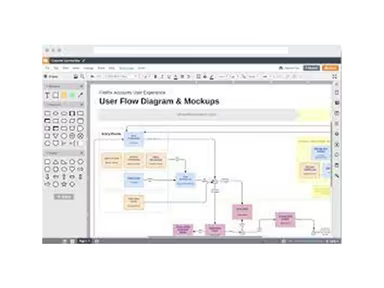
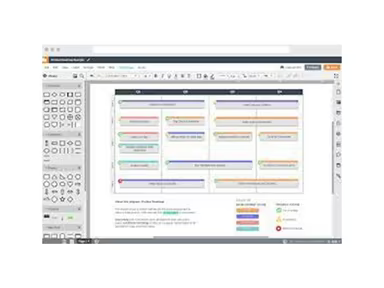
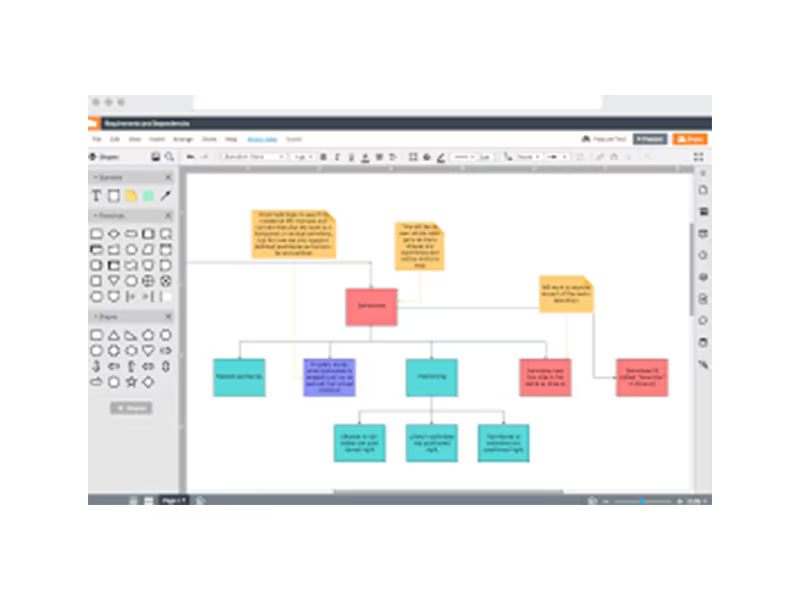
The software streamlines the creation of flowcharts, wireframes, mind maps, and a variety of other diagrams. Additionally, it supports real-time collaboration, allowing teams to work collectively on charts and share detailed concepts effortlessly, providing valuable insights.

What Is Lucidchart Best For?

Lucidchart is particularly recognized for its outstanding customer support. The dedicated support team delivers prompt, effective, and user-friendly assistance to all users. Whether you're a newcomer trying to learn the ropes or a seasoned user encountering technical challenges, Lucidchart’s support staff is always available to assist.

Lucidchart Pricing

The company provides four distinct pricing plans for Lucidchart:

  • Free – $0.00/user

  • Individual – $7.95/user

  • Team – $9.00/user

  • Enterprise – Custom Pricing

Additionally, the software features ‘Bundle & Save’ pricing options, allowing you to receive a tailored Lucidchart quote based on your organization’s size and requirements.

Please note: Pricing may vary.

Lucidchart Integrations

This software seamlessly integrates with numerous third-party applications, including:

  • Google Workspace

  • Figma

  • Asana

  • Microsoft Teams

  • Jira Atlassian

  • Notion

How Does Lucidchart Work?

Here’s a quick guide on how to navigate the dashboard once you log in:

  1. Click on the ‘+ Document’ button to start creating diagrams and org charts.

  2. Select a template from the extensive library or begin with a blank canvas.

  3. Utilize the drag-and-drop interface to incorporate shapes and lines into your diagram.

  4. Double-click any shape to insert text.

  5. Hit the ‘Share’ button to invite others for viewing or editing your diagram.

  6. Select ‘File > Download As’ to save your diagram in multiple formats.

You can also schedule a complimentary Lucidchart demo to explore more about the platform's capabilities.

Who Is Lucidchart For?

Lucidchart serves organizations across various sizes and sectors. The following industries often utilize it:

  • Engineering

  • Operations Management

  • Information Technology (IT)

  • Education

  • Sales

  • Marketing

Is Lucidchart Right For You?

If you're in search of a robust, user-friendly, and collaborative diagramming solution, then Lucidchart could be an excellent fit for you. This intelligent diagramming application has received numerous accolades for its impressive features and customer service. Many esteemed companies like DocuSign, Mozilla, Western Union, and Delta rely on this software.

Lucidchart ensures enterprise-level security through SSO, AWS, and SAML integrations. It also provides domain lockdown features to keep your data safe and secure. Furthermore, it is highly scalable, adept at accommodating fluctuating workloads and user needs.

If you’re still uncertain whether Lucidchart is the ideal choice for you, reach out to us at info@softwareseekers.com. Our customer support team is ready to assist you in making the best decision.

Collaboration and Productivity Software Features

dashboard
live chat
reporting
mobile app
phone support
time tracking
call recording
email software
knowledge base
call monitoring
case management
crm integration
email marketing
lead generation
lead management
room management
task management
time management
user management
customer support
event management
focus scheduling
sales automation
smart scheduling
activity tracking
automation workfl
billing invoicing
budget management
calendar software
customer profiles
email integration
project templates
real time preview
sales forecasting
ticket management
contact management
payment processing
project scheduling
virtual workspaces
alertsnotifications
analytics reporting
automation workflow
calendar scheduling
campaign management
collaboration tools
communication tools
document management
employee management
feedback management
omnichannel support
reporting analytics
resource allocation
security compliance
workflow automation
integration with crm
mobile accessibility
note taking software
performance tracking
real time management
workforce management
boardworks scheduling
client management crm
customer segmentation
email client software
escalation management
front desk operations
regulatory compliance
automation andworkflow
customizable reporting
opportunity management
performance management
realtime communication
timeline based editing
analytics and reporting
automation and workflow
calendar and scheduling
customer servicesupport
customizable dashboards
file converter software
file sharing management
non destructive editing
real time communication
registration management
reporting and analytics
security and compliance
task project management
automation and workflows
calendar synchronization
communication management
deal pipeline management
e signature capabilities
guest management and crm
reservations and booking
social media integration
task nproject management
time tracking timesheets
board management software
bookmark manager software
customer feedback surveys
email management software
group chat app scheduling
multi format importexport
multi property management
sales pipeline management
document creation software
email marketing automation
employee intranet software
keyframe animation support
audio conferencing software
file sharing and management
integration and api support
meeting management software
task and project management
unified workspaces software
video to text ai scheduling
business scheduling software
cloud pbx platforms software
document generation software
hardware acceleration gpucpu
integration with other tools
internal newsletter software
mobile accessibility limited
multi track or layer support
other collaboration software
tasks and project management
time tracking and timesheets
customer feedback and surveys
integrations with other tools
personalization and targeting
ai meeting assistants software
call transfer and conferencing
high resolution output support
lead generation and management
visual collaboration platforms
customer communication tracking
employee information management
automated responses and chatbots
integration with marketing tools
internal communications software
collaborative whiteboard software
screen and video capture software
color grading and correction tools
plugin and extension compatibility
recruitment and applicant tracking
collaboration productivity software
financial and accounting management
security compliance user management
mobile access and contactless services
sf collaboration productivity software
analytics reporting time tracking timesheets
mobile accessibility limited web basedtablet support
calendar scheduling via form based scheduling and integrations

Pros

  • Enables seamless real-time collaboration, allowing teams to work efficiently
  • Extensive template library caters to various industries
  • Mobile apps for iOS and Android provide flexibility for on-the-go diagram creation
  • Integrates smoothly with popular platforms
  • The drag-and-drop interface simplifies the diagramming process

Cons

  • Limited offline access to some features, according to some Lucidchart reviews
  • The mobile interface can be improved
  • Potential information overload

Price

Professional

$0.00

Get Free Guidance from Our Solution Experts.

Ratings

0.00 | 0 reviews

Ratings Distribution

Positive

0%

Neutral

0%

Negative

0%

User Reviews

No reviews yet

Be the first to share your experience with Lucidchart: Leading Web-based Software for Diagramming and Data Visualization.

Frequently Asked Questions

Find answers to the most common queries about our software recommendation service.

Yes, Lucidchart project management software offers an API.

Lucidchart supports several languages, including English, Dutch, French, Italian, German, Japanese, Polish, Korean, Portuguese, Spanish, Russian, and Swedish.

Lucidchart integrates with Notion, Confluence, Coda, Asana, Figma, Jira, and Google Workspace.

Yes, Lucidchart supports mobile devices and has apps for both iOS and Android.

The vendors offer four Lucid Chart pricing plans: Free ($0.00/month), Individual ($7.95/month), Team ($9.00/month), and Enterprise (Custom pricing). Get a custom Lucid Chart cost quote as per your organization’s requirements.

Typical users of Lucidchart include education, sales, information technology, engineering, and operations industries.

Lucid software offers support options, including email, a help desk, chat, a knowledge base, FAQs, forums, and phone support options.

Yes, Lucidchart alternative platforms are available in the market. However, they might not be able to offer as many features as Lucidchart does.