logo

Microsoft Powerpoint Software

Microsoft PowerPoint allows individuals to craft impressive and visually appealing presentations with ease. Although certain advanced design functionalities may...

0.00 | 0 Reviews

Microsoft PowerPoint allows individuals to craft impressive and visually appealing presentations with ease. Although certain advanced design functionalities may...

Product Overview

Microsoft PowerPoint allows individuals to craft impressive and visually appealing presentations with ease. Although certain advanced design functionalities may take some time to learn, its vast collection of templates and strong collaboration features ensure it remains a reliable option for business gatherings, educational assignments, and beyond.
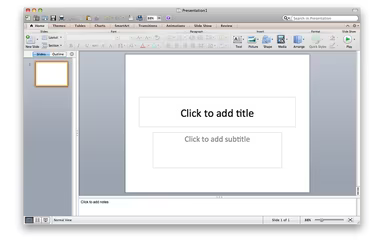
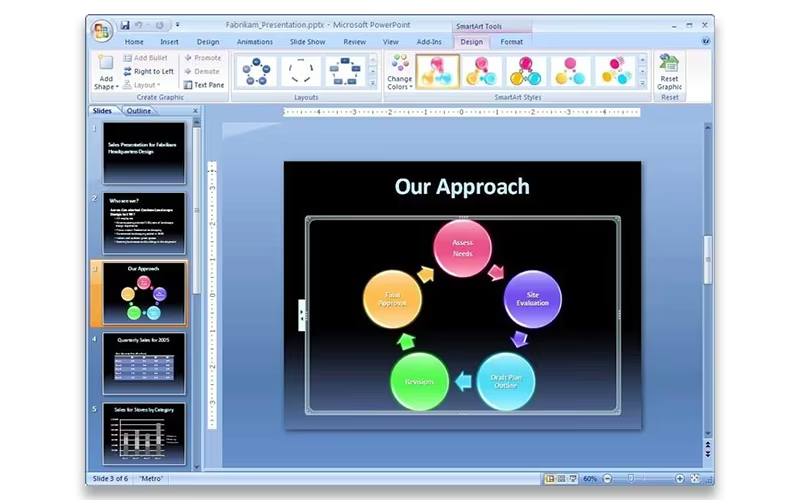
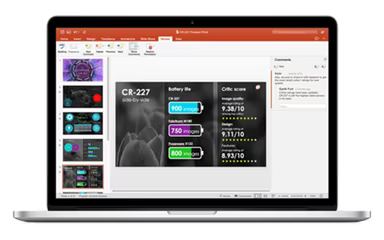
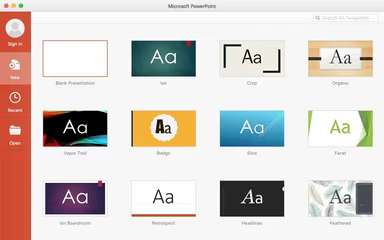
Product Snapshot

Product Details

What Is Microsoft PowerPoint?

Microsoft PowerPoint is a user-friendly tool for creating presentations that turn concepts into captivating visual narratives. Featuring a variety of templates, animations, and support for multimedia, it simplifies the process of producing everything from basic slides to comprehensive reports. As an integral component of Microsoft 365, PowerPoint facilitates real-time collaboration, enabling teams to work together effortlessly on presentations, whether in the office or from remote locations.

Microsoft PowerPoint Pricing

The pricing for Microsoft PowerPoint is included within Microsoft 365 plans, providing options for individuals, businesses, and educational institutions:

  • For Home:

    • Microsoft 365 Personal: $9.99 per month/user.

    • Microsoft 365 Family: $12.99 per month (up to 6 users).

  • For Business:

    • Microsoft 365 Apps for Business: $9.90 per month/user.

    • Microsoft 365 Business Standard: $15.00 per month/user.

  • Free Web Version: Limited features available.

Investigate Microsoft PowerPoint pricing plans or initiate a free trial to discover which option suits you best.

Disclaimer: Prices are subject to change.

Microsoft PowerPoint Integrations

Microsoft PowerPoint connects smoothly with various Microsoft 365 applications and third-party tools to boost collaboration and efficiency. Notable integrations include:

  • Microsoft Teams

  • OneDrive

  • Outlook

  • Excel

  • Word

  • Zoom

  • Slack

  • Dropbox

Watch a free demo of Microsoft PowerPoint to explore its integration capabilities further.

Who Is Microsoft PowerPoint For?

This presentation software is tailored for anyone who needs to present ideas in a clear and visual manner. It is extensively utilized by:

  • Businesses

  • Educators

  • Students

  • Trainers & Coaches

  • Freelancers & Creatives

Is Microsoft PowerPoint Right For You?

Microsoft PowerPoint stands out as a robust tool for crafting professional and engaging presentations. With a wide range of templates, multimedia options, and real-time collaboration features, it makes designing slides for meetings, classrooms, and creative endeavors straightforward. Trusted by millions, it remains a dependable choice for creating impactful presentations.

If you still have questions about Microsoft PowerPoint, feel free to reach out to our support team at info@softwareseekers.com for assistance.

Collaboration and Productivity Software Features

dashboard
live chat
reporting
mobile app
phone support
time tracking
call recording
email software
knowledge base
call monitoring
case management
crm integration
email marketing
lead generation
lead management
room management
task management
time management
user management
customer support
event management
focus scheduling
sales automation
smart scheduling
activity tracking
automation workfl
billing invoicing
budget management
calendar software
customer profiles
email integration
project templates
real time preview
sales forecasting
ticket management
contact management
payment processing
project scheduling
virtual workspaces
alertsnotifications
analytics reporting
automation workflow
calendar scheduling
campaign management
collaboration tools
communication tools
document management
employee management
feedback management
omnichannel support
reporting analytics
resource allocation
security compliance
workflow automation
integration with crm
mobile accessibility
note taking software
performance tracking
real time management
workforce management
boardworks scheduling
client management crm
customer segmentation
email client software
escalation management
front desk operations
regulatory compliance
automation andworkflow
customizable reporting
opportunity management
performance management
realtime communication
timeline based editing
analytics and reporting
automation and workflow
calendar and scheduling
customer servicesupport
customizable dashboards
file converter software
file sharing management
non destructive editing
real time communication
registration management
reporting and analytics
security and compliance
task project management
automation and workflows
calendar synchronization
communication management
deal pipeline management
e signature capabilities
guest management and crm
reservations and booking
social media integration
task nproject management
time tracking timesheets
board management software
bookmark manager software
customer feedback surveys
email management software
group chat app scheduling
multi format importexport
multi property management
sales pipeline management
document creation software
email marketing automation
employee intranet software
keyframe animation support
audio conferencing software
file sharing and management
integration and api support
meeting management software
task and project management
unified workspaces software
video to text ai scheduling
business scheduling software
cloud pbx platforms software
document generation software
hardware acceleration gpucpu
integration with other tools
internal newsletter software
mobile accessibility limited
multi track or layer support
other collaboration software
tasks and project management
time tracking and timesheets
customer feedback and surveys
integrations with other tools
personalization and targeting
ai meeting assistants software
call transfer and conferencing
high resolution output support
lead generation and management
visual collaboration platforms
customer communication tracking
employee information management
automated responses and chatbots
integration with marketing tools
internal communications software
collaborative whiteboard software
screen and video capture software
color grading and correction tools
plugin and extension compatibility
recruitment and applicant tracking
collaboration productivity software
financial and accounting management
security compliance user management
mobile access and contactless services
sf collaboration productivity software
analytics reporting time tracking timesheets
mobile accessibility limited web basedtablet support
calendar scheduling via form based scheduling and integrations

Pros

  • Offers ready-made templates and design tools for quick, professional presentations
  • Real-time collaboration keeps teams connected and updates seamless
  • Integrates easily with Excel, Word, and Teams for smooth workflows
  • Supports multimedia like images, videos, and charts to simplify complex ideas

Cons

  • Some advanced design and animation features may require time to learn for new users
  • The desktop version requires a Microsoft 365 subscription for full features, which may not suit occasional users
  • Performance can slow down with very large multimedia-heavy presentations

Price

Professional

Custom

Get Free Guidance from Our Solution Experts.

Ratings

0.00 | 0 reviews

Ratings Distribution

Positive

0%

Neutral

0%

Negative

0%

User Reviews

No reviews yet

Be the first to share your experience with Microsoft Powerpoint Software.

Frequently Asked Questions

Find answers to the most common queries about our software recommendation service.

Yes, Microsoft PowerPoint offers a mobile app for both iOS and Android devices, allowing users to create, edit, and present on the go.

Yes, Microsoft PowerPoint provides APIs that enable developers to extend its functionality and integrate with other applications

Microsoft PowerPoint cost starts at $9.99/month for home users and $9.90/month for business users through Microsoft 365 plans.

Microsoft provides help center resources, community forums, live chat, and email support for PowerPoint users.

PowerPoint supports multiple languages, including English, Spanish, French, German, Chinese, and many more.

PowerPoint is commonly used by businesses, educators, students, Freelancers and Creatives.

PowerPoint integrates with apps like Microsoft Teams, Excel, Word, Outlook, OneDrive, SharePoint, Zoom, and more for seamless collaboration and data sharing.