logo

ONLYOFFICE Software

The ONLYOFFICE software is a cutting-edge suite that simplifies office management duties. It provides a powerful platform for managing documents, facilitating r...

0.00 | 0 Reviews

The ONLYOFFICE software is a cutting-edge suite that simplifies office management duties. It provides a powerful platform for managing documents, facilitating r...

Product Overview

The ONLYOFFICE software is a cutting-edge suite that simplifies office management duties. It provides a powerful platform for managing documents, facilitating real-time collaboration, and enhancing project management efficiency. Discover the user-friendly interface and dynamic tools tailored for businesses of every scale.
Product Snapshot

Product Details

What Is ONLYOFFICE Software?

Overview

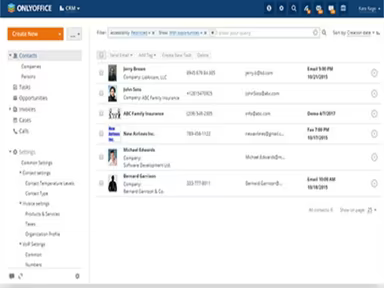
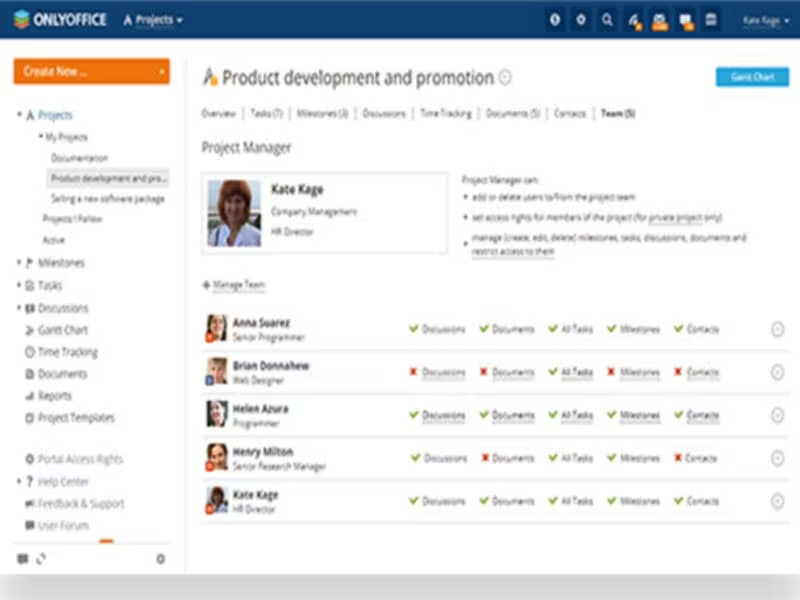
ONLYOFFICE is a robust project management solution hosted in the cloud that simplifies task oversight and teamwork. Its intuitive interface and extensive features make project planning and execution a breeze. Key functionalities of ONLYOFFICE include task management, Gantt charts, collaborative document editing, team communication, and time tracking.

What Is ONLYOFFICE Software Best For?

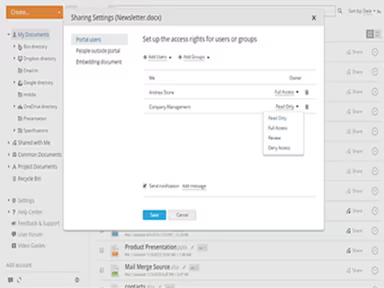
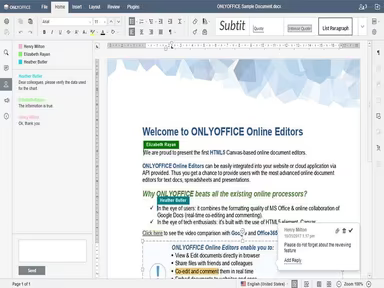
This software excels in document collaboration, enabling real-time co-authoring and editing of documents, spreadsheets, and presentations. Team members can work on the same file concurrently, fostering seamless and efficient collaboration. It effectively resolves version control challenges, ensuring that everyone is engaged with the most current version of any document.

ONLYOFFICE Software Pricing

ONLYOFFICE offers a variety of pricing plans:

  • DocSpace Cloud - Startup (Free), Business ($15 per admin/power user)

  • Docs Cloud - Business ($8 per user per month), VIP (customized)

  • Docs Enterprise - For Home ($149), Enterprise (From $1500)

  • Workspace Enterprise - Enterprise ($2200 per server), Enterprise Plus ($3300 per server), Enterprise - Premium ($4450 per server)

  • Development Server - ($1950 per server)

  • Production Server - (From $9100)

This pricing structure accommodates the evolving demands of various organizations. You can request a quote for ONLYOFFICE software costs.

Note: Pricing is subject to change.

ONLYOFFICE Software Integrations

The software seamlessly integrates with several third-party applications, including:

  • HumHub

  • SharePoint

  • Alfresco

  • Liferay

  • Nextcloud

  • Confluence

  • Moodle

  • Jira

How Does ONLYOFFICE Software Work?

Getting started with ONLYOFFICE is straightforward:

  1. Log in to your ONLYOFFICE dashboard.

  2. Create a new project to outline tasks and set deadlines.

  3. Assign team members to specific tasks and collaborate effectively.

  4. Share files and communicate via integrated messaging or comments.

  5. Utilize the Gantt chart feature to visualize project timelines, dependencies, and milestones.

  6. Monitor time spent on tasks and track overall project progress.

  7. Enjoy real-time document collaboration along with version control capabilities.

  8. Integrate with external software to boost your workflow and productivity.

You can also watch a free demo of ONLYOFFICE software to explore its functionalities.

Who Is ONLYOFFICE Software For?

The software serves a diverse array of industries, including:

  • Education

  • Science and Research

  • Finance

  • Manufacturing

  • IT

  • Government

  • Non-profit Organizations

  • International Organizations

Is ONLYOFFICE Software Right For You?

If you seek a comprehensive office productivity suite that integrates various tools into one platform, then ONLYOFFICE could be an ideal fit for you. The software emphasizes security and scalability, adapting effortlessly to meet the demands of businesses while implementing advanced security protocols for data protection. Whether you are a small business or a large corporation, ONLYOFFICE is designed to cater to your requirements.

This solution effectively addresses numerous office management challenges by streamlining workflows through an extensive range of productivity tools all in one place. It enhances collaboration with its suite of online office applications and business collaboration features.

If you still have questions about whether ONLYOFFICE is suitable for you, feel free to reach out to our customer support team at info@softwareseekers.com for assistance in making the best choice.

Collaboration and Productivity Software Features

dashboard
live chat
reporting
mobile app
phone support
time tracking
call recording
email software
knowledge base
call monitoring
case management
crm integration
email marketing
lead generation
lead management
room management
task management
time management
user management
customer support
event management
focus scheduling
sales automation
smart scheduling
activity tracking
automation workfl
billing invoicing
budget management
calendar software
customer profiles
email integration
project templates
real time preview
sales forecasting
ticket management
contact management
payment processing
project scheduling
virtual workspaces
alertsnotifications
analytics reporting
automation workflow
calendar scheduling
campaign management
collaboration tools
communication tools
document management
employee management
feedback management
omnichannel support
reporting analytics
resource allocation
security compliance
workflow automation
integration with crm
mobile accessibility
note taking software
performance tracking
real time management
workforce management
boardworks scheduling
client management crm
customer segmentation
email client software
escalation management
front desk operations
regulatory compliance
automation andworkflow
customizable reporting
opportunity management
performance management
realtime communication
timeline based editing
analytics and reporting
automation and workflow
calendar and scheduling
customer servicesupport
customizable dashboards
file converter software
file sharing management
non destructive editing
real time communication
registration management
reporting and analytics
security and compliance
task project management
automation and workflows
calendar synchronization
communication management
deal pipeline management
e signature capabilities
guest management and crm
reservations and booking
social media integration
task nproject management
time tracking timesheets
board management software
bookmark manager software
customer feedback surveys
email management software
group chat app scheduling
multi format importexport
multi property management
sales pipeline management
document creation software
email marketing automation
employee intranet software
keyframe animation support
audio conferencing software
file sharing and management
integration and api support
meeting management software
task and project management
unified workspaces software
video to text ai scheduling
business scheduling software
cloud pbx platforms software
document generation software
hardware acceleration gpucpu
integration with other tools
internal newsletter software
mobile accessibility limited
multi track or layer support
other collaboration software
tasks and project management
time tracking and timesheets
customer feedback and surveys
integrations with other tools
personalization and targeting
ai meeting assistants software
call transfer and conferencing
high resolution output support
lead generation and management
visual collaboration platforms
customer communication tracking
employee information management
automated responses and chatbots
integration with marketing tools
internal communications software
collaborative whiteboard software
screen and video capture software
color grading and correction tools
plugin and extension compatibility
recruitment and applicant tracking
collaboration productivity software
financial and accounting management
security compliance user management
mobile access and contactless services
sf collaboration productivity software
analytics reporting time tracking timesheets
mobile accessibility limited web basedtablet support
calendar scheduling via form based scheduling and integrations

Pros

  • Cloud-based and On-premise
  • User-friendly interface
  • Robust document management system
  • Efficient project management features

Cons

  • Setup can be complex
  • Learning curve for new users
  • Customer service can be improved, according to some reviews

Price

Professional

$2200

Get Free Guidance from Our Solution Experts.

Ratings

0.00 | 0 reviews

Ratings Distribution

Positive

0%

Neutral

0%

Negative

0%

User Reviews

No reviews yet

Be the first to share your experience with ONLYOFFICE Software.

Frequently Asked Questions

Find answers to the most common queries about our software recommendation service.

Yes, the software has an API available for use.

The software offers Azeri, Latin, Bulgarian, Chinese-Simplified, Czech, Dutch, English, Finnish, French, German and Greek.

ONLYOFFICE integrates with Alfresco, Liferay, HumHub, SharePoint, Nextcloud, Confluence, Moodle, and Jira.

The software supports mobile devices.

The following are ONLYOFFICE pricing plans: DocSpace Cloud (Startup - Free, Business - $15 per admin/power user), Docs Cloud (Business - $8 per user/month, VIP - customized), Docs Enterprise (For Home - $149, Enterprise - From $1500), Workspace Enterprise (Enterprise - $2200/server, Enterprise Plus - $3300/server, Enterprise Premium - $4450/server), Development Server ($1950/server), and Production Server (From $9100). Request a custom ONLYOFFICE price.

ONLYOFFICE caters to industries such as Finance, Manufacturing, IT, Education, Science and Research, Government, Non-profit Organizations, and International Organizations.

ONLYOFFICE Workspace provides support through a variety of channels, including a FAQs/Forum section, a comprehensive Knowledge Base, Email/Help Desk support, Live Chat, and Phone Support.

ONLYOFFICE is developed by Ascensio System SIA, an open-source software company based in Latvia. They actively maintain and improve the code, which is publicly available on GitHub. Ascensio aims to provide secure alternatives to proprietary office suites.

ONLYOFFICE offers fully featured online document editors for documents, spreadsheets and presentations. Users can view, edit and collaborate on files in real-time directly in their web browser. The editors provide the same capabilities as desktop office suites.

ONLYOFFICE has strong collaboration features that allow real-time co-editing between multiple users on a document. It offers built-in chat for communication and integrates with tools like Telegram. The projects module allows the creation of workspaces to organize files and tasks.

ONLYOFFICE provides both document management and project management capabilities.