logo

Quip

Quip software enables teams to work together on documents and oversee projects effortlessly, eliminating the need for emails. It provides features such as real-...

0.00 | 0 Reviews

Quip software enables teams to work together on documents and oversee projects effortlessly, eliminating the need for emails. It provides features such as real-...

Product Overview

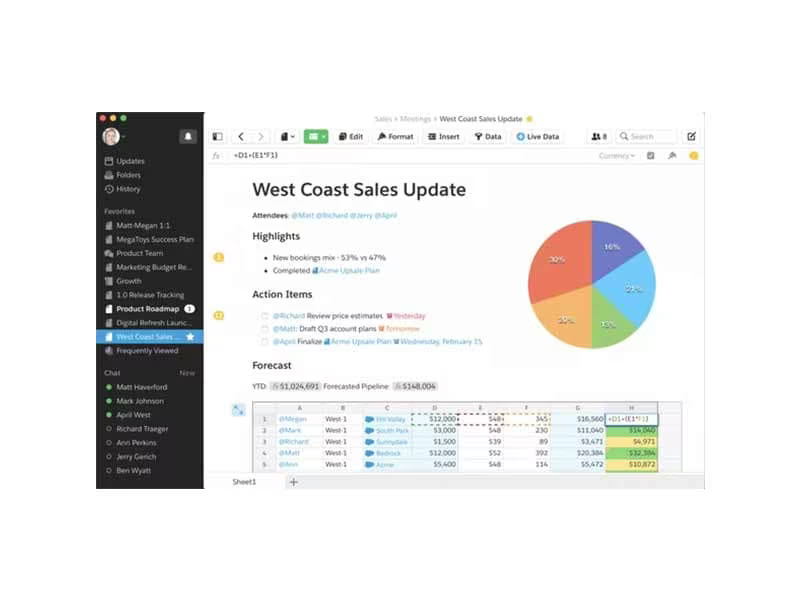
Quip software enables teams to work together on documents and oversee projects effortlessly, eliminating the need for emails. It provides features such as real-time editing, task lists, and chat functionalities. Although it excels in facilitating communication, a number of users feel it may not be the best option for intricate project tracking. Its straightforward design and integration capabilities make it perfect for efficient collaboration.
Product Snapshot

Product Details

What Is Quip Software?

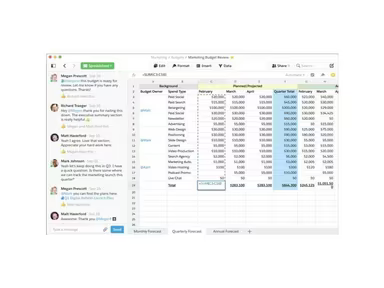
Quip is a cloud-driven tool for collaboration and project management that is part of Salesforce's portfolio. It allows teams to work together seamlessly on documents, spreadsheets, task lists, and chat rooms in real time. The platform aims to enhance teamwork, boost productivity, and facilitate communication, providing a unified workspace for all members of the team.

This software is particularly advantageous for Salesforce users looking to streamline processes like account planning, mutual close plans, and qualification notes. By standardizing, automating, and integrating collaborative documents within Salesforce records, Quip simplifies these tasks.

What Is Quip Best Known For?

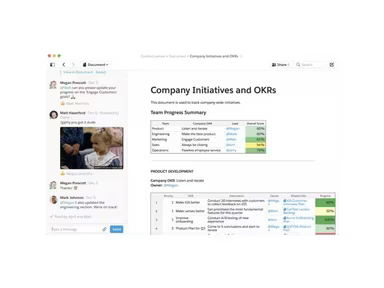
Quip is primarily recognized for its real-time collaboration capabilities, enabling teams to co-author documents, spreadsheets, and task lists simultaneously. Additionally, its mobile application allows users to collaborate while on the move.

How Much Does Quip Cost?

The pricing structure for Quip consists of three distinct tiers:

  • Quip Starter: The entry-level plan priced at $10 per user per month.

  • Quip Business: This plan is available for $25 per user per month and includes enhanced features for collaboration and project management.

  • Quip Advanced: Aimed at larger organizations, this plan offers additional security and compliance features at a cost of $100 per user per month.

Refer to the pricing table below or click on Get Pricing for further details about these plans.

Quip Integrations

Quip supports integration with numerous third-party applications, including:

  • Salesforce

  • Box

  • Dropbox

  • Lucidchart

  • Slack

How Does Quip Work?

To help you get started with Quip, here’s a step-by-step guide:

  1. Create a new document, spreadsheet, or task list, or access an existing one.

  2. Invite team members to collaborate on your document or task list.

  3. Edit and comment in real time on the document or task list.

  4. Utilize the chat feature to communicate instantly with team members.

  5. Save and share your document or task list with your team.

If you wish to see more about how Quip operates, click on Watch Demo for an in-depth look.

Who Is Quip For?

This software is ideal for businesses across various sizes and sectors. It proves especially beneficial for remote teams, freelancers, and project managers who require real-time collaboration while utilizing Salesforce.

Is Quip Right for You?

Quip serves teams seeking a straightforward project management and collaboration solution. It is particularly effective for remote teams and freelancers who need to engage in projects together in real time.

The platform also ensures top-tier data protection, privacy, and control through a virtual private cloud. Additionally, with Quip Shield's advanced security features, organizations can enhance transparency, compliance, and governance—making it suitable even for those most concerned about security. Thus, you can remain confident regarding data security against loss or unauthorized access.

If you're in search of an intuitive tool that could enhance team collaboration and productivity significantly, Quip deserves your attention.

Collaboration and Productivity Software Features

dashboard
live chat
reporting
mobile app
phone support
time tracking
call recording
email software
knowledge base
call monitoring
case management
crm integration
email marketing
lead generation
lead management
room management
task management
time management
user management
customer support
event management
focus scheduling
sales automation
smart scheduling
activity tracking
automation workfl
billing invoicing
budget management
calendar software
customer profiles
email integration
project templates
real time preview
sales forecasting
ticket management
contact management
payment processing
project scheduling
virtual workspaces
alertsnotifications
analytics reporting
automation workflow
calendar scheduling
campaign management
collaboration tools
communication tools
document management
employee management
feedback management
omnichannel support
reporting analytics
resource allocation
security compliance
workflow automation
integration with crm
mobile accessibility
note taking software
performance tracking
real time management
workforce management
boardworks scheduling
client management crm
customer segmentation
email client software
escalation management
front desk operations
regulatory compliance
automation andworkflow
customizable reporting
opportunity management
performance management
realtime communication
timeline based editing
analytics and reporting
automation and workflow
calendar and scheduling
customer servicesupport
customizable dashboards
file converter software
file sharing management
non destructive editing
real time communication
registration management
reporting and analytics
security and compliance
task project management
automation and workflows
calendar synchronization
communication management
deal pipeline management
e signature capabilities
guest management and crm
reservations and booking
social media integration
task nproject management
time tracking timesheets
board management software
bookmark manager software
customer feedback surveys
email management software
group chat app scheduling
multi format importexport
multi property management
sales pipeline management
document creation software
email marketing automation
employee intranet software
keyframe animation support
audio conferencing software
file sharing and management
integration and api support
meeting management software
task and project management
unified workspaces software
video to text ai scheduling
business scheduling software
cloud pbx platforms software
document generation software
hardware acceleration gpucpu
integration with other tools
internal newsletter software
mobile accessibility limited
multi track or layer support
other collaboration software
tasks and project management
time tracking and timesheets
customer feedback and surveys
integrations with other tools
personalization and targeting
ai meeting assistants software
call transfer and conferencing
high resolution output support
lead generation and management
visual collaboration platforms
customer communication tracking
employee information management
automated responses and chatbots
integration with marketing tools
internal communications software
collaborative whiteboard software
screen and video capture software
color grading and correction tools
plugin and extension compatibility
recruitment and applicant tracking
collaboration productivity software
financial and accounting management
security compliance user management
mobile access and contactless services
sf collaboration productivity software
analytics reporting time tracking timesheets
mobile accessibility limited web basedtablet support
calendar scheduling via form based scheduling and integrations

Pros

  • Real-time collaboration
  • Streamlined and centralized workspace
  • Mobile app for on-the-go collaboration
  • Integration with third-party applications

Cons

  • Limited project management features
  • Limited customization options

Price

Professional

$10.00

Get Free Guidance from Our Solution Experts.

Ratings

0.00 | 0 reviews

Ratings Distribution

Positive

0%

Neutral

0%

Negative

0%

User Reviews

No reviews yet

Be the first to share your experience with Quip.

Frequently Asked Questions

Find answers to the most common queries about our software recommendation service.

Quip is a shared online workplace where you can invite others to collaborate on document creation and editing.

Quip provides best practices that are pre-formatted and use real-time CRM data.

The software offers three different pricing strategies. Click on ‘Get Pricing’ button above to learn more about Quip pricing plans and offerings.

The software supports the following languages: English, Spanish, Italian Chinese (Traditional), Chinese (Simplified), French, German and Dutch.

Yes, the Quip Automation API automates the sharing of files, creating content, and processing of documents.

Quip combines documents, spreadsheets, and slides with real-time chat. It allows you to chat about your work at the same place you are working. Moreover, it allows all users to view the same, updated documents, which eliminates the need for repetitive email attachments for each document update. Likewise, you can perform all talks on the application.

Yes, the software provides users with mobile access.

Users can collaborate and communicate without email using the software. In the system, users can create and modify spreadsheets, documents, and checklists. Team members can also chat and annotate files in real-time.

Quip is suitable for businesses of all sizes and industries. It is particularly useful for remote teams, freelancers, and project managers who need to collaborate on projects in real time.

Quip integrates with various third-party applications, including Salesforce, Box, Dropbox, Lucidchart, and Slack.