

Sejda
Edit, merge, split, and convert PDFs effortlessly with Sejda. Enjoy a user-friendly platform for all your PDF management needs, anytime, anywhere.
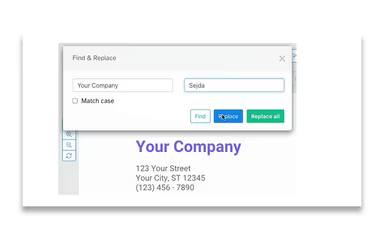
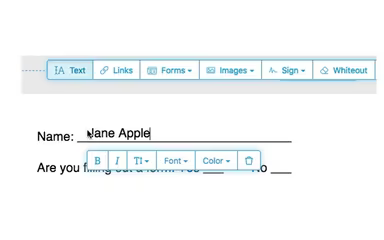
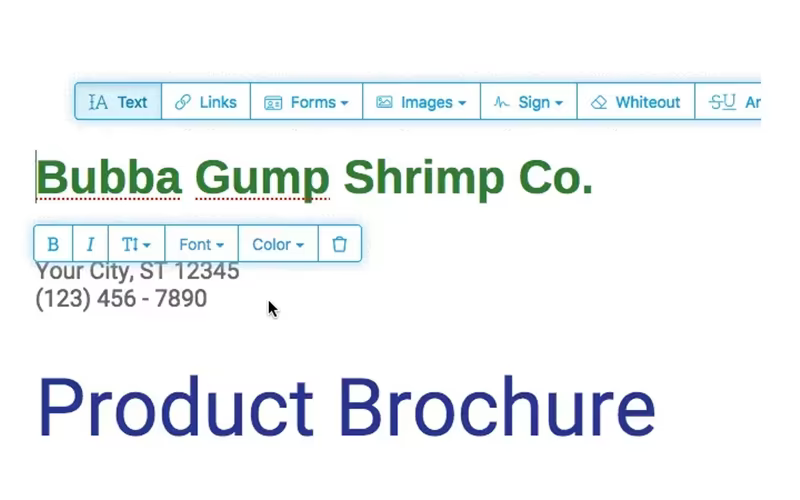
Sejda simplifies the process of editing PDFs with its user-friendly platform, which enables users to merge, split, convert, compress, and modify PDF files with ease. While the free version has some restrictions, permitting edits on a limited number of documents each hour, the application is accessible on various devices. Whether for professional or personal tasks, it provides a smooth way to handle PDF documents effectively.
What Is Sejda?
Sejda is a straightforward PDF solution tailored for professionals, students, and businesses aiming for easy document management. With its extensive features, users can edit, merge, and convert PDFs effortlessly. The platform provides smooth access across multiple devices, ensuring both flexibility and convenience. Thanks to its intuitive interface and powerful tools, users can boost productivity without facing technical hurdles. Whether you're handling reports, contracts, or personal documents, Sejda simplifies PDF management, proving to be an invaluable tool for daily document tasks.
Sejda Pricing
Sejda presents a range of pricing options to meet the needs of both individuals and businesses.
Personal Plan
Web Week Pass: $5 for 7 days (one-time payment, Web access only)
Web Monthly: $7.50/month (recurring billing, Web access only)
Desktop + Web Annual: $63/year (recurring billing, includes both Web and Desktop access)
Desktop + Web Free: $0 (limited usage and features)
Teams & Volume Discounts: Available starting from 2 members
Teams Plan
Web Week Pass: $4.50/user for 7 days (one-time payment, Web access only)
Web Monthly: $6.75/user/month (recurring billing, Web access only)
Desktop + Web Annual: $56.70/user/year (recurring billing, includes both Web and Desktop access)
Get pricing tailored to your individual or team needs.
Disclaimer: Prices are subject to change.
Sejda Integrations
Sejda seamlessly integrates with Google Drive. Watch the Sejda demo to explore its integration features further.
Who Is Sejda For?
The Sejda PDF Editor is crafted for individuals and businesses alike, as well as developers in need of effective PDF management solutions including editing, merging, splitting, and compressing PDFs. Additionally, it provides free access to educators at K-12 institutions and universities for classroom activities.
Is Sejda Right For You?
If you’re searching for a straightforward yet robust PDF tool, Sejda is an excellent choice for both individuals and businesses. Whether your goal is to edit, merge, split, or compress PDFs, it delivers a smooth experience. With both web and desktop access available, an API for developers, and complimentary access for teachers, Sejda serves as a versatile option for effortless document management.
If you have any doubts about whether Sejda fits your requirements, our support team is here to help. Reach out to us at info@softwareseekers.com.