logo

Soda PDF

Soda PDF streamlines the process of managing documents through its robust editing, conversion, and e-signing capabilities. While occasional pop-ups may interrup...

0.00 | 0 Reviews

Soda PDF streamlines the process of managing documents through its robust editing, conversion, and e-signing capabilities. While occasional pop-ups may interrup...

Product Overview

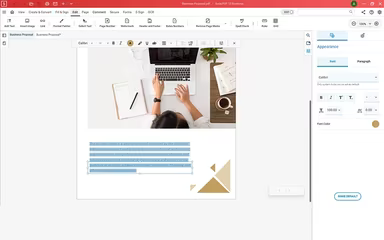
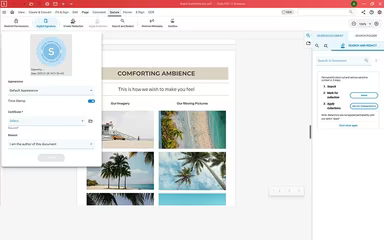
Soda PDF streamlines the process of managing documents through its robust editing, conversion, and e-signing capabilities. While occasional pop-ups may interrupt your workflow, the intuitive and user-friendly design of Soda makes editing PDFs a breeze. Users can benefit from cloud access, collaborative features, and sophisticated tools tailored for professionals, students, and organizations seeking effective PDF solutions.
Product Snapshot

Product Details

What Is Soda PDF?

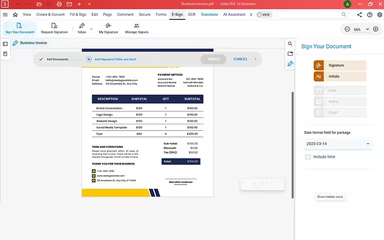
Soda PDF serves as a versatile solution designed to simplify document management for both professionals and organizations. It boasts an array of robust features such as PDF conversion, electronic signing, and seamless cloud integration, all aimed at enhancing workflow efficiency and productivity. The intuitive interface promotes easy navigation, enabling users to accomplish their tasks with minimal hassle.

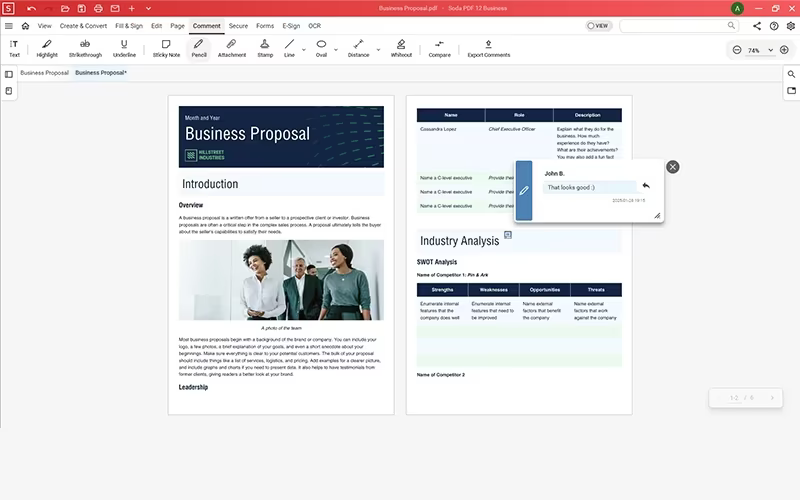
With the ability to access documents across different devices and built-in collaboration tools, working with PDFs becomes more streamlined and user-friendly. Whether for personal tasks or business needs, Soda PDF software ensures that document handling is swift, straightforward, and free of complications.

Soda PDF Pricing

The pricing plans for Soda PDF Editor are structured as follows:

  • Standard: $12.00/month

  • Pro: $15.00/month

  • Business: $20.00/month

If you're interested in additional savings, annual pricing options are also available. Reach out to us for tailored Soda PDF pricing that meets your specific business needs.

Note: Prices may vary.

Soda PDF Integrations

Soda PDF provides several third-party integrations including:

  • OneDrive

  • Dropbox

  • Google Drive

  • Box

  • Evernote

Schedule a demo of Soda PDF to explore its integration capabilities further.

Who Is Soda PDF For?

This software is ideal for individuals who need to manage documents or businesses seeking a dependable solution. It is particularly beneficial for professionals aiming to create, edit, and convert PDFs with ease.

Is Soda PDF Right For You?

If you are in search of a user-friendly and feature-rich PDF solution, then Soda PDF could be an excellent fit. Whether you're an individual managing your documents or a company requiring secure collaboration tools, it provides effective options for editing, converting, and managing PDFs. Its adaptable plans and cloud accessibility make it an outstanding choice for enhancing productivity and streamlining document processes.

If you're still uncertain whether Soda PDF meets your needs, reach out to our support team at info@softwareseekers.com for professional assistance.

Collaboration and Productivity Software Features

dashboard
live chat
reporting
mobile app
phone support
time tracking
call recording
email software
knowledge base
call monitoring
case management
crm integration
email marketing
lead generation
lead management
room management
task management
time management
user management
customer support
event management
focus scheduling
sales automation
smart scheduling
activity tracking
automation workfl
billing invoicing
budget management
calendar software
customer profiles
email integration
project templates
real time preview
sales forecasting
ticket management
contact management
payment processing
project scheduling
virtual workspaces
alertsnotifications
analytics reporting
automation workflow
calendar scheduling
campaign management
collaboration tools
communication tools
document management
employee management
feedback management
omnichannel support
reporting analytics
resource allocation
security compliance
workflow automation
integration with crm
mobile accessibility
note taking software
performance tracking
real time management
workforce management
boardworks scheduling
client management crm
customer segmentation
email client software
escalation management
front desk operations
regulatory compliance
automation andworkflow
customizable reporting
opportunity management
performance management
realtime communication
timeline based editing
analytics and reporting
automation and workflow
calendar and scheduling
customer servicesupport
customizable dashboards
file converter software
file sharing management
non destructive editing
real time communication
registration management
reporting and analytics
security and compliance
task project management
automation and workflows
calendar synchronization
communication management
deal pipeline management
e signature capabilities
guest management and crm
reservations and booking
social media integration
task nproject management
time tracking timesheets
board management software
bookmark manager software
customer feedback surveys
email management software
group chat app scheduling
multi format importexport
multi property management
sales pipeline management
document creation software
email marketing automation
employee intranet software
keyframe animation support
audio conferencing software
file sharing and management
integration and api support
meeting management software
task and project management
unified workspaces software
video to text ai scheduling
business scheduling software
cloud pbx platforms software
document generation software
hardware acceleration gpucpu
integration with other tools
internal newsletter software
mobile accessibility limited
multi track or layer support
other collaboration software
tasks and project management
time tracking and timesheets
customer feedback and surveys
integrations with other tools
personalization and targeting
ai meeting assistants software
call transfer and conferencing
high resolution output support
lead generation and management
visual collaboration platforms
customer communication tracking
employee information management
automated responses and chatbots
integration with marketing tools
internal communications software
collaborative whiteboard software
screen and video capture software
color grading and correction tools
plugin and extension compatibility
recruitment and applicant tracking
collaboration productivity software
financial and accounting management
security compliance user management
mobile access and contactless services
sf collaboration productivity software
analytics reporting time tracking timesheets
mobile accessibility limited web basedtablet support
calendar scheduling via form based scheduling and integrations

Pros

  • Easy and intuitive interface for editing and viewing PDFs
  • Supports multiple file formats for opening and reading PDFs
  • Ideal for creating and editing PDFs with various tools
  • Easy to download and install on a desktop

Cons

  • The free version has limited saving and editing features
  • Frequent pop-ups and system tray notifications can be annoying
  • No clear email notifications when a subscription is about to expire

Price

Professional

Custom

Get Free Guidance from Our Solution Experts.

Ratings

0.00 | 0 reviews

Ratings Distribution

Positive

0%

Neutral

0%

Negative

0%

User Reviews

No reviews yet

Be the first to share your experience with Soda PDF.

Frequently Asked Questions

Find answers to the most common queries about our software recommendation service.

Typical users of Soda PDF are individuals and businesses who work with PDFs.

Yes, Soda PDF has a mobile app for Android and iOS users.

Soda PDF supports multiple languages, including English, Chinese, Hindi, Spanish, French, Arabic, Portuguese, Russian, Indonesian, and Japanese.

No, Soda PDF does not offer an API.

Soda PDF cost consists of three plans, i.e., Standard at $12.00/month, Pro at $15.00/month, and Business at $20.00/month.

Soda PDF offers chatbot, email, FAQs/forums, and knowledge base support.

Soda PDF offers smooth integration with Google Drive, Evernote, OneDrive, Box, and Dropbox.