

think-cell
Elevate your presentations with think-cell, the ultimate chart automation tool that streamlines data integration and enhances slide precision in PowerPoint.
think-cell sets the benchmark for automating charts and arranging slides, tailored for users who require accuracy in PowerPoint presentations. Although its intricate data frameworks may require some time to fully understand, this is rapidly compensated for by its "Direct-to-Slide" method, which connects Excel data straight to well-designed charts.
What Is think-cell?
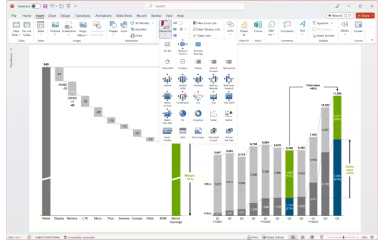
think-cell is a robust add-in designed for Microsoft PowerPoint and Excel, aimed at simplifying the process of crafting data-driven presentations. This tool addresses the tedious task of formatting charts and aligning elements on slides. With an intuitive user interface integrated directly within the Microsoft Office suite, it empowers users to create professional-quality visualizations that are fully editable. think-cell serves as an efficiency booster, converting raw data into polished, boardroom-ready slides with just a few clicks, ensuring that your visual narrative is both precise and visually appealing.
think-cell Pricing
think-cell provides the following pricing option:
Basic: starts at $19.90/month
Get in touch to request a customized think-cell pricing quote tailored for your business today!
Note: The pricing information has been sourced from third-party websites and may be subject to change.
think-cell Integrations
The vendor has not specified any third-party integrations available for this software. Consider requesting a think-cell demo to explore its features and potential compatibility.
Who Is think-cell For?
The think-cell software is well-suited for various industries and sectors, including:
Management consulting
Investment banking
Corporate strategy teams
Market research firms
Financial analysis departments
Is think-cell Right For You?
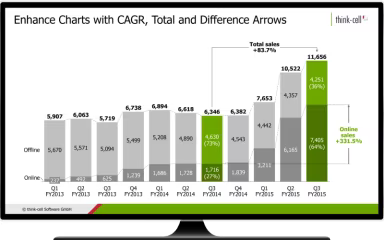
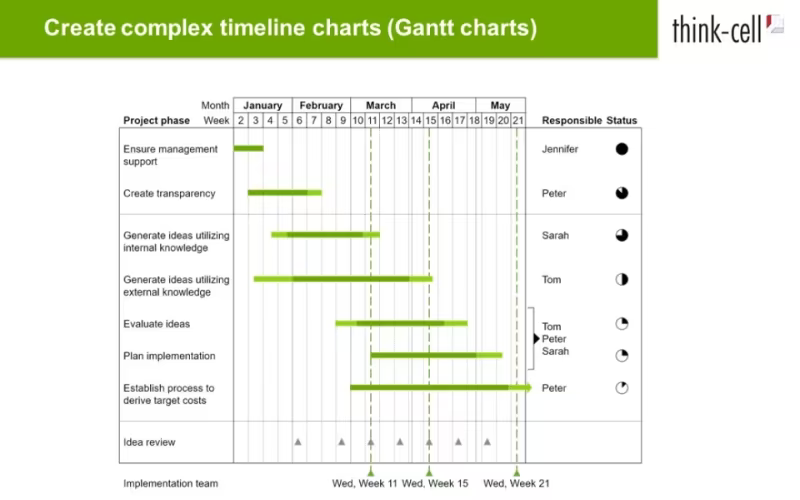
think-cell stands out as the top choice for organizations that depend on data visualization for informed decision-making. Its key feature, ‘Smart Charting’, enables users to generate intricate Waterfall, Marimekko, and Gantt charts that would typically be challenging to manage in standard PowerPoint. Known for its reliability and speed, it allows users to refresh entire presentations instantly when the underlying Excel data is updated. This tool effectively resolves issues for professionals who are weary of manual alignment and seek a solution that automatically adheres to strict corporate design standards.
If you still have questions about think-cell's features, feel free to reach out to us at info@softwareseekers.com for additional assistance.