

Zoho TeamInbox
Transform your shared inbox with Zoho TeamInbox, streamlining communication and task management for seamless teamwork and enhanced productivity.
Zoho TeamInbox transforms the disorder of shared inboxes into an organized system through features like task assignments, automation, and visibility for the entire team. The platform is user-friendly and effective for handling both group and individual emails in a single location. Although the reporting capabilities are somewhat limited, it serves as an excellent solution for teams that value seamless communication over intricate analytics.
What Is Zoho TeamInbox?
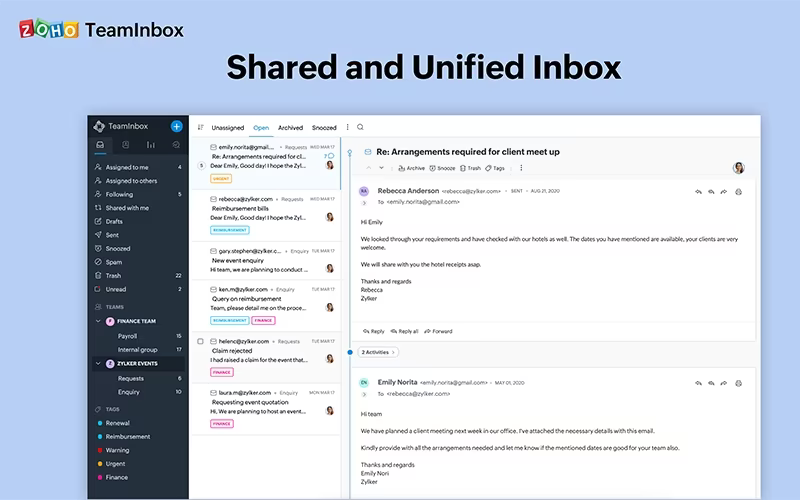
Zoho TeamInbox serves as an effective shared inbox tool that aims to consolidate team communication and enhance email management. By providing a single platform for managing group emails alongside other communication methods, it significantly improves collaboration within teams.
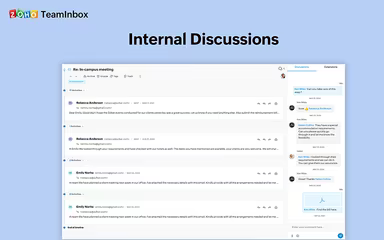
With this solution, users can efficiently assign tasks, engage in internal discussions about specific threads, and respond to inquiries more effectively, ensuring that no messages slip through the cracks.
What Is Zoho TeamInbox Best For?
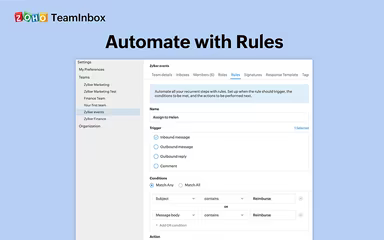
This software shines in its ability to automate repetitive tasks thanks to its robust automation features. Users can design workflows and set rules to trigger actions automatically when certain conditions are fulfilled. For example, teams can establish guidelines to automatically route incoming emails based on their subject lines or content, facilitating quick and precise handling.
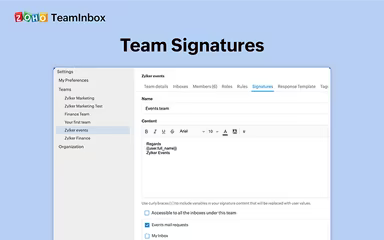
Additionally, Zoho TeamInbox supports the creation of standardized signatures for cohesive team branding and allows for faster responses with pre-configured email templates. It also automates the process of adding new members to designated inboxes and includes snooze options for effective management of email threads.
Zoho TeamInbox Pricing
The provider presents two pricing options tailored to meet the various needs of organizations:
Starter - $6/user/month
Professional - $9/user/month
Both plans offer a 14-day free trial, and there are add-ons (additional channels) available for $4 each.
For businesses with simpler needs, Zoho TeamInbox also offers mobile-only plans:
Solo - $.99/month
Team - $4.99/month
Team Plus - $7.99/month
For a tailored pricing quote for your business's use of Zoho TeamInbox, reach out to us today!
Please note that pricing is subject to change.
Zoho TeamInbox Integrations
Zoho TeamInbox seamlessly integrates with a variety of both native and third-party applications and systems, such as:
Zoho CRM software
n8n
You can schedule a free demo of Zoho TeamInbox to explore its integration options further.
Who Is Zoho TeamInbox For?
This solution is designed for businesses operating in numerous industries and sectors, including:
Customer support
Marketing
Non-profits
Consultancy
Is Zoho TeamInbox Right For You?
Zoho TeamInbox is an excellent choice for teams looking to centralize and enhance their email communications. Its advanced features, especially regarding automation and collaboration, can greatly improve productivity while ensuring reliable customer engagement.
The capability to manage both shared and individual inboxes within a single interface makes it a versatile solution suited for various team configurations. For organizations facing challenges related to email overload and the need for coordinated responses, Zoho TeamInbox provides a streamlined method to achieve Inbox Zero and maintain clear accountability.
If you're still unsure whether Zoho TeamInbox fits your needs, please contact our customer support team at info@softwareseekers.com for additional assistance.