logo

CMiC

CMiC enhances the management of construction projects by merging financial management, project oversight, and document handling into one cohesive platform. Whil...

0.00 | 0 Reviews

CMiC enhances the management of construction projects by merging financial management, project oversight, and document handling into one cohesive platform. Whil...

Product Overview

CMiC enhances the management of construction projects by merging financial management, project oversight, and document handling into one cohesive platform. While the initial configuration may require a significant investment of time, the unified database it offers fosters better collaboration and informed decision-making. Featuring strong capabilities in accounting, scheduling, and on-site operations, CMiC serves as an all-encompassing tool for construction firms aiming for greater efficiency and control.
Product Snapshot

Product Details

What Is CMiC?

Overview

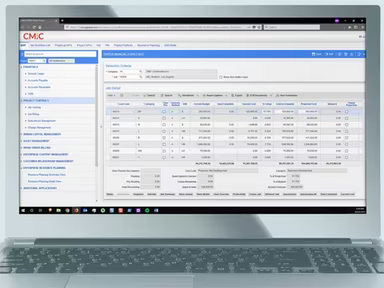
CMiC is a cloud-centric construction management tool aimed at enhancing all facets of construction projects, ranging from financial management to project oversight. This platform aids construction firms in boosting productivity, managing expenses, and reducing risks throughout their projects by providing a unified system to oversee various operations. Features include construction accounting, equipment and inventory tracking, document management, and much more.

What Is CMiC Best For?

This platform is particularly noteworthy for its Single Database Platform. This innovative aspect consolidates all your project-related information—financials, contracts, documents, schedules—into a single accessible hub. It enhances teamwork by breaking down data silos and guarantees that all team members have access to the latest information. The real-time insights facilitate improved decision-making, efficiency, and a lower likelihood of mistakes.

CMiC Pricing

The software offers a variety of pricing plans to accommodate the changing needs of different organizations. You can request a personalized CMiC cost estimate tailored specifically to your specifications.

CMiC Integrations

CMiC seamlessly integrates with various third-party applications, including:

  • DocuSign

  • Kofax

  • Clearstory

  • HammerTech

  • Arcoro

  • SmartBarrel

  • Prophix

  • Unanet AE Software

How Does CMiC Work?

To get started with the software after installation, follow these steps:

  1. Log in to the CMiC software using your credentials.

  2. Assign roles and permissions to users according to their project needs.

  3. Create the project structure by dividing it into phases, tasks, and subtasks.

  4. Integrate CMiC with existing accounting systems for streamlined financial oversight.

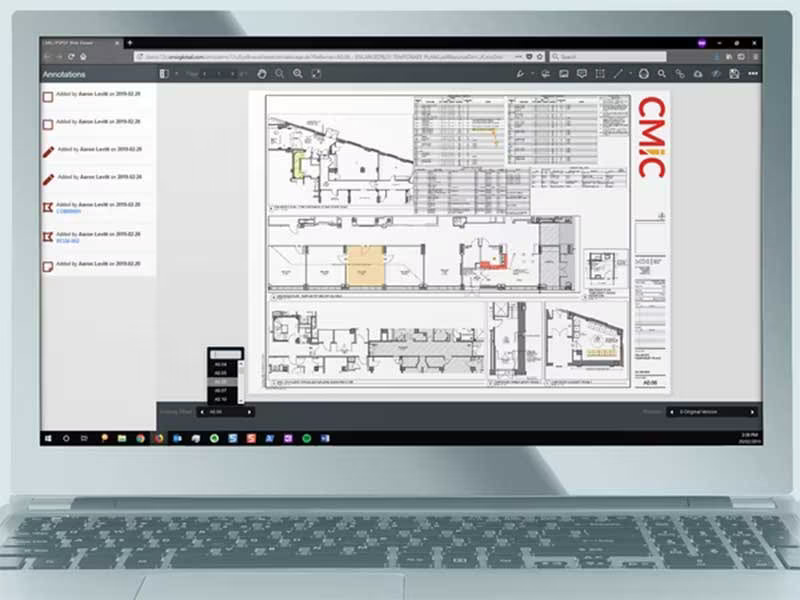
  5. Upload contracts, plans, specifications, and other essential documents into a centralized location.

  6. Personalize dashboards to monitor critical project indicators such as budget, timeline, and resource distribution.

  7. Invite subcontractors to collaborate on the platform, manage agreements, and enhance communication.

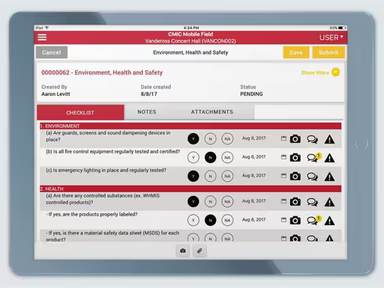
  8. Provide field staff with mobile application access for up-to-date information, task management, and time tracking.

If you want to explore more about the software's features, arrange a complimentary CMiC demo.

Who Is CMiC For?

This software is tailored for medium to large organizations across various sectors, including:

  • Architecture

  • Engineering

  • Construction

Is CMiC Right For You?

If you're facing challenges in managing intricate construction projects, controlling expenses, and fostering collaboration, CMiC can help optimize your processes and ensure success. This construction management solution enhances every aspect of project management for optimal efficiency—covering financials, scheduling, document oversight, and field operations.

In today's construction landscape, security and scalability are critical. CMiC's cloud-based framework guarantees that your data remains secure and readily available. Additionally, the platform is designed to scale with your business needs, whether you're a mid-sized contractor or a large organization.

If you're still uncertain about whether CMiC is the right choice for you, reach out to our customer support team at info@softwareseekers.com; they are ready to assist you in making the best choice for your construction enterprise.

Construction Management Software Features

dashboard
invoicing
reporting
seo tools
accounting
estimating
mobile app
audit trails
cost tracking
mobile access
time expenses
time tracking
bid management
issue tracking
tax management
cash management
cost management
crew scheduling
quality control
task management
accounts payable
expense tracking
project closeout
project tracking
billing invoicing
budget management
progress tracking
project templates
safety management
task dependencies
vendor management
content scheduling
content versioning
equipment tracking
invoice management
mobile app support
payroll processing
project management
project scheduling
accounts receivable
alertsnotifications
bank reconciliation
collaboration tools
contract management
document management
employee management
financial reporting
material management
real time reporting
resource allocation
resource management
template management
timeline scheduling
workflow management
budgetingforecasting
inventory management
contractor management
project communication
role based permission
safety and compliance
time expense tracking
maintenance management
mobile app via browser
multi currency support
accounting integrations
analytics and reporting
change order management
construction scheduling
project cost estimation
reporting and analytics
telematics integrations
field employee timecards
media library management
multi channel publishing
punch list task tracking
subcontractor management
budgeting and forecasting
purchase order management
quality safety management
tracking alertsnotifications
construction bidding software
material inventory management
safety and compliance tracking
collaboration and communication
construction project management
project planning and scheduling
project scheduling and planning
construction scheduling software
budget management budget tracking
integration with third party tools
collaboration and communication tools
content creation and editing tools wysiwyg
collaboration tools collaboration and communication
task dependencies implied via scheduling and task management

Pros

  • Streamlines workflows and data across teams
  • Improves project awareness and decision-making
  • Facilitates communication and document sharing
  • Empowers field crews with on-site access
  • Effective construction revenue management

Cons

  • May require initial training for some users
  • Setup process can be time-consuming
  • Limited flexibility in reporting formats, according to some CMiC reviews

Price

Professional

Custom

Get Free Guidance from Our Solution Experts.

Ratings

0.00 | 0 reviews

Ratings Distribution

Positive

0%

Neutral

0%

Negative

0%

User Reviews

No reviews yet

Be the first to share your experience with CMiC.

Frequently Asked Questions

Find answers to the most common queries about our software recommendation service.

Yes, the software has an API available for usage.

The software supports the English language.

The software integrates with various third-party solutions, including Arcoro, DocuSign, Kofax, Clearstory, HammerTech, SmartBarrel, Prophix, and Unanet AE software.

The software supports mobile devices.

CMiC pricing may differ depending on your organization type and needs. Request for a custom CMiC Pricing.

The software caters to medium- to large-scale architecture, engineering, and construction organizations.

CMiC construction software provides phone support and has an active FAQs/forum section where you can find answers to common questions.

CMiC and next-generation construction ERP can support integrated project delivery by fostering collaboration between various stakeholders (contractors, architects, engineers) on a construction project. However, CMiC might offer a different level of specialization in areas like building information modeling (BIM), which is commonly found in next-generation construction ERP solutions.

CMiC does not directly address integration with the Contract Research Organizations (CROs). However, it offers open APIs that could facilitate data exchange with CROs involved in construction projects.

An "authentication failed" message can appear for a few reasons, like ensuring you enter the correct username and password. Make sure Caps Lock is off, as passwords are case-sensitive. If you've forgotten your password, use the "Forgot Password" link on the login page to reset it.

While CMiC is primarily designed for the construction industry, CMiC features for document control, project management, and task tracking might be helpful in some aspects of medical device manufacturing. However, it likely would not comply with specific regulatory requirements for medical devices and would not replace specialized software designed for that industry.