

CoConstruct
Streamline your construction projects with CoConstruct, the essential tool for managing budgets, schedules, and communication effortlessly.
Key Insights
Derived from customer feedback, CoConstruct serves as a project management solution tailored for builders and project managers within small to medium-sized construction enterprises. While the initial configuration might require some effort, its seamless integration with QuickBooks and Buildertrend facilitates efficient operations. In summary, CoConstruct proves to be an essential tool for managing projects effectively.
Our Assessment
CoConstruct is particularly advantageous for residential construction firms and remodeling businesses that need to oversee budgets, schedules, subcontractors, and communication with homeowners across several simultaneous projects. Feedback from users indicates that the software delivers significant long-term benefits for construction teams dealing with more complex projects and heavier operational demands. Nonetheless, smaller firms may struggle to see the value in the onboarding process and workflow establishment in the long run.
What Is CoConstruct?
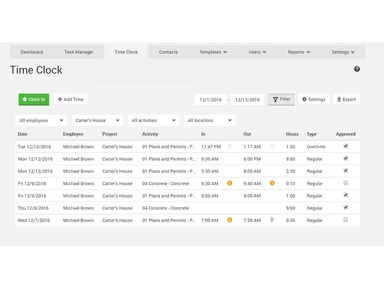
CoConstruct, now integrated into the Buildertrend platform, is a cloud-based solution for construction management aimed at custom home builders and remodelers. This software provides a robust suite of tools designed specifically for project management in the construction sector. It streamlines project coordination, financial oversight, and communication with clients, making it easier for construction firms to manage their projects effectively. The platform stands out among construction management options due to its excellent scheduling capabilities and structured communication features.
What Is CoConstruct Best For?
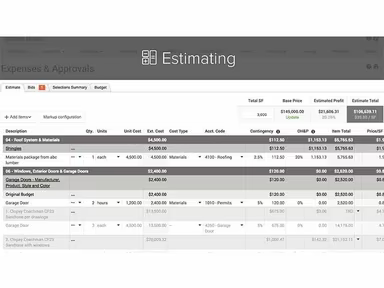
This platform is particularly well-known for its budgeting and estimating functionalities tailored for residential construction processes. Builders can input their estimates once, and this information seamlessly integrates into specifications, selections, and change orders throughout the project's lifecycle. As clients make decisions, the budget automatically updates to reflect those changes, eliminating the need for manual adjustments. This feature enables construction teams to keep track of their financials without having to reconcile data from various spreadsheets or tools.
How Much Does CoConstruct Cost?
The cost of CoConstruct typically falls between $49 and $499 per month, depending on factors such as the number of active projects, chosen workflows, and the scope of implementation.
Beyond the estimated subscription fees, organizations may also face additional costs related to implementation and operations:
Implementation And Setup: Ranges from $2,000 to $10,000 for smaller firms; $10,000 to $25,000 for larger builders with intricate project management and financial workflows.
Data Migration: Costs between $1,500 and $8,000 based on historical project records, budgets, schedules, client information, and estimate imports.
Admin And Team Training: Expenses vary from $1,000 to $8,000 depending on the number of personnel involved such as project managers and accountants.
Custom API And Third-Party Integrations: Costs can range from $3,000 to over $20,000 based on the integration needs for CRM systems, payroll processing, procurement solutions, document management systems, or reporting tools.
Mobile Rollout And Field Deployment: Budget between $500 and $3,000 for onboarding field staff and mobile setup across construction teams.
Advanced Reporting And Business Intelligence Tools: Annual costs may run from $1,000 to over $10,000 for custom dashboards and financial analytics connected with platforms like Power BI.
User feedback indicates that CoConstruct’s pricing is reasonable for larger teams utilizing it for estimating, budgeting, scheduling, and project tracking tasks. However, smaller construction businesses might find it somewhat expensive.
If you're interested in a custom quote for CoConstruct based on your project's volume and workflow needs, please reach out.
Note: Pricing details are derived from publicly accessible third-party sources and industry standards. Actual expenses may differ.
CoConstruct Integrations
The CoConstruct software connects with several third-party applications including:
QuickBooks
Buildertrend Software
Gmail
Microsoft Outlook
How Does CoConstruct Work?
This is how you can begin using the software once it's installed:
Log into the CoConstruct platform.
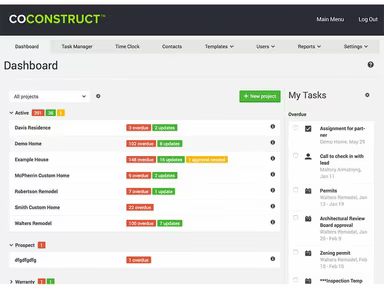
Navigating to the main dashboard provides an overview of your projects.
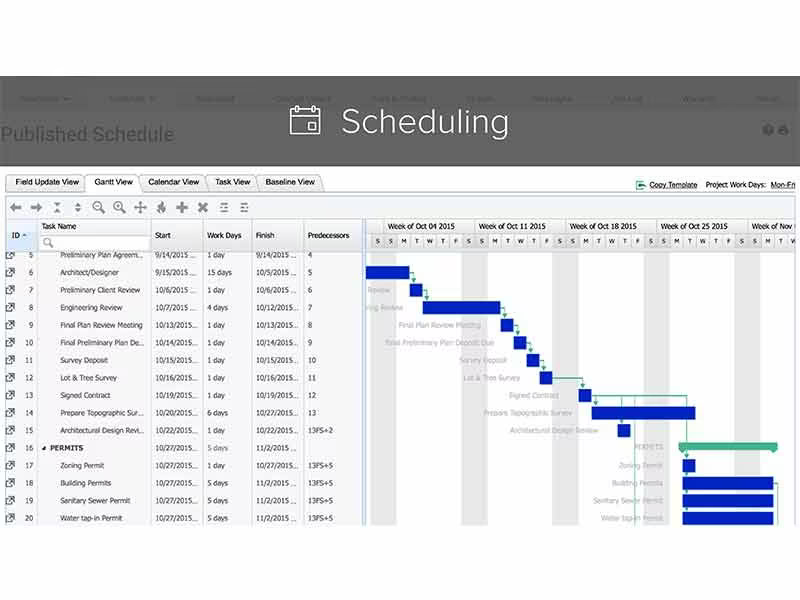
Utilize scheduling features to manage timelines effectively.
Input job site logs to monitor daily activities.
Manage expenses through dedicated expense management tools.
Communicate with both clients and team members via integrated messaging options.
Easily store and organize project photos for quick access.
Electronically capture signatures for project approvals.
If you would like a comprehensive guide on how to get started with this software, consider scheduling a free demo of CoConstruct.
Who Is CoConstruct For?
The software is ideally suited for small to medium-sized construction firms including:
Home builders and remodelers
Residential contractors
Construction professionals
CoConstruct Use Cases
An analysis of user experiences reveals several scenarios in residential construction where builders, remodelers, and project management teams commonly utilize CoConstruct:
Residential Builders Managing Homeowner Selections And Project Communication: Custom home builders frequently engage in ongoing communication with homeowners during various stages of construction. CoConstruct helps streamline selections, approvals, project updates, and discussions within a unified workflow. This is especially beneficial for projects where homeowners are involved in material choices and scheduling decisions throughout the build process.
Construction Companies Tracking Estimates, Budgets, And Job Costs: Builders managing multiple residential projects require enhanced visibility into estimates and ongoing costs. CoConstruct integrates budgeting with job costing activities within a single system. This capability allows teams to monitor spending commitments without needing separate records across different departments. Users have often pointed out that estimating and costing workflows are among the most valuable features of the platform.
Remodeling Businesses Coordinating Subcontractors Across Active Projects: Remodeling firms working with various subcontractors may utilize CoConstruct to streamline communication and schedule updates across ongoing jobs. This tool helps managers maintain oversight of task progress and contractor coordination without relying solely on disparate communication channels.
Construction Teams Centralizing Project Documentation And Field Updates: Residential construction teams often manage documentation such as project photos and client records across multiple job sites. CoConstruct allows them to keep all necessary documentation associated with specific projects so that office staff and field teams can access updates from one system. Many users have highlighted the mobile app as a means to update project activities directly from job sites.
Is CoConstruct Right For You?
If you are in search of all-encompassing project management software that simplifies your construction processes, consider starting with CoConstruct. The software boasts a robust array of features addressing common challenges faced by those in the construction industry. It enables users to manage schedules effectively while tracking expenses to ensure seamless project execution.
The solutions offered by CoConstruct are scalable for growing construction companies while ensuring security and effectiveness in overseeing multiple projects simultaneously.
If you're still uncertain whether CoConstruct is suitable for your needs, feel free to contact us at info@softwareseekers.com; we are here to assist you in making an informed decision.