logo

Followup CRM

Followup CRM is designed to reduce the disorder that frequently accompanies sales and project management in the construction industry. This integrated platform...

0.00 | 0 Reviews

Followup CRM is designed to reduce the disorder that frequently accompanies sales and project management in the construction industry. This integrated platform...

Product Overview

Followup CRM is designed to reduce the disorder that frequently accompanies sales and project management in the construction industry. This integrated platform offers a comprehensive view of your processes, streamlines bid monitoring, and enhances communication among team members. Although the onboarding process may require some investment of time, the tailored features can greatly enhance your operational efficiency.
Product Snapshot

Product Details

What Is Followup CRM?

Overview

Followup CRM is a cloud-based software solution crafted for customer relationship management (CRM), specifically targeting construction firms, contractors, and builders. This tool enhances the sales workflow, aids in project management, and promotes improved communication with clients throughout the construction process. Additionally, it provides features such as bid and pipeline management, sales tracking, proposal creation, and much more.

What Is Followup CRM Best For?

The primary strength of Followup CRM lies in its ability to simplify the bidding and project management tasks. Its specialized workflows and emphasis on bid tracking distinguish it from standard CRM offerings. The software is designed to minimize administrative burdens and communication errors, which are prevalent issues in the construction industry.

Followup CRM Pricing

The pricing plans for Followup CRM are as follows:

  • Enterprise - Custom

  • Professional - Custom

  • Team - Custom

This software presents various pricing alternatives to accommodate diverse organizations and their changing requirements. You can request a custom quote for Followup CRM.

Followup CRM Integrations

Followup CRM integrates seamlessly with several third-party applications, including:

  • Outlook

  • Sage

  • Zapier

  • Vista

  • Deltek

  • QuickBooks

  • Hover

  • Knowify

How Does Followup CRM Work?

Once you complete the installation of Followup CRM, getting started is straightforward:

  1. Log in using your credentials.

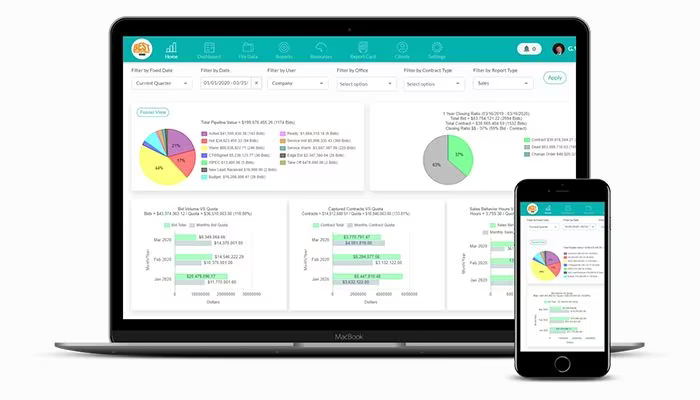
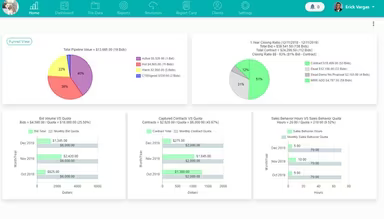
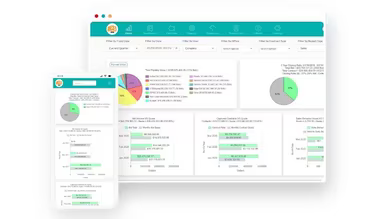
  2. Access a customizable dashboard showcasing key metrics, pipeline status, project timelines, and upcoming tasks.

  3. Easily import your existing client and lead information from spreadsheets or other platforms.

  4. Adjust the stages of your sales process to align with your company's unique workflow.

  5. Simplify project initiation by creating reusable templates for common project types.

  6. Set access permissions and visibility levels for various team members.

  7. Integrate Followup CRM with your email, accounting software, and other vital business applications.

  8. Automate crucial client communications and project-related tasks.

You can also watch a free demo of Followup CRM to explore its features in detail.

Who Is Followup CRM For?

This software is tailored specifically for professionals and companies within the construction sector. It is particularly suited for small to medium-sized enterprises such as:

  • General contractors

  • Specialty contractors

  • Remodelers

  • Builders

Is Followup CRM Right For You?

If you find it challenging to streamline your construction sales process or if leads often get overlooked while projects become tangled in paperwork, then Followup CRM could be the answer you need. This solution offers organized pipelines and helps secure winning bids.

As your construction business expands, you require a system that can grow with you. Followup CRM emphasizes security to safeguard your essential client and project information while providing the adaptability necessary to evolve with your needs.

If you're still uncertain about whether Followup CRM fits your requirements, feel free to reach out to us at info@softwareseekers.com for assistance in making an informed decision.

Construction Management Software Features

dashboard
invoicing
reporting
seo tools
accounting
estimating
mobile app
audit trails
cost tracking
mobile access
time expenses
time tracking
bid management
issue tracking
tax management
cash management
cost management
crew scheduling
quality control
task management
accounts payable
expense tracking
project closeout
project tracking
billing invoicing
budget management
progress tracking
project templates
safety management
task dependencies
vendor management
content scheduling
content versioning
equipment tracking
invoice management
mobile app support
payroll processing
project management
project scheduling
accounts receivable
alertsnotifications
bank reconciliation
collaboration tools
contract management
document management
employee management
financial reporting
material management
real time reporting
resource allocation
resource management
template management
timeline scheduling
workflow management
budgetingforecasting
inventory management
contractor management
project communication
role based permission
safety and compliance
time expense tracking
maintenance management
mobile app via browser
multi currency support
accounting integrations
analytics and reporting
change order management
construction scheduling
project cost estimation
reporting and analytics
telematics integrations
field employee timecards
media library management
multi channel publishing
punch list task tracking
subcontractor management
budgeting and forecasting
purchase order management
quality safety management
tracking alertsnotifications
construction bidding software
material inventory management
safety and compliance tracking
collaboration and communication
construction project management
project planning and scheduling
project scheduling and planning
construction scheduling software
budget management budget tracking
integration with third party tools
collaboration and communication tools
content creation and editing tools wysiwyg
collaboration tools collaboration and communication
task dependencies implied via scheduling and task management

Pros

  • User-friendly interface
  • Streamlined bid management functionality
  • Visual pipeline for sales clarity
  • Robust reporting and analytics tools
  • Customizable workflows and templates

Cons

  • Reporting could be more in-depth, according to some FollowUP CRM reviews
  • Onboarding can be time-consuming

Price

Professional

Custom

Get Free Guidance from Our Solution Experts.

Ratings

0.00 | 0 reviews

Ratings Distribution

Positive

0%

Neutral

0%

Negative

0%

User Reviews

No reviews yet

Be the first to share your experience with Followup CRM.

Frequently Asked Questions

Find answers to the most common queries about our software recommendation service.

Yes, the software has an API available.

The software supports the English language.

The software seamlessly integrates with Vista, Outlook, Sage, Zapier, Deltek, QuickBooks, Hover, and Knowify.

The software supports mobile devices.

The software provides flexible pricing options, including Enterprise, Professional, and Team plans. All of these can be customized to meet the unique needs of different organizations, ultimately leading to more projects! Request a custom Followup CRM cost quote today.

Followup CRM is tailored for the construction industry, serving small to medium-sized businesses such as specialty contractors, general contractors, remodelers, and builders.

FollowUp CRM provides support through phone, email/help desk, chat, and a knowledge base.

FollowUp Power provides a centralized platform to manage leads, track leads through a visual sales pipeline, and automates follow-up tasks. This helps sales teams stay organized, prioritize effectively, and increase their closing ratio.

FollowUp Power allows you to store comprehensive contact details for leads and clients. The system also tracks all interactions, ensuring your sales team has the information they need for effective follow-up and more project wins.

FollowUp Power's industry-specific features, designed to handle construction sales processes, can help you close more deals. The intuitive interface and automation tools save time and reduce the potential for missed opportunities.