

Holobuilder Software
Track construction progress effortlessly with HoloBuilder's 360° photos and 3D point clouds for a comprehensive site view. Manage projects with ease!
Looking for an improved method to monitor construction advancements? HoloBuilder presents a groundbreaking solution. With its capability to take 360° images and generate 3D point clouds, it delivers a detailed perspective of your construction site, simplifying the management of extensive projects and facilitating progress tracking over time.


What Is HoloBuilder?
Overview
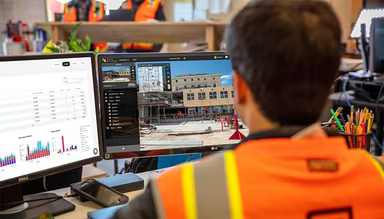
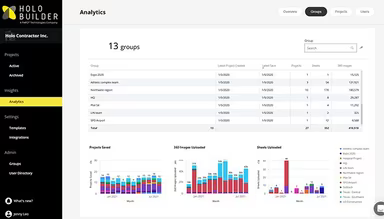
HoloBuilder is a cloud-driven software solution for managing construction progress, tailored specifically for professionals such as engineers and project managers. This tool allows users to capture reality data, communicate effectively, and oversee project advancement using 360° photography. Its design is particularly beneficial for handling extensive construction sites with several levels, and it can be accessed from anywhere, simplifying the tracking of ongoing construction activities.
The platform is well-regarded for its intuitive design, tour capabilities, and engaging features. Users frequently commend its user-friendliness, noting that they can document the progress of construction sites in approximately one hour.
What Is HoloBuilder Best Known For?
HoloBuilder distinguishes itself in the realm of construction management software through its exceptional capability to capture and handle 360° images and 3D point clouds. This functionality provides users with a holistic perspective of their construction sites, which is essential for large-scale projects where monitoring site progress is crucial. Furthermore, HoloBuilder's offering of 3D point clouds enables the creation of three-dimensional models of construction sites for purposes such as planning, design, and tracking advancements.
HoloBuilder Pricing
The software presents three custom pricing plans:
Project - Custom pricing
Enterprise - Custom pricing
Point Cloud Management - Custom pricing
To receive a tailored HoloBuilder cost estimate that suits your organization’s requirements, request a custom quote now.
Please note that pricing may vary over time.
HoloBuilder Integrations
HoloBuilder integrates with the following platforms:
Microsoft Teams
Bluebeam
Autodesk Construction Cloud
Autodesk BIM 360
Google Drive
Box
pCloud
How Does HoloBuilder Work?
If you want to get started with HoloBuilder, follow these steps:
Log in to the software using your credentials.
A dialog box will prompt you to open an existing project.
If you wish to create a new project, go to [File > New] at the top of the HoloBuilder interface.
The key menus needed for getting started are located on the project panel on the left side.
Add one or more sheets or floor plans by clicking the + button in the lower-left corner.
Save your project under [File > Save].
Download the 'JobWalk app' for iOS or Android onto your mobile device.
Open the 'JobWalk app' and log in. You should see your previously created project listed under [In the cloud].
Consider scheduling a demo of HoloBuilder.
Who Is HoloBuilder For?
This software is designed for professionals in various sectors, including:
Construction
Real Estate
Architecture
Design
Industry 4.0
Is HoloBuilder Right For You?
If you're seeking a solution for managing construction progress that seamlessly integrates with your existing systems while providing a comprehensive view of your jobsite, then HoloBuilder could be an ideal choice. It received the grand prize at the Ricoh Theta Innovation Award in 2015 and was honored with the Microsoft Intelligent Manufacturing Award in 2021. Many of the largest AEC firms worldwide rely on HoloBuilder.
Regarding security, HoloBuilder is designed with a focus on compliance and safety. It features end-to-end encryption and a seven-tier user management system to ensure that your data remains protected. The platform is highly scalable and includes features such as categories and filters that facilitate efficient communication and documentation across extensive projects.
If you're still uncertain about whether HoloBuilder fits your needs, reach out to our customer support team at info@softwareseekers.com for assistance in making an informed decision.