

SmartUse Suite
Transform your construction projects with SmartUse, the go-to solution for document management that streamlines blueprints and drawing management.
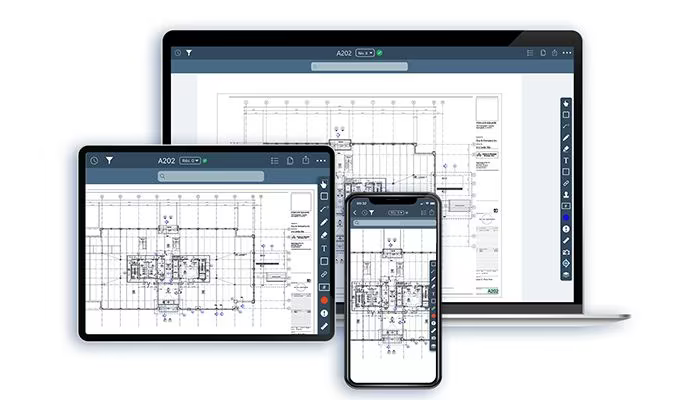
SmartUse provides a solution for managing documents specifically tailored for construction projects. Although users may encounter a slight learning curve and some minor glitches, feedback tends to be favorable. The software includes mobile app access and offers a complimentary 30-day trial. In summary, SmartUse stands out as a reliable choice for managing blueprints and drawings for organizations aiming to eliminate paper usage.
What Is SmartUse?
Overview
SmartUse Suite is a cloud-based software solution designed for construction management, enabling users to engage with blueprints and related documents. This tool is specifically tailored for the construction sector, addressing significant challenges such as inspections, data security, and quantity takeoffs. Additionally, it includes features aimed at improving communication and collaboration among team members.
What Is SmartUse Best Known For?
This platform is notable in the construction management realm for its Automatic Hyperlinks feature. This distinctive capability automatically links detail callouts across all drawings and index sheets. Moreover, the software examines your drawings to identify connections between them and generates hyperlinks accordingly. Known as SmartLink, this feature allows users to seamlessly navigate from one sheet to another with just a tap, simplifying the management of intricate construction documents.
SmartUse Pricing
SmartUse provides three distinct pricing plans:
Essential - $599/user/year
Pro - $699/user/year
Enterprise – Contact Sales
Get tailored SmartUse pricing immediately for your construction endeavors.
Please note that pricing may vary.
SmartUse Integrations
SmartUse offers integrations that can be customized based on user requirements upon request.
How Does SmartUse Work?
The operation of SmartUse is straightforward. Follow these step-by-step instructions:
Launch the SmartUse App and log in using your credentials.
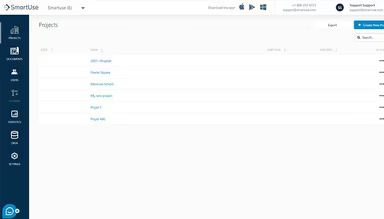
You will arrive at the Projects page displaying the projects assigned to you.
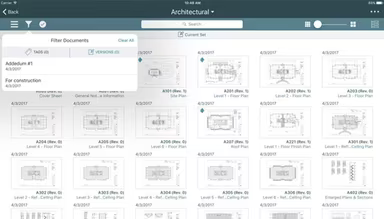
Select a project to begin; this will take you to the Documents window.
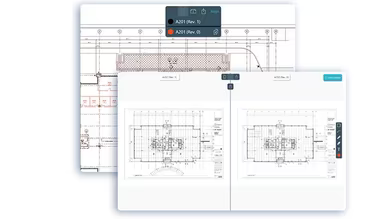
Choose the necessary drawings and documents, and annotate them offline.
Once you are back online, all modifications will automatically sync with the cloud.
Utilize the Automatic Hyperlinks feature to transition between sheets effortlessly.
Employ the Tracking feature to manage punch list items from start to finish.
Leverage the export tool to generate a deficiencies report in any office-compatible format.
If you're still unsure about choosing SmartUse, consider scheduling a free demo to discover more about this tool.
Who Is SmartUse For?
SmartUse is designed for various sectors and industries, including:
Construction
Commercial Projects
Education
Healthcare
Industrial Projects
Is SmartUse Right For You?
If you're seeking construction management software that enhances project efficiency and collaboration, SmartUse could be an excellent match. With its scalability and robust security measures, this software is appropriate for organizations of any size. One of its main advantages is addressing the complexities involved in managing and navigating intricate construction documents.
The Automatic Hyperlinks feature, or SmartLink, streamlines this task by automatically establishing hyperlinks between associated documents. Additionally, it tackles challenges related to team coordination and communication. The App Syncing feature ensures that every team member has access to the most current information.
If you still have doubts about whether SmartUse suits your needs, reach out to our customer support team at info@softwareseekers.com for assistance in making an informed choice.