logo

Padlet

Padlet is an intuitive visual collaboration tool designed for both creators and educators. While the free version does come with certain restrictions, it offers...

0.00 | 0 Reviews

Padlet is an intuitive visual collaboration tool designed for both creators and educators. While the free version does come with certain restrictions, it offers...

Product Overview

Padlet is an intuitive visual collaboration tool designed for both creators and educators. While the free version does come with certain restrictions, it offers a variety of formats for content organization. The platform's easy-to-navigate interface enhances the process of sharing ideas, collaborating on projects, and engaging in creative discussions. With Padlet, teamwork and productivity are significantly enhanced for educators, students, and professionals alike.
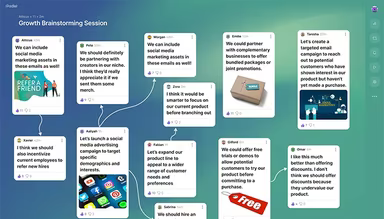

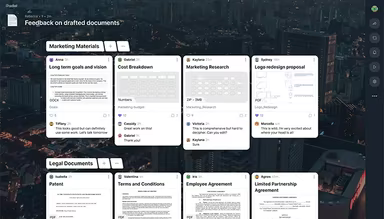
Product Snapshot

Product Details

What Is Padlet Software?

Overview

Padlet is a powerful collaboration platform designed to unite individuals for creative endeavors and educational experiences. It simplifies the process for teachers, learners, and professionals to exchange ideas, create engaging content, and collaborate in real-time. Its user-friendly interface is suitable for all age groups. This tool boosts productivity, creativity, and engagement in various environments such as classrooms, workshops, or remote teams. Users can personalize their boards with various media types to enrich the interactive experience across different projects and groups.

Padlet Software Pricing

Padlet offers a variety of pricing options tailored to different needs. The available plans are as follows:

  • For Home

    • Free: No cost for all users

    • Gold: $1.49 per month or $14.99 annually

    • Platinum: $2.99 per month or $29.99 annually

  • For Business

    • Team: $4.99 per month or $49.99 yearly per Maker

  • For Education

    • Classroom: $69.99 yearly for two educators

    • School: Starting at $300 annually for ten educators (custom pricing available)

A complimentary trial is also available with the Team and Classroom plans. You can request a comprehensive breakdown of Padlet's pricing to choose the best option for your needs.

Please note that prices may change.

Padlet Software Integrations

Padlet seamlessly integrates with various applications, including:

  • Schoology

  • Moodle

  • itsLearning

  • Canvas

  • Brightspace

  • Blackboard

Check out the free demo of Padlet software to discover more about its integrations.

Who Is Padlet Software For?

This software is particularly beneficial within the education sector, catering to:

  • Educators

  • Learners

  • Content instructors

Is Padlet Software Right For You?

If you are a professional affiliated with an educational institution seeking an engaging, adaptable, and secure platform to collaborate with students and develop content, Padlet is a great option. It provides intuitive tools, customization features, and safety measures that enhance learning experiences across any device. Additionally, the software adheres to important regulations like SOC 2, GDPR, and FERPA.

If you’re still uncertain whether Padlet is the right solution for you, reach out to our dedicated support team at info@softwareseekers.com for assistance.

Content Management Software Features

dashboard
reporting
seo tools
mobile app
mobile crm
time tracking
ocr technology
form processing
lead management
task management
batch processing
document editing
sales automation
activity tracking
budget management
email integration
project templates
sales forecasting
security features
cloud integrations
contact management
content protection
content scheduling
content versioning
digital signatures
project scheduling
document management
employee management
employee onboarding
resource allocation
template management
workforce analytics
performance tracking
smart data discovery
role based permission
customizable templates
multi language support
opportunity management
performance management
ting security features
user activity tracking
analytics and reporting
benefits administration
compensation management
customer servicesupport
reporting and analytics
self service dashboards
deal pipeline management
media library management
multi channel publishing
strong security features
training and development
natural language dialogue
sales pipeline management
attendance and time tracking
employee self service portal
user generated content quality
customer communication tracking
employee information management
content creation and editing tools
integration with third party tools
recruitment and applicant tracking
content creation and editing tools wysiwyg

Pros

  • Excellent for student engagement with visually appealing boards
  • Multiple ways to organize content
  • Ideal for content sharing and feedback
  • Effective for online workshops

Cons

  • Limitations with free version features
  • AI image generator not efficient, according to some software users

Price

Professional

Custom

Get Free Guidance from Our Solution Experts.

Ratings

0.00 | 0 reviews

Ratings Distribution

Positive

0%

Neutral

0%

Negative

0%

User Reviews

No reviews yet

Be the first to share your experience with Padlet.

Frequently Asked Questions

Find answers to the most common queries about our software recommendation service.

Yes, Padlet software provides an API.

Yes, Padlet software has a mobile app for Android and iOS users.

Padlet software supports over 40 languages, including English, Spanish, Arabic, Chinese, Hindi, French, Russian, Portuguese, German, Italian, and Japanese.

The Padlet software cost consists of individuals, businesses, and educational institutions categories offering plans: Free, Gold ($1.49/month), Platinum ($2.99/month), Team ($4.99/month per Maker), Classroom ($69.99/year for two teachers), and School (starting at $300/year for ten teachers). Free trials of Padlet software are available for the Team and Classroom plans.

The typical users of Padlet software are teachers, students, teams, and educational organizations.

Padlet software offers support through video tutorials, phone, email, developer documentation, and a knowledge base.