

Zoho WorkDrive
Zoho WorkDrive streamlines teamwork with a unified space for creating, storing, and managing files collaboratively—no app switching required.
Zoho WorkDrive provides teams with a cohesive environment to collaboratively create, store, and manage files—all without the need to switch between different applications. Although it may not offer the extensive customizations found in standalone solutions, it stands out as an ideal option for teams looking for streamlined document workflows. This is particularly true for those who are already utilizing other Zoho applications or value shared ownership of files.
What Is Zoho WorkDrive?
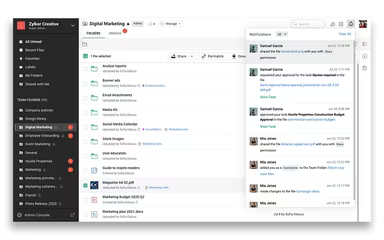
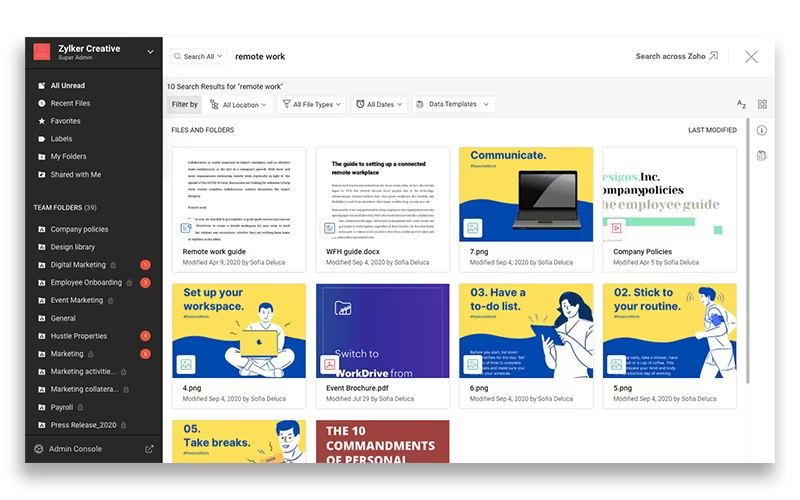
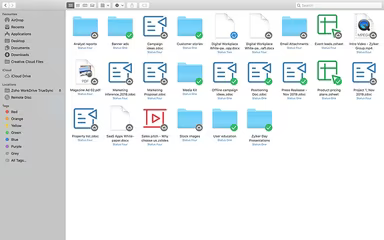
Zoho WorkDrive is a cloud-based platform that facilitates file storage and content collaboration, specifically crafted for teams. It transcends personal file storage by offering shared workspaces, where files are collectively owned by the team, ensuring seamless access and continuity.
Moreover, essential features like the integrated office suite and detailed permission settings empower businesses to enhance document creation, secure workflow management, and boost overall efficiency.
What Is Zoho WorkDrive Best For?
This platform shines with its comprehensive online office suite. It serves as a vital element of the system, intended to minimize the hassle of switching between applications while simplifying content creation.
Within the WorkDrive interface, teams can effortlessly create and manage documents, spreadsheets, and presentations using robust built-in editors: ‘Writer,’ ‘Sheet,’ and ‘Show.’ This seamless integration guarantees that files remain within the secure cloud environment from the first draft to the final version.
Zoho WorkDrive Pricing
Zoho WorkDrive offers several pricing plans tailored to various team sizes and requirements, with a minimum of 3 users needed for each plan:
Free Plan - $0
Starter - $3/user/month
Team - $6/user/month
Business - $11/user/month
Enterprise – Custom pricing
All plans include a 15-day free trial. Reach out to us for a customized Zoho WorkDrive pricing quote for your organization today!
Please note: Pricing is subject to change.
Zoho WorkDrive Integrations
Zoho WorkDrive seamlessly integrates with a variety of both native and third-party applications and systems, such as:
Zoho CRM Software
Zoho Mail
Microsoft Outlook
Microsoft Office
Zapier
Schedule a complimentary Zoho WorkDrive demonstration to discover more about its integration capabilities.
Who Is Zoho WorkDrive For?
The platform is perfect for a diverse array of industries and sectors, including:
Education
Healthcare
IT
Legal
Real Estate
Retail
Is Zoho WorkDrive Right For You?
If your organization is in search of a collaborative hub that emphasizes team ownership of files rather than individual storage, then Zoho WorkDrive is an excellent choice.
This platform is particularly beneficial for teams that engage in extensive collaboration. If your daily tasks include co-authoring documents, co-editing spreadsheets, and collaboratively creating presentations, the integrated ‘Zoho Office Suite’ removes the hassle of downloading, editing, and re-uploading files. Additionally, if your business already utilizes the Zoho ecosystem, incorporating Zoho WorkDrive is a sensible and impactful next step.
If you are still uncertain whether Zoho WorkDrive meets your needs, please contact our customer support team at info@softwareseekers.com for further assistance.