

Cisco Webex
Transform your meetings with Cisco Webex's customizable layouts and AI-powered collaboration tools for seamless multi-device connectivity.
Cisco Webex is a versatile conferencing platform that offers tailored layouts and smooth integration with Office 365. It facilitates meetings across multiple devices, allowing for features such as screen sharing and recording. While it excels in AI-driven collaboration, users of older systems might encounter some delays at times. The Cisco Webex suite is equipped with various tools, including whiteboarding, polling, and event management.
Overview of Cisco Webex
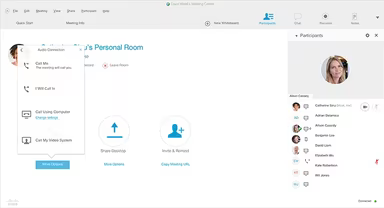
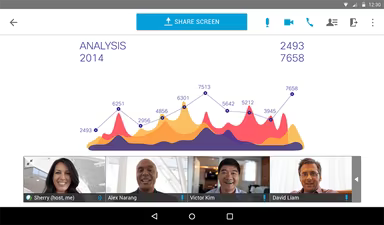
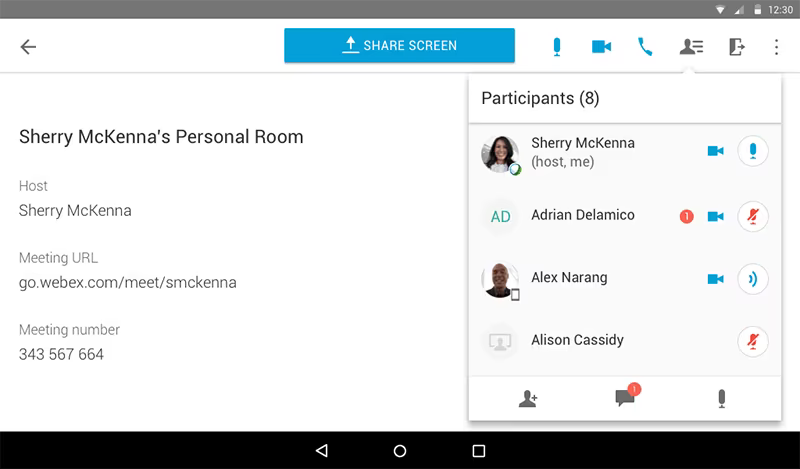
Cisco Webex serves as a robust solution for audio and video conferencing, tailored for businesses regardless of their size or industry. The platform features adaptable layouts that encourage active engagement from participants during meetings. It is offered in various plans, each providing a specific capacity for workspaces and meetings. Users can join conferences seamlessly through tablets, laptops, desktops, and smartphones. The conferencing system incorporates essential tools that facilitate online meetings, including video, voice, and data functionalities.
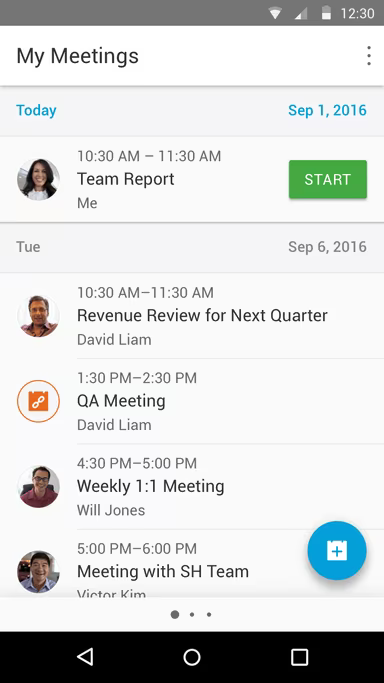
With Cisco Webex, users can share their screens, ensuring that all participants are aligned and informed. Integration with calendars such as Office 365, Google, and Outlook further enhances the interactive experience during meetings.
The platform supports multiple concurrent meetings, delivering real-time experiences for users. After meetings conclude, attendees receive an email containing a recorded MP4 file, making it easier to share, broadcast, and review discussions. The teleconferencing system fosters collaboration by allowing users to create the right workspace for their teams. Webex facilitates desktop sharing through a web browser, ensuring that every participant views the same content during interactions. Additionally, the platform is equipped with various productivity tools essential for conducting work and meetings effectively.
Enhancing Business Collaboration
Cisco Webex simplifies collaboration between businesses and their remote clients or colleagues. Participants can share screens without requiring others to register for a Webex account. This feature reduces the need for cumbersome follow-ups via phone calls or emails to send files. The platform's note-taking, annotation, and whiteboarding tools enable users to emphasize important documents they wish to share. Teams can engage with clients using mobile devices, video systems, or web browsers. Furthermore, the Cisco Collaboration Cloud secures Webex meetings and ensures that conversations remain confidential.
Pricing Structure
The system is complimentary for individual users. Cisco Webex offers three pricing tiers:
Starter: Up to 50 participants per meeting, starting at $14.95 per month per host.
Plus: Accommodates up to 100 participants per meeting, starting at $19.95 per month per host.
Business: Supports up to 200 participants per meeting, starting at $29.95 per month per host.
For custom enterprise plans and further pricing information, users are encouraged to reach out to the vendor directly.
Free Trial Availability
The software provides a free trial option for potential users.
Customer Support
Cisco Webex offers 24/7 live support for its users.
Unique Selling Proposition (USP)
This video conferencing software enables users to effortlessly capture their decisions and discussions by recording audio and video from meetings with a single click.
Benefits of Using Cisco Webex
With Webex, participants have the flexibility to host, join, or schedule a web conference from any device—laptop, desktop, or mobile—regardless of their location. Users can also stream live webcam videos during their sessions or meetings.
Limitations of the Product
The system may experience slowdowns when users share their screens. Additionally, there is room for improvement in audio and video quality over slower network connections.