

.
What Is Dr. Pad Software?
Overview
Dr. Pad software is a cloud-based solution that adheres to HIPAA regulations, tailored specifically for healthcare providers and medical practices. This platform empowers managers to oversee staff performance, organize calendars for both patients and healthcare professionals, and efficiently handle appointment scheduling.
The software includes functionalities for appointment management, patient data tracking, and automating responses for customer service inquiries. It allows teams to create and share comprehensive patient records, monitor billing processes, and manage personnel through centralized dashboards.
What Is Dr. Pad Software Best For?
The medical record management capability is designed for thorough documentation of patient details, encompassing history, prescriptions, and images. This feature proves particularly beneficial for practices that necessitate extensive patient information for precise diagnosis and treatment.
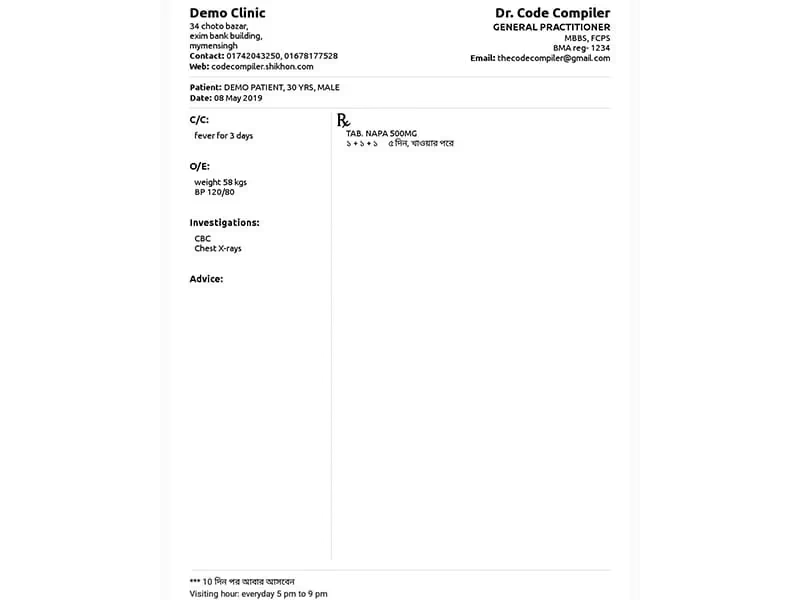
Users can save notes and medication records as PDFs, ensuring that critical patient information is readily accessible.
If you're interested in a free demonstration of the software, simply click the “Watch Demo” button.
Dr. Pad Software Pricing
The starting price for Dr. Pad is $6.99 (one-time fee) per user. Additionally, you can opt for cloud storage at $99 per year. Other pricing options differ based on the features included, number of users, and available integrations.
For more detailed pricing information, feel free to reach out to our customer support team via the Get Pricing button.
Dr. Pad Software Integration
Currently, Dr. Pad has not disclosed specific integration details. To learn more about integration possibilities, please click on the Watch Demo button and connect with our customer care team.
How Does Dr. Pad Software Work?
After logging into Dr. Pad software, you can begin utilizing its features to streamline your medical practice. Here’s how to get started:
Set up your practice information: Input your practice details such as name, address, and contact number into the software.
Add your staff and users: Invite staff members and other users by entering their email addresses. Once they accept the invitation, you can assign them specific roles and permissions.
Customize your settings: Adjust the software settings to fit your practice's requirements. For instance, you can establish your preferences for appointment scheduling, notifications, and billing.
Create patient records: Begin generating patient records by entering their personal details, medical history, prescriptions, and any other pertinent information.
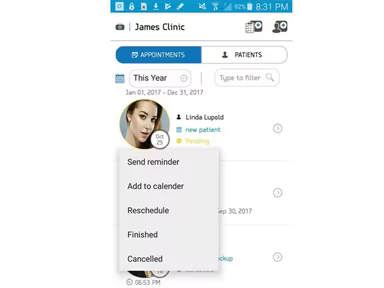
Schedule appointments: Use the calendar feature to arrange appointments for your patients. The software enables you to set up recurring appointments, send reminders to patients, and monitor appointment statuses.
Manage billing and payments: Handle billing processes by creating invoices, tracking payments received, and generating financial reports.
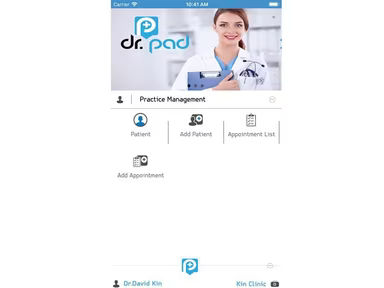
Explore additional features: Dr. Pad offers a variety of extra features including e-prescriptions, email campaigns, and patient messaging. Take advantage of these tools to enhance practice management and patient care.
Who Is Dr. Pad Software For?
The following healthcare departments can benefit from using Dr. Pad software:
General Practitioners (GPs)
Specialist Clinics
Hospitals
Dental Clinics
Mental Health Practices
Chiropractic Offices
Is Dr. Pad Software Right For You?
This software is designed with mobile compatibility in mind, featuring a mobile application that enables practitioners to manage their practices from their mobile devices. It also includes essential functionalities such as patient record-keeping, payment tracking, appointment scheduling, and prescription management.
Dr. Pad provides a free version alongside paid options and cloud subscriptions that synchronize across multiple devices with different data storage capacities. For further insights, don't hesitate to contact the customer support team.