

.
What Is Innate EHR?
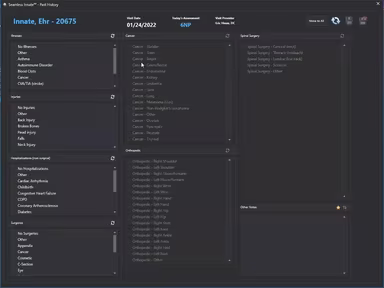
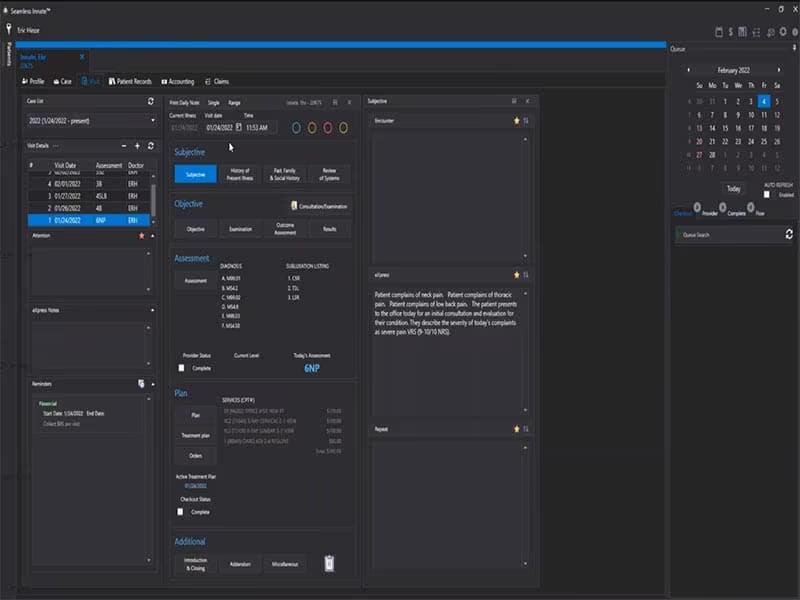
Innate is a dynamic, cloud-based Electronic Health Record (EHR) solution designed for healthcare institutions. This platform offers a patient-focused experience along with a variety of features such as appointment scheduling, clinical record maintenance, payment processing, electronic billing, and claims management. All these elements work together to enhance operational efficiency and prioritize patient care.
What Is Innate EHR Best For?
The user-friendly interface of Innate EHR makes it a favorite among many users. It enables effortless access to and management of numerous patient records from a single dashboard. This design supports effective multitasking, allowing various activities from scheduling appointments to handling payments, ultimately improving patient care.
Innate EHR Pricing
The provider presents the following three pricing tiers for Innate EHR:
All-inclusive – $399 per month
One Share Reward – $299 per month
Two Share Reward – $199 per month
For a tailored pricing estimate, click on Get Pricing.
Innate EHR Integrations
Innate EHR is compatible with various picture archiving and communication systems (PAC), including:
SRS PACS
Amplify PACS
How Does Innate EHR Work?
To begin using Innate software after installation and setup, follow these steps:
Log in with your credentials.
Utilize the scheduling feature to manage patient appointments.
Organize patients in a queue based on your customized patient flow.
Access patient information from dedicated dashboards for each room.
Oversee patient flow and assist the individual currently in front of you.
Tweak billing and payment settings to fit your practice's needs.
Regularly evaluate the software's usage and performance.
For a complimentary demonstration of Innate EHR and its features, please click on Watch Demo.
Who Is Innate EHR For?
This software is designed for various healthcare professionals, including:
Chiropractors
Physicians
Physical therapists
Health, wellness, and fitness centers
Is Innate EHR Right For You?
If you seek an uncomplicated yet effective EHR system that enhances your healthcare organization's operations and generates excellent notes, then Innate EHR could be the perfect fit. The software complies with HIPAA regulations and is ONC certified, ensuring the privacy and confidentiality of sensitive data stored within it. Innate EHR also encourages interoperability, privacy, and security.
This platform is highly adaptable, with support videos serving as excellent training resources for staff members. Whether managing a small clinic or a large healthcare facility, Innate EHR can be customized to meet your unique requirements. It evolves alongside your practice to guarantee high-quality patient care.
Transform your practice today with Innate EHR’s powerful features and exceptional patient-centered experience!
If you have any questions regarding Innate EHR, reach out to our customer service team at info@softwareseekers.com for assistance with all your software inquiries.