

InSync EHR
Streamline your practice with InSync EHR, offering customizable templates and centralized workflows for efficient clinical documentation and billing.
Key Insights
Insights derived from customer feedback
InSync EHR effectively handles clinical documentation, billing, and scheduling for various practices, including behavioral health, speech therapy, and multi-specialty clinics. Users appreciate its customizable templates and integrated workflows. However, some have mentioned that navigation can be sluggish at times, leading to occasional delays in charting. In general, the platform aids in compliance monitoring, revenue cycle management, and streamlining operations across different departments.
What Is InSync EHR?
InSync is an electronic health record (EHR) system hosted in the cloud, designed to integrate practice management and revenue cycle management seamlessly. It empowers healthcare providers to handle patient records in a secure, efficient, and cost-effective manner.
This EHR solution includes features such as appointment scheduling, billing, e-prescribing, and a patient portal, among others. InSync EHR is versatile enough to cater to the unique requirements of various medical specialties, including cardiology, dermatology, psychiatry, and more.
What Is InSync EHR Best For?
A standout feature of InSync is its clearinghouse integration, which allows healthcare professionals to send claims and receive payments electronically with ease. This function includes insurance verification that automatically identifies errors in claims prior to submission to payers, ensuring data accuracy and completeness. Additionally, it employs intelligent routing to direct claims to the most suitable insurance provider based on historical performance.
Moreover, the clearinghouse integration of InSync EHR facilitates prompt payment processing by establishing direct connections with various Medicare and other insurance carriers.
How Much Does InSync EHR Cost?
The pricing for the EHR software is customizable, tailored to the specific products and size of each practice. For a personalized quote on InSync EHR pricing, please reach out to us.
InSync EHR Integrations
InSync software supports integration with numerous third-party applications to enhance practice management; however, the vendor does not publicly list its integrations.
How Does InSync EHR Work?
If you're looking to get started with InSync EMR, follow these steps:
Log in using your credentials.
Add your practice information by clicking the "Practice" tab in the main menu. Include your practice name, phone number, and address.
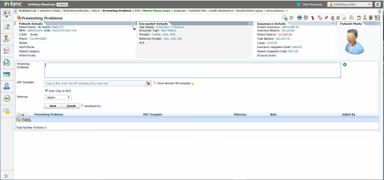
Add or import patient data by selecting the "Patient" option in the main menu. You can add individual patients or bulk import data from an Excel sheet or from other EHR systems.
Once patient data is in place, you can begin scheduling appointments.
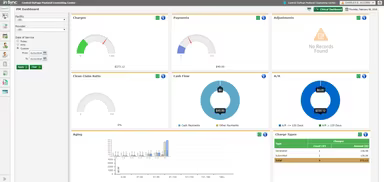
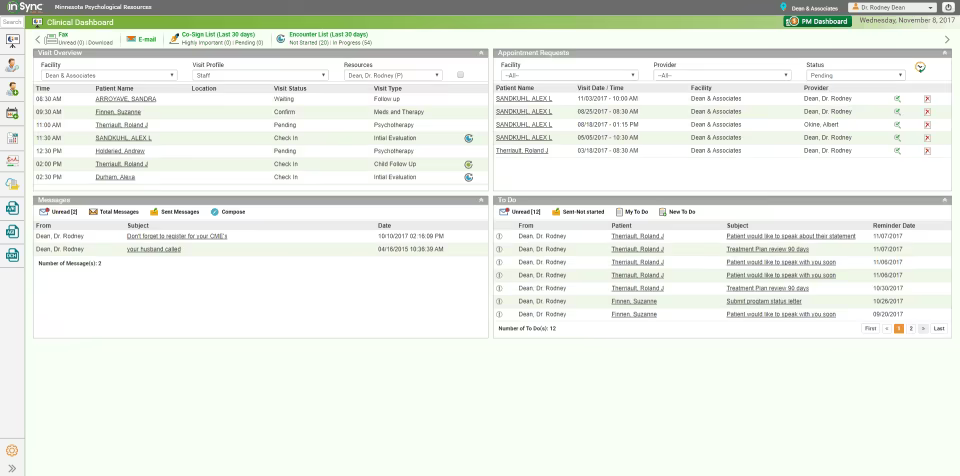
From the dashboard, choose patient and appointment options. You can also add new patients and view patient history.
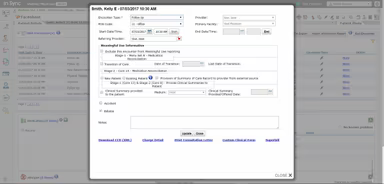
Select the appointment option from the main menu and click on the "Add Appointment" button. Specify details such as appointment date, time, provider, and any additional information.
After setting up your interface, you can adjust settings related to billing, clinical documentation, reports, and more.
To explore its integration capabilities further, consider booking a free demonstration of InSync EHR.
Who Is InSync EHR For?
InSync serves as a comprehensive practice management software that offers a fully integrated EHR along with revenue cycle management features. It is ideal for various specialties such as:
Behavioral health
Speech therapy
Group therapy
Substance abuse
Inpatient recovery
InSync EHR Software Use Cases
User feedback has highlighted several scenarios where this practice management software proves valuable for healthcare organizations:
Behavioral Health Practices Seeking Specialized Support: InSync is tailored for behavioral health professionals. Users appreciate its specialized templates for therapy sessions, group notes, and telehealth options that align with their workflows.
Organizations Prioritizing Compliance And Reporting: Those focused on compliance can leverage InSync’s reporting and audit tools to monitor outcomes, ensure billing accuracy, and remain audit-ready. The system offers extensive reporting functions for regulatory and operational needs.
Practices Seeking Improvement In Billing And Claims: For practices struggling with claims and revenue cycles, InSync’s integrated billing engine and claims management features streamline submissions effectively. The interconnectedness of scheduling, clinical data, and billing minimizes redundant tasks.
Multi-Specialty Clinics Requiring Unified Workflows: InSync EHR enhances operations for multi-specialty clinics by allowing departments like psychiatry and cardiology to personalize their clinical workflows. Professionals find that all departments operate from a centralized dashboard for cohesive scheduling, billing, and patient records management.
InSync EHR User Sentiments
Most Positive Sentiments
Customer Support / Responsiveness: 80% were Positive
Performance / Speed & Technical Issues: 5% were Negative
Neutral/Mixed: 15%
Least Positive Sentiments
Customer Support / Responsiveness: 20% were Positive/Mixed
Performance / Speed & Technical Issues: 55–60% were Negative
Neutral: 20–25%
The support team at InSync receives consistent praise for their responsiveness and assistance. Users frequently mention swift ticket resolutions and knowledgeable staff members who guide them effectively through issues. One user noted that support always responds promptly and handles problems professionally.
User complaints often focus on sluggish performance when navigating between screens. Delays during charting in patient visits are a common grievance. A reviewer mentioned that the system tends to freeze while trying to update patient records, which hinders operations during client interactions.
Customizability / Feature Depth
User Feedback:
75% were Positive
10% were Negative
15% were Neutral/Mixed
Reporting / Billing Issues
30% were Positive/Mixed
50% were Negative
20% were Neutral
The flexible design of InSync is appreciated by users who find it easy to customize features according to their practice's needs. Positive feedback highlights personalized workflows and robust templates; one user remarked that customization options allow them to adapt the system effectively for their clinic's operations.
The reporting and billing features receive mixed reviews. Some users value the ability to manage billing data effectively; however, many express frustration over errors and inefficiencies within these processes. One reviewer pointed out inaccuracies in billing IDs and mentioned challenges saving reports in preferred formats.
Overall Functionality / Feature Completeness
75% were Positive
10% were Negative
15% were Neutral/Mixed
User Interface & Navigation
30% were Positive
55% were Negative
15% were Neutral/Mixed
The comprehensive nature of InSync as an EHR solution combines charting, billing, scheduling, and e-prescribing into a single platform. Users appreciate that it reduces reliance on multiple tools; one reviewer mentioned that having everything in one place simplifies workflow management significantly.
While some users find the interface manageable enough, many describe it as cluttered and not very intuitive. Common negative feedback revolves around difficulties navigating between sections and an excessive number of clicks needed for simple tasks. Neutral reviews indicate that users may adapt over time but suggest that a more modern and user-friendly design would be beneficial.
Is InSync EHR Right For You?
This cloud-based healthcare software offers customization levels that can conform to any practice's distinct workflows. With its capabilities in practice management paired with integrated electronic medical records and medical billing functions, it ensures efficient operational processes. Physicians can utilize it for managing electronic claims submissions, patient scheduling tasks, as well as creating rapid physical exam charts.
Apart from assisting practices in maintaining compliance standards, it also facilitates easy implementation whether onsite or virtually while offering health insurance portability. Unsure if InSync fits your needs? Please contact our customer support team at info@softwareseekers.com for assistance in making an informed decision.