

Kareo EMR
Transform your medical practice with Tebra's cloud-based EHR and management tools, enhancing operations and patient engagement seamlessly.
Key Takeaways
Insights drawn from customer feedback
Tebra, previously recognized as Kareo, is a cloud-driven electronic health records and practice management solution tailored for small to medium-sized medical facilities. The platform enhances operational efficiency with features designed for integrated scheduling and billing. Users commend its tools for engaging patients; however, the mobile functionalities could use some enhancement. A recent enhancement has brought forth AI Review Insights, which assists in evaluating and summarizing patient feedback, thereby increasing the platform’s attractiveness.
Our Verdict
Tebra provides substantial advantages for solo practitioners and medium-sized outpatient practices looking for centralized management and internal revenue oversight. Its moderately priced plans are economical when visit volumes remain consistent, although smaller clinics might feel some strain. Buyers are encouraged to find a balance between the limited mobile capabilities and swift implementation, coupled with seamless, all-in-one workflows.
What Is Kareo EMR?
Kareo EMR is a cloud-driven Electronic Medical Record (EMR) solution intended for small to medium-sized healthcare practices. Recently, Kareo merged with PatientPop to create Tebra, which provides a combined platform that enhances care delivery, encourages patient engagement, and supports the growth of practices. It seeks to transform every phase of the patient's experience and promote a more interconnected approach within medical facilities.
The software features a variety of tools, including practice management, management of patient records, scheduling appointments, handling billing for patients and insurers, along with various administrative functions.
This platform is crafted specifically for healthcare professionals at smaller practices, helping them to optimize their operations and elevate the quality of care offered to patients.
What Is Kareo EMR Best For?
Kareo EMR is noted for its user-friendliness and is specifically targeted towards smaller medical teams and organizations. It has received accolades as the best EMR/PM solution for practices ranging from 1 to 10 providers.
As a cloud-based system, there’s no need for software downloads or hardware installations. Users can easily sign up, log in, provide essential details, and start using the system immediately.
Kareo is customizable to fit your practice's needs and integrates smoothly with billing operations. It allows for electronic access and updates to patient records, which include demographic information, medical history, diagnoses, treatments, and medications. This feature helps practices save time and decreases the chances of errors by eliminating manual record management.
A standout characteristic of Kareo EMR is its Integrated Prescription Discounts system, which enables users to search for and compare medication prices while prescribing. This capability aids healthcare providers in recommending affordable medications, thereby increasing the likelihood that patients will fill their prescriptions at a lower cost.
How Much Does Kareo EMR Cost?
Kareo EMR has four pricing tiers: Kareo Clinical Essentials, Kareo Billing Essentials, Kareo Pro, and Kareo Plus.
Kareo Clinical Essentials: Starts at $349/provider/month
Kareo Billing Essentials: Starts at $374/provider/month
Kareo Plus: Costs $599/provider/month
Kareo Pro: Costs $624/provider/month
The actual cost of Kareo EMR is influenced by the number of users, the volume of patients that the practice services, and the specific features or modules required. Please note that there is currently no free trial available. Pricing is calculated per provider, ensuring each subscription comes with access to fundamental platform capabilities, support, and software updates.
Contact us for a personalized quote tailored to your unique needs.
Disclaimer: Pricing is subject to change.
Kareo EMR Integrations
Kareo provides an integrated EHR, billing, and scheduling system designed for smooth data exchange. Nevertheless, the vendor has not shared specific information about third-party application integrations.
How Does Kareo EMR Software Work?
To begin utilizing Kareo software, healthcare providers need to first register for an account and establish their practice profiles. After creating an account, they can log in to the Kareo platform from any device that has internet access.
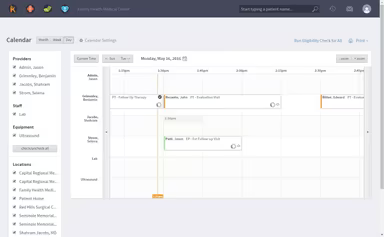
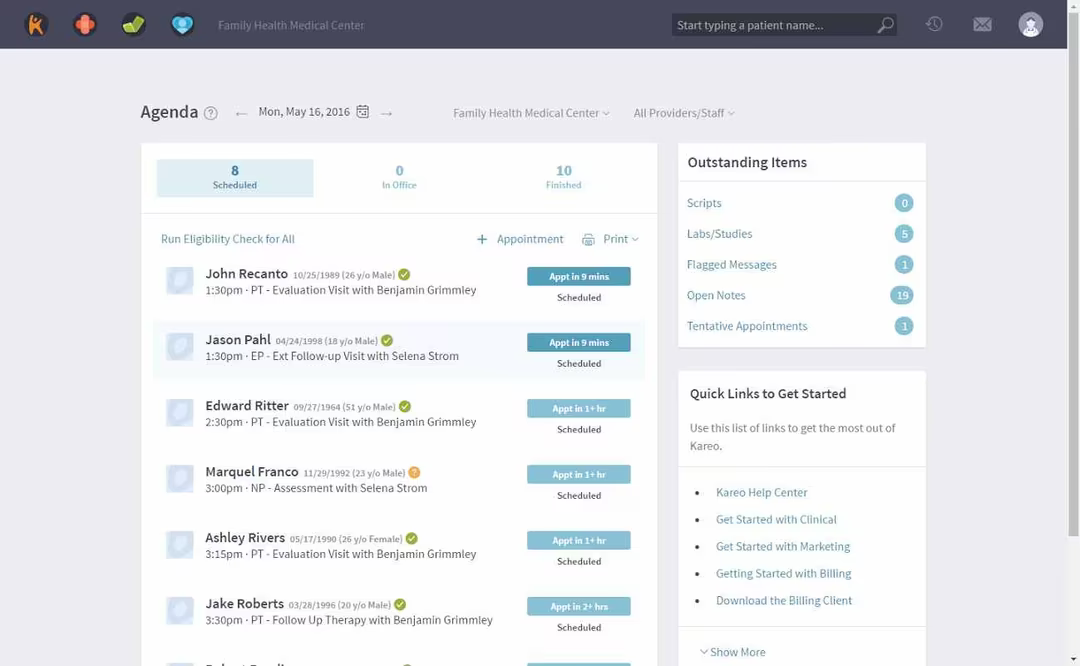
Upon logging in, providers can leverage various features of Kareo software to oversee their practices, including generating and reviewing patient records, setting appointments, and managing Kareo medical billing.
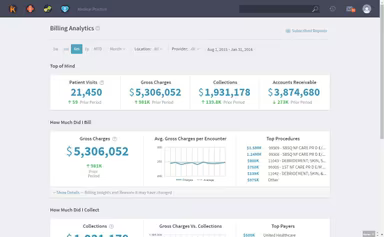
Kareo software includes a selection of templates for clinical documentation, along with tools for analytics and reporting, helping providers monitor practice performance and enhance patient care.
For a detailed exploration of the software’s features, consider scheduling a limited-time free Kareo EHR demonstration.
Who Is Kareo For?
Kareo is suitable for a range of users, whether you are a doctor in a small clinic or a leading practitioner in a medium-sized multi-specialty practice. To meet diverse user needs, the platform also offers a mobile app compatible with iPad, iPhone, and Apple Watch devices, allowing practitioners to manage a complete EHR while on the move.
From mental health services to podiatry, Kareo simplifies the delivery of superior care to patients and supports practice growth. For a full list of specialties served, please check this website.
How Is Kareo EMR Different From Other Software?
Here are a few aspects where Kareo excels compared to other software:
Ease of Use: Kareo EHR is designed for ease of navigation, featuring a user-friendly interface that helps minimize learning challenges for new users. This is particularly advantageous for small practices that may have limited IT resources or for solo practitioners managing the software independently.
Customer Success Coach: Setting up and configuring new software can be daunting for any organization, which is why Kareo EHR provides a Dedicated Success Coach to facilitate a smooth onboarding process. This kind of support is often lacking in other software solutions and has garnered praise in various Kareo reviews.
Specialty Focus: The medical software encompasses a broad array of specialties, featuring functionalities that cater to the individual requirements of these practices.
Kareo EMR Use Cases
Here are a few situations where Kareo is especially beneficial for small to mid-sized medical practices, according to user feedback and the software’s current functionalities:
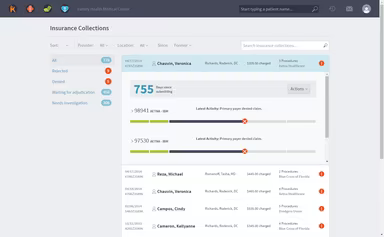
Multi-location Practices With Centralized Billing: Kareo facilitates consolidated charge entry, unified claim tracking, and shared dashboards for groups operating multiple clinics under one billing entity. Billing teams can handle denials, rejections, and follow-ups across locations through a single interface, reducing redundancy and oversight errors, according to user feedback.
Clinics Focused On Patient Intake And Engagement: Integrated appointment scheduling, online intake forms, patient messaging, and prescription discount tools help gather information prior to appointments, allowing for proactive communication and scheduling.
Solo Or Small Practices Seeking Simpler Administration: For solo physicians or small groups without IT departments, Kareo’s comprehensive scheduling, charting, and billing capabilities streamline administrative tasks. Its intuitive design and guided setup facilitate a seamless transition from paper records or separate systems.
Behavioral Health And Specialty Clinics Needing Flexible Workflows: Therapists, mental health professionals, and specialists in targeted fields can customize intake and progress note templates and navigate claims without adhering to a rigid clinical pathway. The platform’s adjustment options help align documentation with personalized treatment plans, while integrated telehealth and patient engagement tools strengthen follow-up and continuity of care.
Kareo EMR User Sentiment
Most Positive Sentiments
Ease Of Use: 84% were Positive
11% were Negative
5% were Neutral
Least Positive Sentiments
Customer Support Responsiveness: 19% were Positive
67% were Negative
14% were Neutral
Users frequently commend Kareo for its intuitive interface and swift learning curve, particularly beneficial for smaller practices lacking dedicated IT support. Feedback includes remarks such as, “The user interface is intuitive and well-designed, making it easy for our team to navigate and fully utilize its capabilities.” However, slow response times from support are a common drawback, with some users citing delays when seeking live help and inconsistent follow-up from individual agents. Users have noted that “System updates sometimes lead to minor issues or delays with certain system aspects.”
All-In-One Platform For Small Practices
68% were Positive
10% were Negative
22% were Neutral
Mobile App Performance
21% were Positive
69% were Negative
10% were Neutral
Users appreciate having EHR, billing, and practice management on a single platform. The single sign-on and unified dashboard assist small practices in managing charting and payments seamlessly, removing the necessity for multiple systems. One user commented, “The dashboard is excellent; it provides substantial functionality while remaining clean and professional.” However, many feel the iOS app lacks some capabilities compared to the desktop version, reporting slow loading times and occasional crashes during patient data entry.
Patient Communication And Engagement Tools
82% were Positive
13% were Negative
5% were Neutral
Claims And Insurance Processing
20% were Positive
60% were Negative
20% were Neutral
Practices have reported enhanced communication and fewer missed appointments thanks to Kareo’s appointment reminders and patient messaging features. Integrated text and email alerts are often highlighted as effective workflow improvements. However, users consistently encounter clearinghouse errors, delays in reimbursements, and frequent claim denials that often necessitate manual resolution. As one user expressed, “The clearinghouse frequently rejects claims, making the billing workflow cumbersome and unpredictable.”
Is Kareo EMR Right for You?
In summary, Kareo EMR is crafted to be user-friendly and straightforward, featuring an intuitive interface along with comprehensive documentation and support resources to assist healthcare providers in maximizing the software's utility.
Many users believe that the system’s simplicity and navigability make its features easy to grasp. Additionally, the capacity of Kareo EMR to integrate with numerous EMR products is seen as advantageous for their medical practices.
As a subscription service, some users may find the cost of Kareo to be a barrier, especially for solo practitioners or small firms. Additionally, there can be challenges with the mobile app, as users have reported it occasionally shuts down without a stable internet connection.
Discover how this platform can benefit your organization by exploring Kareo EMR reviews or reach out to us at (661) 384-7070.