

Lightning Bolt
Optimize your healthcare scheduling with Lightning Bolt, the cloud-based software that ensures fair shift distribution and efficient workflow coordination.
Key Insights
Derived from customer feedback, Lightning Bolt is a cloud-based scheduling tool for physicians that is popular among hospital administrators, clinical teams, and medical directors. This software caters to various healthcare sectors, including anaesthesiology, radiology, and emergency medicine. Users commend its automation based on rules and fair distribution of shifts; however, many have encountered issues with mobile usability. Recently, Lightning Bolt has rolled out automated scheduling for operating room cases to improve workflow coordination.
Our Assessment
This software provides significant benefits for healthcare facilities that need effective physician scheduling across different departments. The pricing model of Lightning Bolt is tailored, offering flexibility particularly suited for larger hospitals; however, it may not be the best fit for smaller practices that prefer standardized pricing options. In summary, it stands out as a dependable choice for organizations that value fair shift allocation, balanced workloads, and coordinated physician coverage throughout their departments.

What Is Lightning Bolt?
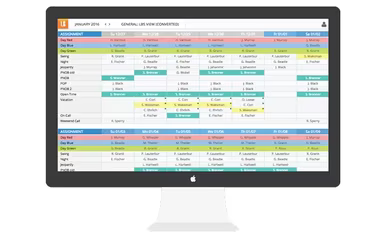
Lightning Bolt, developed by PerfectServe, is a cloud-based software solution designed for physician scheduling. Utilizing the principles of combinatorial optimization, it automates the assignment of shifts based on user-defined criteria. This platform caters to healthcare providers of varying sizes and offers a range of solutions tailored for the industry. With Lightning Bolt, users can manage their scheduling needs from a centralized interface, making it simple to handle requests for changes in schedules.
What Is Lightning Bolt Best For?
The software features a self-service portal that allows physicians to swap shifts with colleagues. Providers can submit shift offers through the platform, and once accepted, those shifts are seamlessly reassigned. Administrators have comprehensive control over conflicts, requests, changes, and cancellations via a centralized dashboard. Lightning Bolt is compatible with both iOS devices and web browsers.
How Much Does Lightning Bolt Cost?
Pricing for Lightning Bolt is customized according to the size of the organization, its staffing structure, and the complexity of scheduling requirements. The software operates on a per-seat licensing model, where costs are linked to the number of scheduled personnel. While replacements do not incur additional charges, bringing on new staff necessitates purchasing extra licenses.
Please note that no free trial is available for this software. To obtain a personalized quote for Lightning Bolt, reach out to us directly.
Lightning Bolt Integrations
The software integrates with several third-party applications, including:
Epic
Vocera
Procare Solutions
Allscripts EMR
MD-Staff
How Does Lightning Bolt Work?
Here's how to get started with the platform after signing up:
Log in using your username and password on either the web or mobile app. If your organization uses Single Sign-On (SSO), select Enterprise Login.
Access the Dashboard and navigate to the Viewer to create and view personal or team schedules.
Pay attention to upcoming shifts, on-call responsibilities, and location coverage based on your group's preferences and guidelines.
Keep your availability and preferences updated to facilitate fair and rules-based schedule generation.
Submit requests for time-off, swaps, or coverage through the web or the updated iOS app for faster processing.
Publish and distribute finalized schedules to clinicians and staff to ensure everyone has access to accurate information.
Utilize the mobile app for checking who is scheduled, making edits, and managing swaps and requests while away from your desk.
Software Demo
No free plan is available; however, you can request a free demo of Lightning Bolt to explore its features further.
Reviews
A plethora of satisfied users can be found praising Lightning Bolt across various platforms. Physicians rate this software highly and share numerous positive experiences. Key features such as Drag-and-Drop functionality, On-Call Scheduling, Physician Scheduling, and Staff Scheduling contribute to streamlined shift management.
Our Thoughts
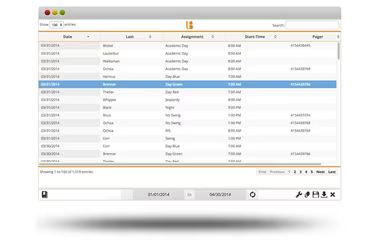
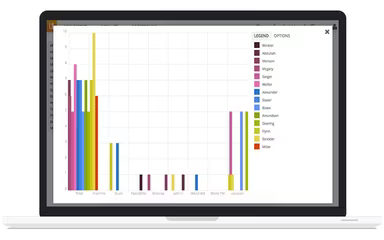
This physician scheduling software caters to various specialties including Academic Medicine, Anesthesiology, Cardiology, Emergency Medicine, Hospital Medicine, OB-GYN, Radiology, among others. It provides real-time calendars for effective shift tracking. Physicians can access messaging and chat features via mobile devices. Additionally, data analytics tracking and export capabilities are available with Lightning Bolt. This Medical Practice Management Software streamlines finding optimal scheduling solutions for your practice—making it a worthy investment.
Who Is Lightning Bolt For?
This software is particularly suited for medical professionals working in:
Cardiology
Radiology
Urgent Care
Emergency Medicine
Dentistry
Dermatology
Lightning Bolt Use Cases
An analysis of user feedback alongside existing functionalities highlights several scenarios where this platform excels in enhancing workforce scheduling within healthcare organizations:
Hospital Departments Managing Complex On-Call Rotations: Facilities with multiple departments often struggle with balancing workloads while ensuring sufficient coverage. Lightning Bolt’s intelligent scheduling capabilities help departments like radiology and emergency medicine efficiently manage shifts across large teams.
Multi-Site Healthcare Systems Standardizing Schedules: Organizations operating in various locations face challenges in maintaining consistency in provider schedules. Lightning Bolt centralizes all scheduling data enabling leaders to monitor shift distributions while addressing coverage gaps across facilities.
Academic Medical Centers Balancing Teaching and Clinical Duties: Academic institutions must synchronize faculty schedules that incorporate clinical work along with teaching responsibilities. The customizable scheduling settings within Lightning Bolt allow administrators to align physician availability with academic commitments effectively.
Healthcare Organizations Prioritizing Data-Driven Staffing Decisions: Administrators aiming to boost efficiency benefit from insights powered by analytics offered by Lightning Bolt. By analyzing provider utilization trends and patient demand patterns, organizations can make informed staffing choices.
Lightning Bolt User Sentiments
Most Positive Sentiments
Ease of Use And Workflow: 70% were Positive; 15% were Negative; 15% were Neutral. Users appreciate the intuitive design of the scheduling interface along with its drag-and-drop feature which enhances operational efficiency.
Scheduling Flexibility: 65% were Positive; 20% were Negative; 15% were Neutral. Reviewers commend its effectiveness in managing complex rotations while allowing cross-department scheduling.
Implementation And Training Support: 75% were Positive; 10% were Negative; 15% were Neutral. Many users highlight the expertise of consulting teams during implementation as a significant advantage.
Least Positive Sentiments
Mobile Accessibility And Calendar View: 10% were Positive; 75% were Negative; 15% were Neutral. Users express dissatisfaction over mobile experience issues such as calendar visibility challenges.
System Performance: 5% were Positive; 85% were Negative; 10% were Neutral. Common complaints include slow loading times and system crashes affecting large rosters during updates.
Usability Challenges: 15% were Positive; 70% were Negative; 15% were Neutral. Users express frustration regarding limitations like the inability to create mock schedules before approving time-off requests.
Is Lightning Bolt Right For You?
If your healthcare organization encounters difficulties with intricate shift planning or inconsistent on-call coverage, Lightning Bolt may be an excellent solution. This cloud-based platform automates physician rosters through sophisticated optimization algorithms.
Its utility shines particularly in hospitals, multi-specialty practices, and academic medical centers requiring coordinated coverage among extensive clinical teams. With its analytical tools designed to promote staff well-being alongside operational efficiency models for preventing burnout, it stands as a valuable resource.
If you remain uncertain about whether Lightning Bolt is suitable for your practice, feel free to contact our customer support team at (661) 384-7070 for personalized assistance.