

MacPractice
Boost your practice's efficiency and patient care with MacPractice, a comprehensive management solution. Try a free demo to discover its powerful features!
MacPractice serves as an all-encompassing management system designed specifically for medical professionals, including doctors and chiropractors. While many users have expressed satisfaction, some might consider the initial installation process to be a bit lengthy. Nevertheless, the extensive functionalities it offers make the investment worthwhile. A complimentary demo is available for those interested in experiencing its advantages directly. In summary, MacPractice significantly boosts operational efficiency and improves patient care within medical practices.
What Is MacPractice?
Overview
MacPractice serves as a comprehensive practice management tool tailored for the MacOS platform, specifically addressing the distinct needs of healthcare providers like doctors and chiropractors. This software offers an all-in-one solution to oversee daily practice operations. Users can benefit from a wide array of functionalities, including appointment scheduling, patient clinical record management, treatment planning, insurance claim processing, report generation, and much more.
What Is MacPractice Best Known For?
This software is particularly recognized for its innovative paperless workflow solutions, which include capabilities like iPad electronic forms and applications. These features streamline patient check-ins and enable practitioners to view and input clinical data efficiently, thereby optimizing practice operations and boosting overall productivity.
MacPractice Pricing
The provider presents three customizable pricing options:
MacPractice Essential – Custom Pricing
MacPractice Plus – Custom Pricing
MacPractice Premium – Custom Pricing
Obtain your personalized pricing quote today, specifically designed to meet your individual requirements and budget.
MacPractice Integrations
The software allows integration with several third-party applications, such as:
Change Healthcare
Inovalon
DentalXChange
How Does MacPractice Work?
After logging in and reaching the dashboard, you can easily navigate through the software to:
View and manage patient details, appointments, and schedules.
Create and monitor patient charts, orders, and treatments through the integrated EMR.
Access patient records and charts from your iPad using the iEHR mobile application.
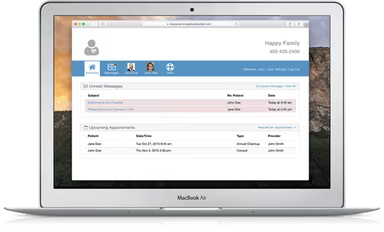
Engage with patients via the secure MacPractice patient portal.
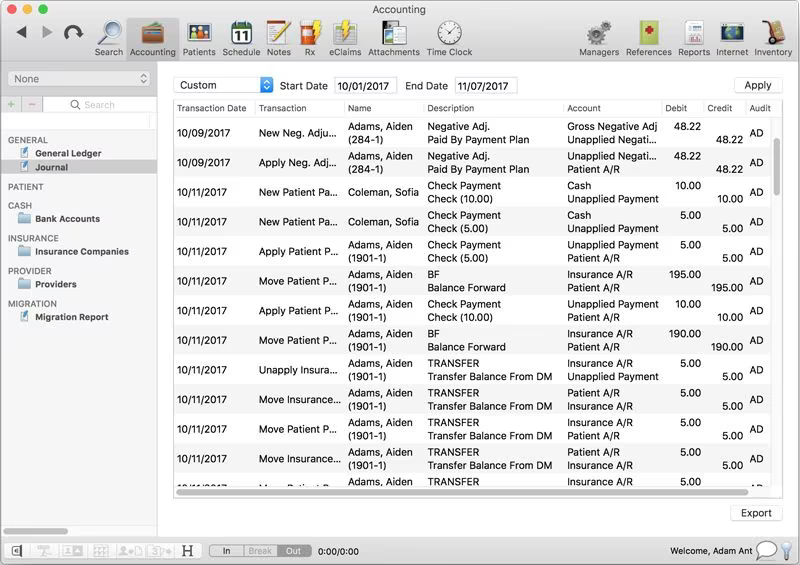
Create and dispatch invoices to simplify billing and manage accounts receivable.
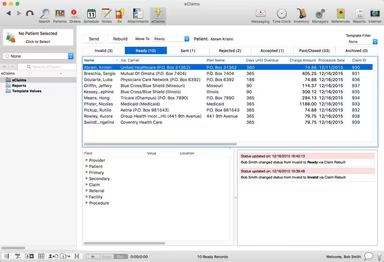
Enable electronic claim submissions and prescription processing for streamlined workflows.
Add other clinical tools like imaging services, labs, and additional features.
Safeguard patient data with HIPAA-compliant storage solutions.
Utilize reporting tools to analyze key performance indicators.
You can schedule a complimentary MacPractice demo for a quick overview of the software’s features—limited slots are available!
Who Is MacPractice For?
This software is ideal for small to medium-sized medical and dental practices. It is utilized across various specialties such as:
Chiropractic
Optometry
Dentistry
Family practices
Gastroenterology
Cardiology
Is MacPractice Right For You?
If you seek a comprehensive practice management and EHR solution for your healthcare establishment, MacPractice may be the perfect match. It offers a tailored digital system designed to enhance patient care, streamline operations, and facilitate informed decision-making in business.
The vendor prioritizes security by implementing strong encryption methods and network protections to ensure HIPAA compliance while safeguarding sensitive patient information.
Additonally, MacPractice is well-regarded for its data migration services. The platform specializes in facilitating smooth transitions from other practice management systems. Its in-house data migration service is both efficient and budget-friendly.
If you’re eager to discover more details? Reach out to us at info@softwareseekers.com for personalized assistance with any inquiries you may have.