

Medical MasterMind
Optimize healthcare workflows with Medical Mastermind EMR's user-friendly interface and advanced features, enhancing efficiency and improving patient care.
Medical Mastermind EMR provides a comprehensive set of features designed to enhance healthcare workflows through smooth integration. The intuitive interface, combined with its sophisticated functionalities, boosts overall efficiency. However, it's worth noting that a pop-up window does appear whenever users navigate between tabs. Nonetheless, it continues to be a dependable option for elevating patient care and optimizing operational processes.
What Is Medical Mastermind EHR?
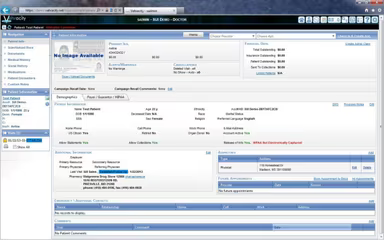
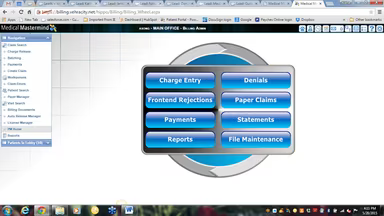
The Medical Mastermind EHR is a cloud-based platform that complies with MU-stage requirements, enabling healthcare professionals to access patient records, update medical histories, order diagnostic tests, and prescribe medications. This software is equipped with numerous features aimed at helping healthcare providers optimize their workflows and enhance patient care. Key functionalities include scheduling patient appointments, managing electronic prescriptions, and providing support for medical billing and coding. Additionally, the system facilitates e-faxing, ensuring that providers can send and receive documents securely.
What Is Medical Mastermind Best For?
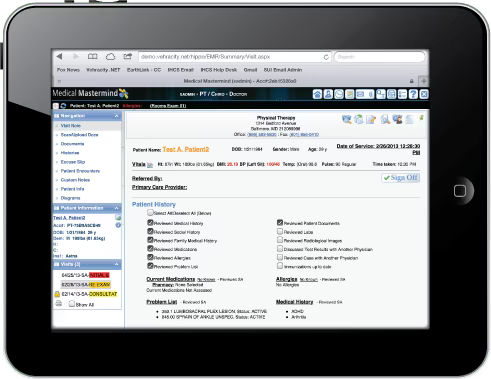
Medical Mastermind is recognized for its user-friendly interface that is straightforward to navigate and personalize. It is crafted to be intuitive, offering a comprehensive view of a patient's medical history, including medication lists, lab results, and more. This level of accessibility empowers providers to make well-informed decisions swiftly and effectively.
Medical Mastermind EHR Pricing
The pricing for Medical Mastermind EHR is tailored to meet the specific needs of each medical practice. For a personalized quote on Medical Mastermind pricing, please reach out directly.
How Does Medical Mastermind EHR Work?
This software is structured to assist providers in managing patient data, tracking appointments, and handling insurance claims. Here’s a step-by-step guide on how the software functions for an easier transition:
Verify that your computer or server meets the minimum system requirements.
Download and install the software according to your chosen hosting option; this process may vary.
After installation, create user accounts for yourself and your staff.
Configure the software settings to align with your practice's requirements.
Establish appointment schedules, billing settings for insurance, and other necessary options.
If you have existing patient data, import it easily; the software supports multiple data formats such as CSV, Excel, and XML.
Utilize available training and support resources to ensure effective use of the software by your staff.
If you're interested in a more detailed overview of how the software operates, feel free to arrange a demo of Medical Mastermind.
Who Is Medical Mastermind EHR For?
This software aids medical professionals in managing patient statements, reporting capabilities, and more. It is primarily utilized in mid-sized clinics such as:
Urgent care facilities
Patient consultation centers
Internal medicine practices
Emergency medicine facilities
Cardiology practices
Is Medical Mastermind Right for You?
If you are considering moving away from ineffective software to something more user-friendly and efficient, then Medical Mastermind may be an excellent choice. It features an intuitive screen layout that assists physicians in managing patient scheduling, records, imaging, and more while ensuring compliance with HIPAA regulations and ONC-ATCB certification for secure paperless operations.
The platform is designed to scale according to your practice size, number of providers, and patient demographics, making it suitable for a variety of healthcare environments. Furthermore, it offers robust data security measures.
If you still have doubts about whether this is the right option for you, please get in touch at info@softwareseekers.com today to discover how Medical Mastermind can improve your practice operations.