

Pabau
Transform your practice with Pabau's centralized CRM, featuring automated reminders, paperless charts, and seamless online bookings for enhanced productivity.
Are inefficiencies hindering your practice? Pabau provides a comprehensive answer with its centralized CRM system. Benefit from automated reminders, digital charts, and online booking options that fit effortlessly into your daily operations, boosting your productivity. Arrange a demonstration to see firsthand how Pabau delivers complete automation to revolutionize your practice. Discover additional details in this profile.

What Is Pabau?
Overview
Pabau is a comprehensive practice management software delivered via the cloud, specifically designed for healthcare professionals. It aims to improve the efficiency of operations in clinics, hospitals, and various healthcare environments.
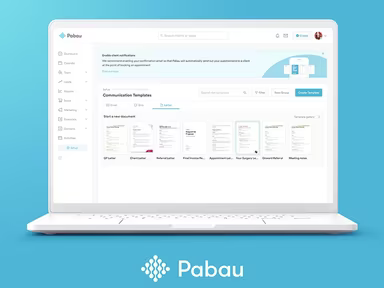
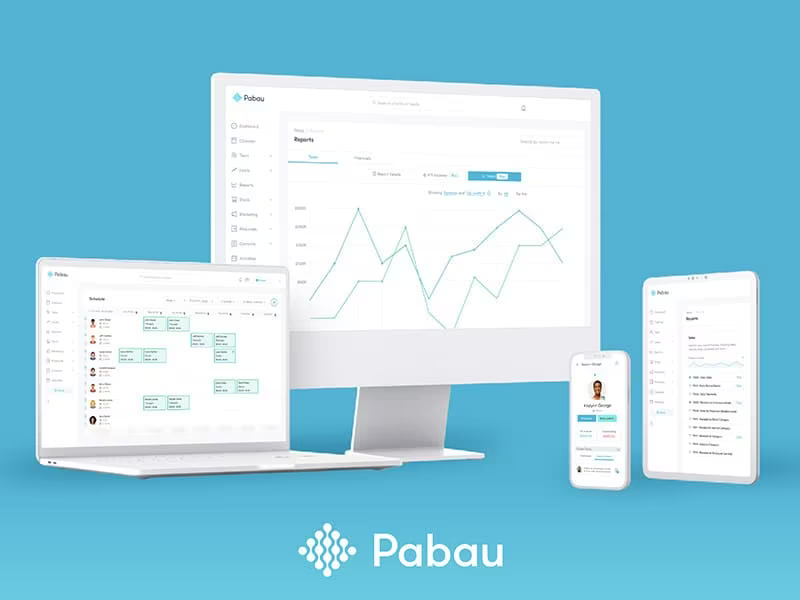
This software integrates several key functions such as appointment scheduling, billing, marketing initiatives, and inventory management into a single platform. Noteworthy features include appointment notifications, electronic patient records, a patient portal, inventory tracking, video conferencing capabilities, and detailed reporting.
What Is Pabau Best For?
Pabau is particularly recognized for its exceptional customer support. The dedicated support team consistently provides quick and dependable assistance. They are adept at addressing the varying levels of technical knowledge among users and handle inquiries with great patience.
Pabau Pricing
The following pricing packages are available for Pabau:
New Business Package: 1 user, free for practices with fewer than 50 clients
Startup 100: 1 user for up to 100 clients
Solo: 1 user with unlimited clients
Team: 2 to 3 users with unlimited clients
Medium: 4 to 5 users with unlimited clients
Group: 6 to 15 users with unlimited clients
Request your tailored Pabau pricing today! Reach out to us for a custom quote that fits your practice’s size and user requirements. Choose the right plan now to ensure your practice thrives!
Pabau Integrations
Pabau seamlessly connects with various third-party applications, including:
Aesthetic Response
Google Calendar
Stripe
Xero
Zapier
How Does Pabau Work?
To get started with Pabau after installation, follow these steps:
Log in to access your dashboard.
Create user accounts and set permissions for your team.
Add and organize patient data within the system.
Set up your appointment scheduling and manage your calendar.
Customize templates for patient communications and documentation.
Establish billing and invoicing processes, including insurance claims if necessary.
Explore additional features to optimize your practice management.
The Pabau demo provides an in-depth walkthrough of all these functionalities.
Who Is Pabau For?
This software is crafted for medical practices of any scale. It is utilized across various sectors such as:
Cosmetic surgeries
Travel clinics
Physiotherapy practices
Wellness centers
Salons and spas
Is Pabau Right For You?
If you are in search of a management solution for your medical organization, Pabau could be an ideal fit. This software emphasizes data protection and privacy, being both HIPAA-compliant and ONC-certified to secure patient records.
Pabau is also highly adaptable, meeting the practice management needs of small clinics as well as larger multi-location healthcare establishments. It can manage increased patient loads while offering expanded services.
If you still have questions about investing in Pabau software, please reach out to us at info@softwareseekers.com for more information about Pabau CRM reviews.