

Penelope Software
Streamline your case management with Penelope by part Bonterra, a customizable solution designed for efficient workflows in human services and healthcare.
Key Insights
Derived from customer feedback, Penelope, developed by Bonterra, serves as a cloud-driven case management platform tailored for healthcare and human services providers. Users appreciate its adaptable forms and streamlined workflows that facilitate the management of various programs. However, some have expressed that the options for reporting and exporting data are somewhat restricted. Recently, Penelope formed a collaboration with Amazon Web Services (AWS) to enhance fundraising efforts for more than 180,000 non-profit organizations worldwide.
Our Assessment
Penelope stands out as a flexible and scalable case management tool designed for medium to large human services entities. Its tiered pricing structure provides adaptability to meet diverse organizational requirements but may not be ideal for smaller agencies operating on tighter budgets. In summary, it proves to be a reliable choice for teams that emphasize precise data management, integrated service delivery, and customizable workflows.
What Is Penelope Software?
Penelope software is a versatile case management platform tailored for healthcare professionals around the globe. With its adaptable smart forms, it supports a completely paperless environment, significantly boosting both effectiveness and precision. As a secure Software as a Service (SaaS) solution, Penelope enhances communication among staff through automated processes, making it an essential resource for users seeking a smooth and straightforward management experience.
What Is Penelope Software Best For?
This software excels in user-friendliness, showcasing an instinctive interface that promotes effortless navigation and a fluid experience for clients and providers alike. With its user-centered design, it features well-structured menus, organized layouts, and easy-to-use tools, reducing the learning curve and allowing users to quickly access, manage, and interact with crucial data.
How Much Does Penelope Software Cost?
The case management software is available in three customizable pricing options:
Apricot Essentials
Apricot Pro
Apricot Enterprise
For a tailored pricing quote that fits your particular needs, please reach out!
Note: The pricing is subject to change.
Penelope Software Integrations
This platform supports API integration, enabling connectivity with a range of third-party applications, such as:
WealthEngine
QuickBooks Online
DonorTrends
How Does Penelope Software Work?
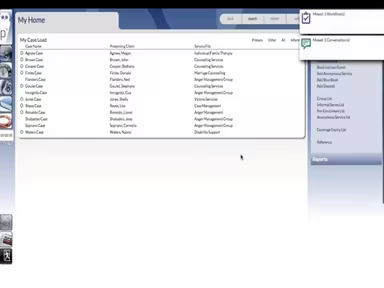
Log in with your credentials to view the dashboard.
Schedule appointments for your patients.
Open case files and review documents before forwarding them.
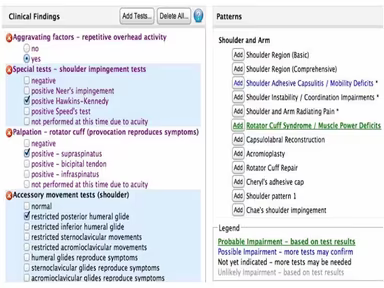
Browse client files and complete medical paperwork.
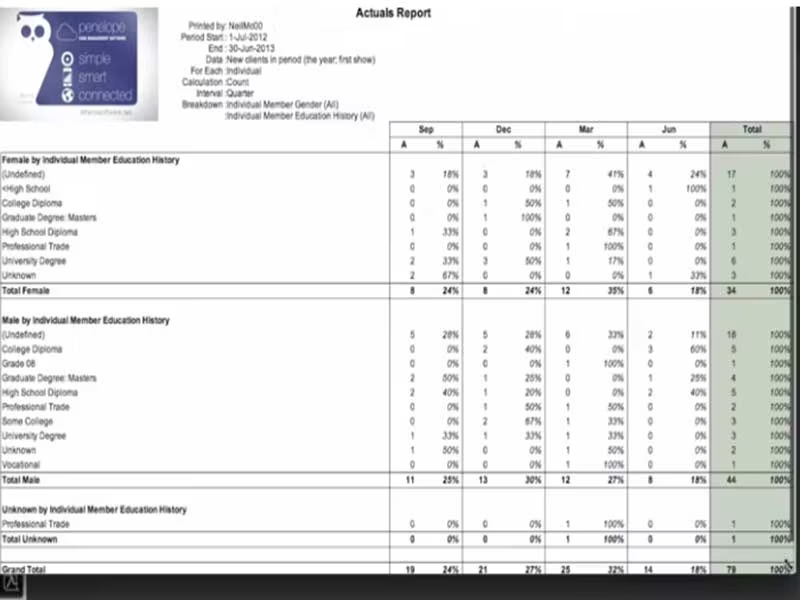
Utilize built-in reports to detail patient history and diagnoses.
If you're curious about how the software operates, you can arrange a free demo of Penelope case management software today!
Who Is Penelope Software For?
Penelope Software is designed for organizations in human services and healthcare, accommodating both small clinics and large enterprises. Its intuitive interface and scalability make it suitable for a variety of sectors, including government, non-profit, IT, and healthcare departments seeking an efficient case management platform.
Penelope Software Use Cases
Through an evaluation of verified user feedback and Penelope's documented functionalities, several scenarios emerged where the software consistently proves valuable for human services, healthcare, and non-profit organizations:
Case-Heavy Non-profit Programs: Organizations managing clients across multiple service areas find Penelope beneficial in consolidating case histories. Reviewers often note its effectiveness in connecting family and individual client records for a comprehensive overview of each client's journey.
Multi-Site Human Services Agencies: Agencies with several locations utilize Penelope to maintain a centralized database. The platform streamlines standardized workflows and promotes consistent data collection. Its reporting features allow managers to analyze service delivery and outcomes across sites, improving transparency and accountability.
Grant-Funded Programs: Programs that depend on external funding often require careful documentation of client outcomes and service usage. Users frequently use Penelope’s data export functions to create custom analyses for grant reporting.
Clinical and Social Work Agencies: In environments with high documentation needs, like mental health clinics and therapy practices, staff often generate numerous case notes and reports. Penelope’s centralized note storage and customizable forms simplify documentation and help mitigate data loss.
Penelope Software User Sentiment
Most Positive Sentiments
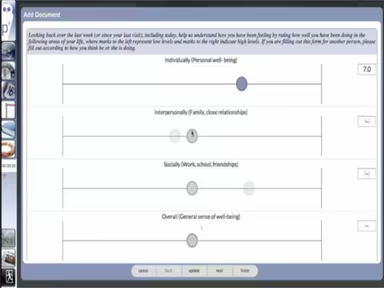
Customizability & Configurable Forms
80% were Positive
5% were Negative
15% were Neutral
Least Positive Sentiments
Reporting & Data Export Limitations
15% were Positive
70% were Negative
15% were Neutral
Users frequently praise Penelope's flexibility and extensive customization options. The configurable forms facilitate tailored data collection and grant reporting. One user shared that, “The ease of use of the Smart Documents and Forms has enhanced the way we gather demographic and program information for grants and funding.” Conversely, many users express dissatisfaction with its limited reporting capabilities, stating that the “built-in reports are not sufficient” and they often need to resort to external tools for advanced analyses.
Ease of Use & Workflow Efficiency
75% were Positive
10% were Negative
15% were Neutral
Learning Curve & Navigation Complexity
5% were Positive
85% were Negative
10% were Neutral
Reviewers note that once users familiarize themselves with Penelope, the workflow becomes quite intuitive. Tasks like scheduling and documentation are recognized as efficient. Many have stated that daily activities become easy after initial training. However, new users often describe the software as somewhat unintuitive at first, citing issues like “too many clicks” and a “steep learning curve.” Comprehensive training is frequently highlighted as necessary to fully harness the platform's features.
Scalability Across Agencies & Programs
70% were Positive
10% were Negative
20% were Neutral
Customer Support Responsiveness
15% were Positive
70% were Negative
15% were Neutral
Agencies running multiple programs or locations commend Penelope for its adaptability and scalability. Users appreciate its effectiveness in multi-program operations. However, some report frustrations with customer support, mentioning delays in response times, with one user commenting on it taking “a week and many emails to receive help for a minor fix.”
Is Penelope Software Right For You?
Widely regarded for its user-friendly design and scalability, Penelope software serves a diverse range of clients. This mobile-compatible system ensures secure data hosting and offers seamless integration. Its flexibility across various sectors, such as government and healthcare, positions it as a dependable option.
If you’re still uncertain about whether it’s the right fit, feel free to contact our team at (661) 384-7070 for guidance tailored to your organization’s needs.