

SimplePractice
Transform your mental health practice with SimplePractice, the all-in-one EHR platform that streamlines workflows and enhances remote efficiency.
Key Insights
Based on feedback from users, SimplePractice is an all-encompassing EHR solution tailored for mental health professionals. It is well-regarded for its intuitive interface that consolidates clinical processes. Although some users have reported issues with the reliability of telehealth features, its primary advantage lies in its integrated scheduling capabilities. Recent updates to the mobile application have enhanced the efficiency of remote workflows for practitioners. Additionally, the company is introducing Care Aide, a new AI-driven clinical support tool available to qualifying users.
Our Assessment
SimplePractice emerges as a top-tier option for independent practitioners and small to medium-sized mental health clinics. Its pricing reflects a premium investment, which is justified for providers who need comprehensive integration in their operations. We suggest it for behavioral health experts who value an efficient and streamlined workflow over extensive customization options.
What Is SimplePractice?
SimplePractice is an electronic health record (EHR) system designed specifically for mental and behavioral health professionals. This platform is tailored to meet the needs of contemporary mental health practices, offering a comprehensive set of features that streamline administrative duties, optimize clinical workflows, and enhance patient care—all in a user-friendly, HIPAA-compliant environment. It adeptly handles scheduling, documentation, billing, telehealth services, and more, enabling practitioners to prioritize the quality of care they provide.
What Is SimplePractice Best Known For?
This software is particularly recognized for its built-in website builder, which empowers practitioners to create a professional-looking website directly from their EHR account. With responsive templates, complimentary hosting, and unified updates, users can effortlessly establish and maintain their online presence without needing extra tools.
How Much Does SimplePractice Cost?
The pricing for this software begins at $49 per month for the Starter plan. This plan includes essential features such as basic diagnostic and treatment plans, integrated measurement-based care, online appointment requests, among others. Additionally, the vendor offers two other plans for practices:
Essential – $79/month
Plus – $99/month (plus $74 for each additional clinician)
Users can also add ePrescribe to any plan for $49 per month per clinician, along with a one-time setup fee of $89. An AI Note Taker add-on is available that automates clinical documentation and summary creation for $35 per month per clinician. Furthermore, a 30-day free trial is offered. Below is a summary of SimplePractice’s implementation costs, recurring fees, and additional charges to help practices understand what to anticipate beyond the base pricing:
No upfront costs: There are no implementation or onboarding fees; the 30-day trial does not require payment details.
Base subscription fees: Monthly fees depend on the chosen SimplePractice plan.
Optional add-ons: The AI-powered Note Taker is available at an extra $35 per month per clinician.
Insurance claim fees: Claim processing fees start at $0.25 per claim based on the selected plan.
Payment processing fees: Online payments incur a charge of 3.15% plus $0.30 per successful transaction.
Annual CPT® licensing fee: A required fee of $20 per clinician annually grants access to AMA CPT® codes.
No hidden charges: Costs are confined to subscription fees, optional add-ons, and usage-based fees.
Generally, users regard SimplePractice as a competitively priced option for mental and behavioral health practices due to its transparent pricing model and adaptable add-on choices that allow for scalability as practices expand. For personalized pricing tailored to your needs, contact us at info@softwareseekers.com.
Please note that pricing may change.
SimplePractice Integrations
The following third-party applications can be integrated with SimplePractice software:
iCal
Stripe
Microsoft Outlook
Google Calendar
Smartlink Health
How Does SimplePractice Work?
If you’ve successfully installed the software, here’s how to get started:
Log in using your credentials.
Manage your practice from any device equipped with a modern web browser.
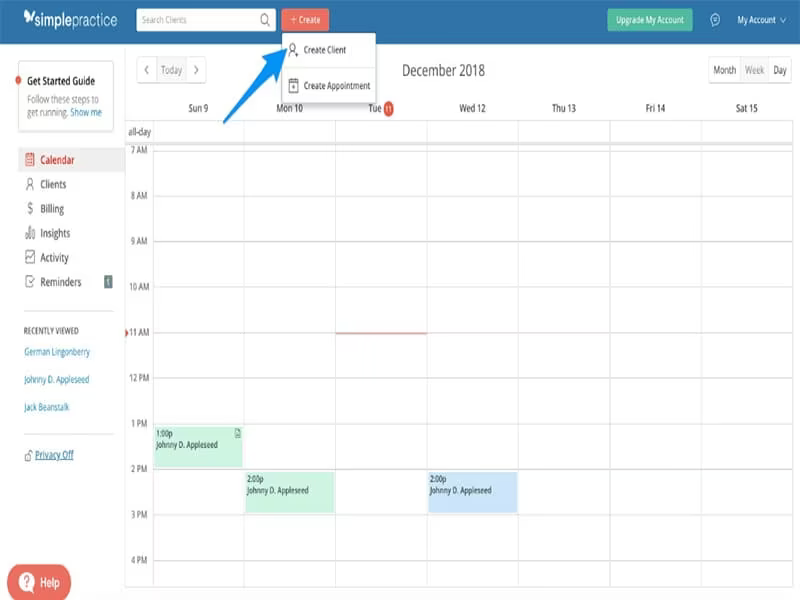
Schedule appointments and create new client profiles.
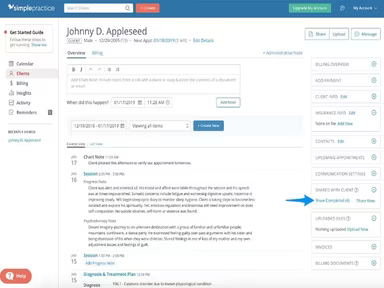
Complete documentation such as intake forms, assessments, and notes.
Conduct telehealth visits using integrated video conferencing tools.
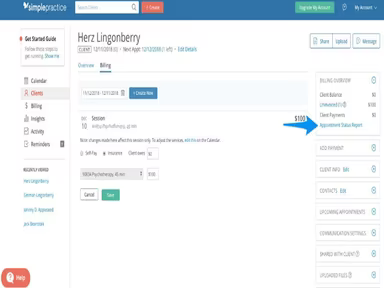
Create and send invoices to clients automatically through email or mobile app.
Accept online payments via the secure client portal.
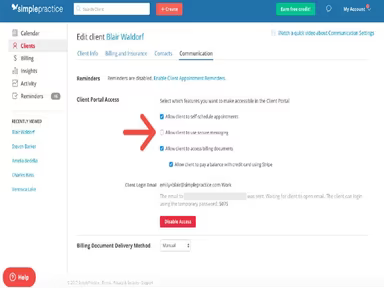
Safely communicate with clients through the portal's messaging and file-sharing features.
Monitor treatment plans, goals, and customized outcome measures over time.
Easily submit electronic insurance claims to major providers through integrated clearinghouses.
Access customizable reports on finances, productivity, and key metrics to evaluate performance.
You can schedule a complimentary demo of SimplePractice now to explore the software firsthand.
Who Is SimplePractice For?
This software caters to both solo practitioners and group private practices within the health and wellness sector. It is commonly utilized by:
Mental health professionals
Chiropractors
Social workers
Massage therapists
Physical therapists
Substance use counselors
SimplePractice Use Cases
An analysis of user feedback along with SimplePractice’s features reveals several scenarios where this software proves beneficial for practices:
Small / Solo Private Practices Needing Low Setup Overhead
This platform is ideal for individual clinicians and small practices seeking an intuitive all-in-one solution without extensive setup requirements. Users appreciate how it integrates scheduling, notes, billing, and telehealth into a single system, streamlining daily operations effectively.
Clinics Wanting Shared Workflows And Team Collaboration
The platform suits small group practices and clinics that emphasize collaborative workflows. Reviews indicate that the client portal enhances cooperation by allowing clients to fill out forms, request appointments, and receive reminders—thereby reducing administrative burdens while improving communication overall.
Practices Needing Strong Insurance And Billing Support
This software excels for practices focused on optimizing insurance processing and payment collection. Users value how SimplePractice facilitates straightforward filing of insurance claims. Furthermore, automatic reminders combined with billing integration for missed charges help practices maintain effective revenue cycle management.
Insurance-based Group Practices Adding Telehealth As A Permanent Service
The platform is designed for group practices transitioning to a lasting hybrid service model. It allows clinicians to oversee a unified calendar for both in-person and telehealth appointments while submitting compliant insurance claims for both types of sessions through one system—eliminating challenges related to managing separate billing protocols for different care modalities.
SimplePractice User Sentiment
Most Positive Sentiments
Ease of Use / User-Friendliness / Onboarding:
User Rating: 70% Positive
User Rating: 15% Negative
User Rating: 15% Neutral/Mixed
The intuitive design of SimplePractice receives consistent praise from users who find it easy to navigate. Many mention a quick onboarding process along with helpful templates that contribute to its user-friendliness.
Least Positive Sentiments
Telehealth / Connectivity / Reliability:
User Rating: 15% Positive
User Rating: 55% Negative
User Rating: 30% Neutral/Mixed
This feature has drawn some criticism from users who report intermittent video call interruptions and connectivity issues during sessions. While some experiences are positive regarding telehealth functionality, others have faced challenges.
Integrated Features (Scheduling, Notes, Billing, Telehealth In One Platform)
User Rating: 75% Positive , User Rating: 15% Negative , User Rating: 10% Neutral/Mixed .
The platform’s comprehensive approach is often regarded as its key strength by users who appreciate having scheduling, billing, telehealth services, and client portal functionalities all in one place—reducing reliance on multiple systems.
User Feedback on Customization / Reports / Calendar Sync / Insurance Workflows
Users frequently express a desire for enhanced customization options regarding reports, calendar displays, and form creation. Issues have been noted concerning limited reporting functionalities as well as inefficiencies within insurance workflows—highlighting needs for greater adaptability in tailoring the system according to specific practice requirements.
User Feedback on Templates And Documentation Tools
Treatment plan templates and progress note formats are commended for their time-saving capabilities in fulfilling documentation needs. Many reviewers find value in the Wiley Treatment Planner integration; however, some note limitations regarding customization options.
User Feedback on Customer Support And Onboarding
A number of reviewers report challenges with customer support being slow or sometimes unhelpful. Common grievances include insufficient phone support availability along with delayed email replies or unresolved inquiries. While there are positive experiences cited by some users regarding onboarding processes like data migration or calendar syncing—these instances seem less frequent.
Is SimplePractice Right For You?
If you are an individual practitioner or mental health professional looking for an all-in-one scalable platform that supports private practice operations efficiently, then SimplePractice could be an excellent choice. Its integrated capabilities facilitate daily tasks ranging from scheduling and documentation through billing and reporting seamlessly.
This software also provides extensive features tailored for group practices including collaborative care planning tools as well as shared calendars which enhance client convenience through online scheduling options via the patient portal.
A testament to its commitment towards data security compliance includes being HIPAA certified along with HITRUST certification alongside PCI compliance—gaining trust from over 250,000 practitioners in mental and behavioral health settings worldwide.
If you're still uncertain whether SimplePractice aligns with your needs? Reach out to our customer support team at info@softwareseekers.com; they will assist you in making an informed decision!