

SonoSoft EMR
Streamline patient documentation with SonoSoft EMR's user-friendly interface and customizable templates, enhancing efficiency in patient care.
SonoSoft EMR aims to simplify the process of patient documentation with its intuitive interface, removing the reliance on dictation and improving overall productivity. Although a few users have noted that the system may occasionally face downtimes, its adaptable templates and extensive data management capabilities support effective patient care.
What Is SonoSoft?
SonoSoft is a specialized electronic medical records (EMR) solution crafted to enhance the efficiency of patient diagnosis, manage patient data, and support documentation tasks for healthcare providers. With its intuitive ‘point and click’ interface, SonoSoft seeks to replace conventional dictation methods, ultimately saving time and boosting productivity. The software prioritizes rapid documentation, claiming to enable users to attend to more patients while minimizing the time dedicated to note-taking.
What Is SonoSoft Best Known For?
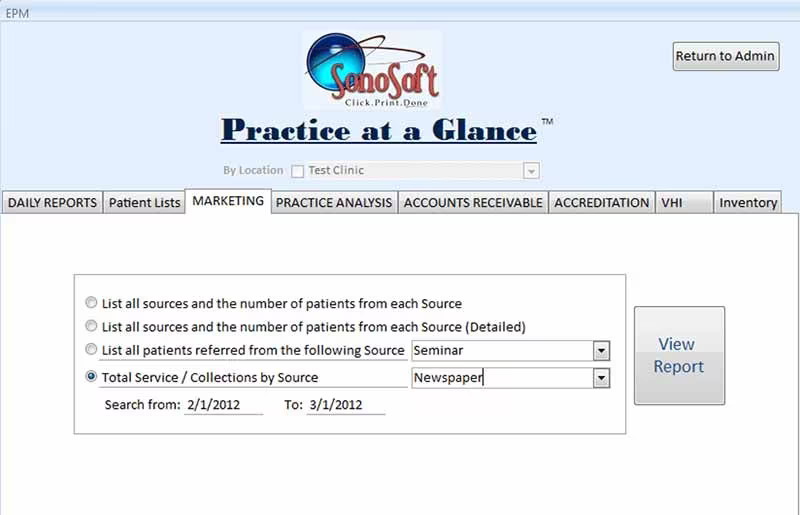
One of the standout features of SonoSoft is its ‘Practice at a Glance’ statistics generator. This tool offers practices valuable insights into their performance and productivity over designated timeframes. Users can view details such as services rendered, billing summaries, sources of patient referrals, accounts receivable, and more, facilitating better monitoring and enhancement of their operations.
SonoSoft Pricing
The pricing for SonoSoft EMR software is tailored to meet the distinct requirements of dental practices and healthcare providers. Reach out today for a customized quote regarding SonoSoft pricing details.
SonoSoft Integrations
Currently, there is no available information regarding third-party integrations provided by the vendor.
How Does SonoSoft Work?
To begin utilizing SonoSoft, follow these steps:
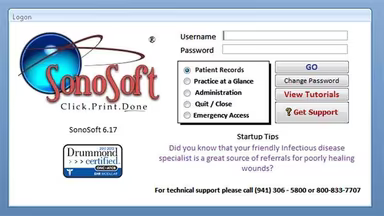
Launch SonoSoft on your device and log in with your credentials.
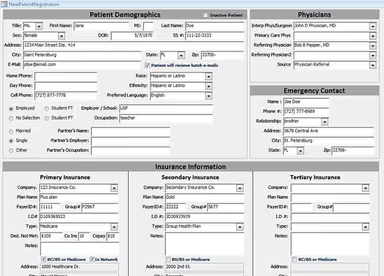
Input new patient information, including demographics, medical history, and contact details.
Use the built-in calendar to schedule appointments and set up automated reminders.
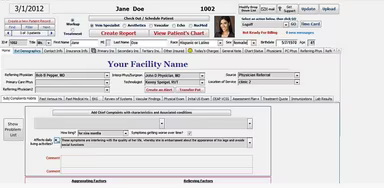
Select a patient from your appointment list and start documenting. Utilize the point-and-click interface to efficiently complete SOAP notes using customizable templates.
Order lab tests, imaging, or referrals directly through the system. Once results are available, review them and attach them to the patient's record.
Create medical bills based on the documented patient encounter. Submit insurance claims, monitor approvals, and receive notifications for claim processing.
Choose medications from the integrated database and send electronic prescriptions to pharmacies. Review the patient's medication history for accuracy.
Leverage the ‘Practice at a Glance’ feature to oversee clinic performance. Generate reports and access real-time insights into patient care, billing, and operational efficiency.
Request a complimentary demo of SonoSoft to witness the software in action.
Who Is SonoSoft For?
Designed for healthcare practitioners across diverse specialties, SonoSoft offers a quicker and more efficient method for documenting patient visits, examinations, and procedures. It simplifies documentation while enhancing patient care. Moreover, SonoSoft streamlines administrative tasks, allowing healthcare professionals to see a greater number of patients without sacrificing accuracy or compliance.
Is SonoSoft Right For You?
SonoSoft caters to healthcare providers who are looking for an expedited and efficient way to document patient visits, exams, and procedures. It is especially advantageous for those wishing to increase patient throughput while reducing time spent on documentation due to its time-saving capabilities.
This software is also ideal for individuals with no prior experience with EMR systems, thanks to its supportive customer service features. It can benefit various areas including patient management, claims management, technical support, practice management, and physical therapy services. With its user-friendly point-and-click interface, it does away with dictation needs—resulting in reported productivity boosts of up to 40% while saving practitioners approximately 20 hours each week.
If you’re still uncertain whether SonoSoft aligns with your practice’s needs, reach out to us at info@softwareseekers.com for personalized assistance in making an informed decision for your practice.