logo

TrakCare

TrakCare is a cloud-driven electronic medical record (EMR) solution that emphasizes a patient-focused methodology while adhering to necessary regulatory require...

0.00 | 0 Reviews

TrakCare is a cloud-driven electronic medical record (EMR) solution that emphasizes a patient-focused methodology while adhering to necessary regulatory require...

Product Overview

TrakCare is a cloud-driven electronic medical record (EMR) solution that emphasizes a patient-focused methodology while adhering to necessary regulatory requirements. Although there is a learning curve associated with the software, it makes up for this with features like telehealth services, revenue cycle management, and robust documentation capabilities, all of which support seamless healthcare delivery.
Product Snapshot

Product Details

What Is TrakCare?

TrakCare, developed by InterSystems, is a cloud-driven electronic medical record (EMR) solution designed to manage clinical, administrative, and financial data efficiently. This system empowers healthcare providers by offering easy access to patient information.

Furthermore, the software supports effective and informed delivery of care. Key features of TrakCare encompass telehealth options, streamlined revenue cycle management, efficient medication management, and comprehensive documentation tools.

What Is TrakCare Best For?

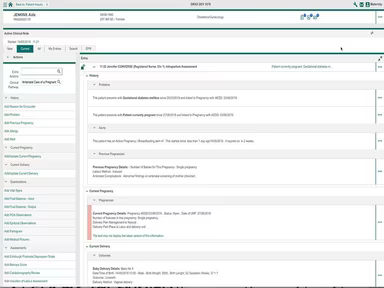
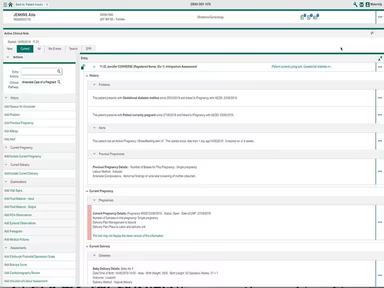
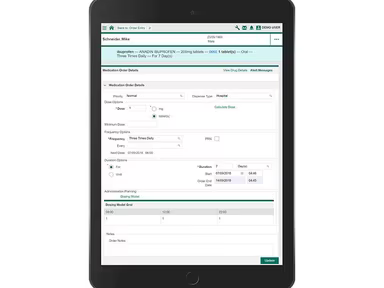
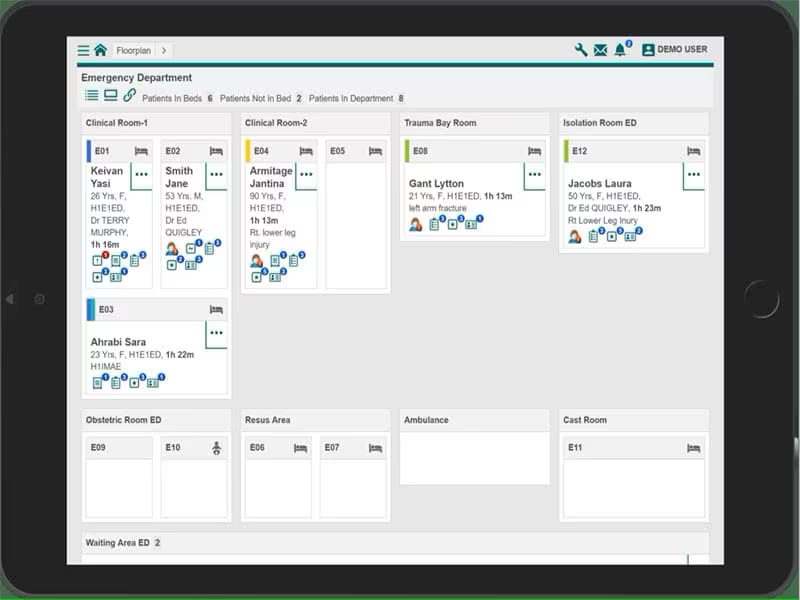
TrakCare is particularly noted for its user-friendly and customizable interface that significantly improves the overall user experience. The interface is equipped with visual indicators and guided workflows. It enables healthcare professionals to boost productivity and enhance patient care through seamless navigation of tasks.

TrakCare Pricing

The pricing for TrakCare varies based on the size and specific needs of your medical practice. For a tailored pricing estimate, please click on Get Pricing.

TrakCare Integrations

TrakCare seamlessly integrates with a variety of third-party applications, including:

  • Microsoft Teams

  • Google Meet

  • Attend Anywhere

  • Imprivata Confirm ID

  • Capsule

How Does TrakCare Work?

To begin using TrakCare after installation, follow these steps:

  1. Log in with the credentials provided by your vendor.

  2. Create user profiles and adjust system settings to fit your organization’s requirements.

  3. Import or manually input patient data, including medical history and insurance information.

  4. Organize patient appointments by setting up scheduling and calendar preferences.

  5. Document patient visits and progress to maintain thorough clinical records.

  6. Tailor templates or forms based on your preferred charting methods.

  7. Evaluate practice performance and monitor key metrics using reporting and analytics tools.

To explore its features further, click Watch Demo to arrange a complimentary TrakCare demonstration.

Who Is TrakCare For?

This software caters to various medical specialties and departments such as:

  • Clinical laboratories

  • Ophthalmology clinics

  • Intensive care units

Is TrakCare Right For You?

If your healthcare organization is searching for a comprehensive healthcare information system to manage clinical, administrative, and financial data effectively, then TrakCare may be the perfect fit. The software is both ONC-certified and HIPAA-compliant, ensuring the security of sensitive patient information.

Moreover, TrakCare enhances communication while optimizing workflows with its flexible modules and real-time data access. It’s also designed to scale according to the changing needs of healthcare organizations, regardless of their size.

If you still have questions regarding TrakCare software, reach out to our customer support team at info@softwareseekers.com; they are ready to assist you in making an informed choice.

TrakCare Pricing Plans

The cost associated with TrakCare is determined by the size and specific requirements of your healthcare organization.

EMR Software Features

dashboard
invoicing
reporting
timeclock
mobile app
purchasing
ai chatbots
appointments
sales orders
telemedicine
client portal
mobile access
time tracking
eprescriptions
patient portal
sales tracking
case management
e prescriptions
fuel management
hipaa compliant
lab integration
lead management
online payments
task management
audit management
lab integrations
order management
sales automation
accident tracking
activity tracking
billing invoicing
budget management
claims management
dictation support
driver management
email integration
project templates
sales forecasting
vendor management
contact management
customizable forms
project scheduling
route optimization
alertsnotifications
compliance tracking
document management
employee management
employee onboarding
reporting analytics
resource allocation
workflow automation
workforce analytics
inventory management
merchandise transfer
patient demographics
vehicle tracking gps
warehouse management
billing and invoicing
client management crm
compliance management
customer segmentation
patient client portal
maintenance scheduling
opportunity management
performance management
telematics integration
benefits administration
compensation management
customer servicesupport
reporting and analytics
telemedicine telehealth
cloud based emr software
deal pipeline management
social media integration
training and development
customizable formsreports
sales pipeline management
document automationassembly
incident and issue tracking
multi factor authentication
patient engagement software
attendance and time tracking
compliance security features
employee self service portal
fleet utilization monitoring
laboratory integration elabs
appointment scheduling widget
remote patient monitoring rpm
policy and document management
regulatory compliance tracking
risk assessment and mitigation
customer communication tracking
employee information management
practice analytics emr software
appointment managementscheduling
delivery planning and scheduling
appointment management scheduling
billing invoicing patient billing
customizable forms patient intake
immunization and allergy tracking
third partyvendor risk management
esg metrics tracking and reporting
insurance eligibility verification
recruitment and applicant tracking
customer relationship management crm
telehealthappointment managementscheduling
regulatory change monitoring and impact analysis
carbon emissions data capture and calculation tools

Pros

  • Intuitive and customizable interface
  • Modules for clinical, administrative, and financial management
  • Customizable templates and forms
  • Revenue cycle management for billing processes
  • Telehealth capabilities for remote patient care

Cons

  • Initial setup complexity, according to TrakCare reviews

Price

Professional

Custom

Get Free Guidance from Our Solution Experts.

Ratings

0.00 | 0 reviews

Ratings Distribution

Positive

0%

Neutral

0%

Negative

0%

User Reviews

No reviews yet

Be the first to share your experience with TrakCare.

Frequently Asked Questions

Find answers to the most common queries about our software recommendation service.

TrakCare software provides email and live chat support.

TrakCare software is used by clinical laboratories, ophthalmology clinics, and intensive care units.

The software supports the English language.

Yes, it supports mobile devices.

No, TrakCare does not have an app.

The TrakCare cost depends on your healthcare practice’s requirements and size.

TrakCare software integrates with several applications, including Microsoft Teams, Google Meet, Attend Anywhere, Imprivata Confirm ID, and Capsule.