

Vagaro
Streamline your wellness business with Vagaro's intuitive platform for scheduling, client management, and payments, designed for growth and efficiency.
Key Insights
Based on feedback gathered from user experiences, Vagaro serves as a cloud-based management solution tailored for wellness enterprises. It supports various functions such as scheduling, client administration, and payment processing. Many users appreciate its user-friendly interface for everyday tasks. Nonetheless, a few have pointed out that the advanced reporting features could be improved. Recent enhancements include a revamped Import Forms functionality aimed at optimizing data collection, along with an upgraded live-stream module that offers enhanced audio and video capabilities.
Our Assessment
Vagaro stands out as an effective operational center for businesses focused on appointments. It consistently simplifies booking, payment handling, and client management processes. The platform adapts well to both expanding solo practitioners and multi-location businesses. While it provides a budget-friendly option for essential operational efficiency, organizations that need in-depth, customized analytics might find the reporting functions to be somewhat lacking.
What Is Vagaro?
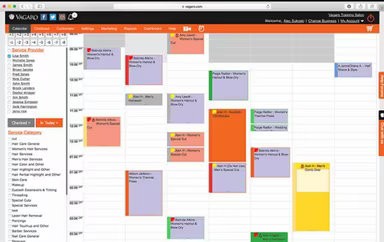
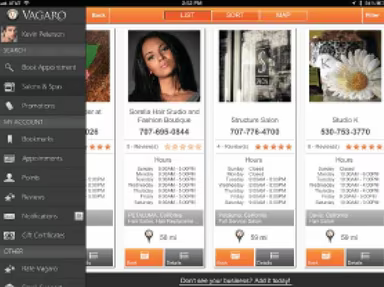
Vagaro is a comprehensive cloud-based solution designed for booking and scheduling in spas, salons, and fitness centers. It provides a range of promotional services to professionals, featuring tools for payroll, inventory management, email and text notifications, client databases, bookkeeping, and automated email marketing.
The platform stands out with its powerful text marketing capabilities, allowing businesses to engage clients through SMS messages to promote services and special deals.
How Much Does Vagaro Cost?
The pricing for Vagaro Pro is based on each ‘bookable calendar’ (i.e., /practitioner/schedule) and starts at $30 per month per location. Vagaro offers flexible pricing plans tailored to various business sizes, from individual practitioners to larger multi-service establishments. For those with multiple locations, custom pricing options are available.
Additionally, a free trial is offered for the One Location plan, giving users the chance to explore the platform's features before committing to a subscription.
While many view software as merely a monthly fee, there are additional costs associated with setup:
Integration Work: Connecting Vagaro with other systems (like accounting or payroll) may incur costs ranging from $200 to $1,000 for consulting or technical assistance.
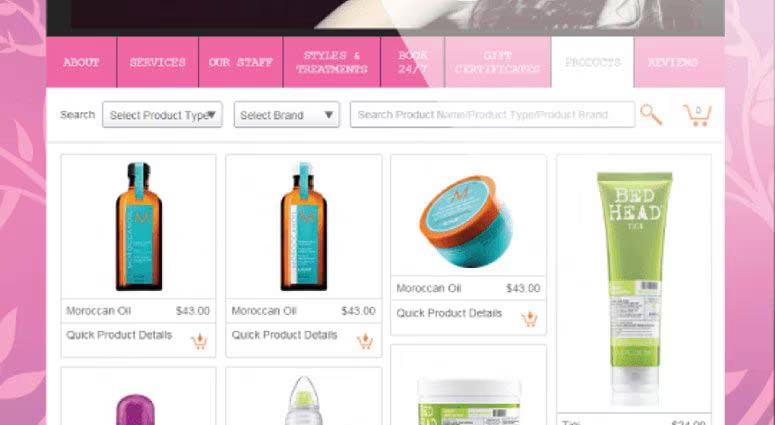
Add-On Features: Features such as text marketing, cloud storage, forms, and website builders come at an additional cost of approximately $10-$20 per month each.
User feedback regarding Vagaro’s pricing is largely positive. Many reviewers express that Vagaro is reasonably priced and appreciate the pay-for-what-you-use model for add-ons. However, some users feel that certain features can be perceived as expensive when compared to more basic systems.
For a personalized Vagaro Pricing quote that aligns with your specific needs, please reach out to us.
Note: Pricing details are derived from publicly accessible third-party information and industry standards. Actual costs may differ.
Vagaro Integrations
The software seamlessly integrates with various third-party applications, including:
Zoom
Gusto
Instagram
Facebook
Xero
QuickBooks
How Does Vagaro Work?
To get started with Vagaro, follow these steps:
Log into your Vagaro account and create a business profile.
Define the services you offer by adding descriptions, durations, and pricing.
Add staff members and configure their availability along with the services they provide.
Set your business hours and tailor your scheduling preferences.
Enable online booking so clients can schedule appointments around the clock.
Configure automated email or SMS reminders for upcoming appointments.
Connect your preferred payment processing system for smooth transaction handling.
Utilize Vagaro’s analytics and reporting tools to monitor performance and make informed decisions.
You can also arrange a free demo of Vagaro to uncover its full range of functionalities.
Who Is Vagaro For?
This platform is ideal for professionals in the beauty, wellness, and fitness sectors including:
Spas
Salons
Nutritionists
Chiropractors
Gyms and yoga instructors
Physical therapists
Vagaro Use Cases
Based on our analysis of Vagaro’s features and capabilities, we have identified several scenarios where this tool excels for beauty, wellness, and fitness businesses:
Solo Practitioners And New Businesses
The user-friendly interface and straightforward setup of Vagaro make it an excellent option for solo practitioners and new ventures. Users have praised the platform for its ease of use and rapid implementation. One user remarked, “It is very user friendly. Easy to set up and use.”
Multi-Service Centers Managing Diverse Offerings
Bussinesses providing various services like haircuts, massages, and fitness classes can utilize Vagaro to streamline their operations. Scheduling, client tracking, and payment processing can all be handled within one platform, enhancing efficiency in daily management tasks.
Small To Mid-Sized Businesses On A Budget
Salons, studios, and wellness centers with limited budgets can take advantage of Vagaro’s adaptable pricing structure. It offers professional-grade tools without necessitating a hefty initial investment. Companies can begin small and expand alongside Vagaro as they grow.
Client Engagement-Focused Businesses Seeking Stronger Retention
Businesses that depend on repeat bookings and consistent client interaction will find value in Vagaro. The tool simplifies client communication regarding appointments while sending reminders or promoting special offers efficiently.
Vagaro User Sentiment
Most Positive Sentiments
Ease Of Use & Workflow:
70% Positive
10% Negative
20% Neutral/Mixed
Least Positive Sentiments
Limited Customization Options:
30% Positive
40% Negative
30% Neutral/Mixed
The interface is frequently acknowledged as intuitive. Users report that essential tasks related to scheduling and payments are both simple and efficient. Nonetheless, there is feedback indicating a need for more customizability; some businesses feel that options for personalized forms and workflows are restricted. One user mentioned: “It would be better if we could customize forms and workflows more.”
Comprehensive Scheduling Tools Mobile App Performance
Scheduling Tools:
75% Positive
10% Negative
15% Neutral/Mixed
< li>User Experience With Mobile App:
< li >30% Positive < li >50% Negative < li >20% Neutral/MixedThe scheduling system receives high praise for minimizing conflicts while keeping both staff and clients coordinated during busy periods. However, users have noted that while the mobile app serves basic functions well, issues like slow performance or crashes can hinder effective management on the go. One user commented: “The app works for basic tasks, but sometimes it crashes during busy days.”
Customer Support Limited Reporting & Analytics
Customer Support:< ul >< li >60% Positive < li >10% Negative < li >30% Neutral/Mixed
Reporting & Analytics Options:< ul >< li >25% Positive < li >40% Negative < li >35% Neutral/Mixed
The support team is often commended for being responsive and helpful during onboarding processes as well as troubleshooting general inquiries. One user shared: “The support team helped me quickly resolve an issue with a payment setup.” Conversely, some users feel that reporting tools lack flexibility or depth needed to satisfy all business requirements; generating custom reports can prove difficult. For instance, one user expressed: “I wish there were more customizable reporting options to track revenue and client trends.”
Is Vagaro Right For You?
If you manage a fitness studio, health clinic, salon or any service-oriented business within the beauty or wellness industry, Vagaro could be an excellent match for you. Its intuitive design simplifies appointment scheduling along with client management and payment processing—making operations efficient for businesses of any size.
This scalable platform caters to both solo practitioners as well as larger enterprises across multiple locations ensuring everyone can leverage its robust features effectively. Additionally, it adheres to ISO 27001, PCI DSS, SOC 2 standards alongside HIPAA compliance as verified by qualified external auditors.
If you're still uncertain whether Vagaro suits your practice best? Reach out via email at info@softwareseekers.com; our team will assist you in making an informed decision based on your needs.