

VHN
Transform health data management with VHN's customizable EHR platform, reducing workload and enhancing decision-making for public health facilities.
VHN simplifies the management of health data through its electronic health record system. For public health organizations, handling patient records, ensuring compliance, and making informed decisions can be quite demanding. Discover how VHN's flexible and customizable solution minimizes administrative burdens, facilitates easy information access, and drives ongoing quality enhancement via analytics.
What Is VHN?
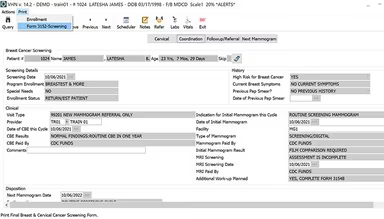
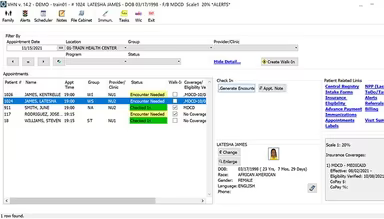
VHN is a cloud-centric electronic health record (EHR) and revenue cycle management solution tailored for public health institutions. This digital health platform provides various services, including electronic health records, revenue cycle management, clinical programs, and population health analytics, all aimed at optimizing operations, centralizing data management, and enhancing health outcomes. It effectively tackles several challenges such as minimizing administrative burdens, ensuring easy access to patient information, and facilitating improved decision-making.
What Is VHN Best For?
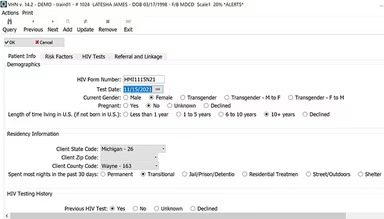
VHN features dedicated modules that address the specific needs of public health, including communicable disease tracking, immunization oversight, women’s health initiatives, and school health assessments. It places a strong emphasis on integrated EHR case management to enhance care coordination among various public health services.
VHN Pricing
The pricing for VHN is determined based on individual customer needs and specifications. Reach out to discuss the different pricing plans available for VHN.
VHN Integrations
The software does not publicly share details regarding its third-party integrations.
How Does VHN Work?
To get started with the software following its successful installation, follow these steps:
Create user profiles and assign the relevant access levels and permissions.
Configure system settings such as practice information, reporting parameters, and custom fields.
Set up master files that include lists of providers, locations, insurance plans, and diagnosis codes.
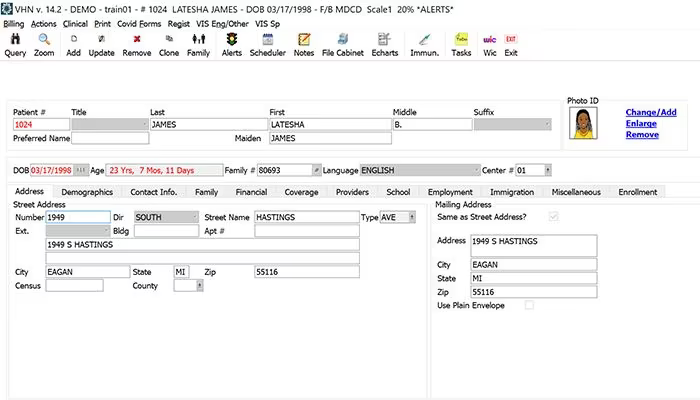
Input patient demographics and establish charts to begin recording clinical encounters.
Create clinical workflows and templates for visits, immunizations, screenings, etc.
Start filling in databases specific to disease surveillance, immunizations, and other programs.
Utilize default reports provided and customize additional reporting preferences as needed.
The VHN demo will guide you through these processes in greater detail.
Who Is VHN For?
The VHN software is suitable for organizations of varying sizes, from small local public health departments to extensive state and county health agencies. It is particularly beneficial for:
Community health initiatives and case management
Public health immunization efforts
Disease surveillance (such as HIV, STD, TB)
Is VHN Right For You?
If you are facing challenges with outdated systems that fail to meet your specific data and workflow requirements, VHN might be the answer you need. With its capacity to enhance operations from patient care through reporting to billing and beyond, it deserves your consideration.
The VHN EHR is designed with scalability and security at its foundation. Its flexible modular architecture allows it to expand alongside your organization—from just a few users to hundreds—while ensuring seamless access to information. Moreover, patient health records and sensitive population data are safeguarded through top-tier encryption methods, authentication protocols, and access controls. VHN also undergoes stringent third-party security audits to uphold superior levels of data protection and HIPAA compliance.
If you're still uncertain about whether it's the ideal fit for you, feel free to reach out via email at info@softwareseekers.com for assistance in making an informed choice.