

Vidyo
Experience high-definition video conferencing with Video, designed for healthcare and financial services, ensuring reliable and precise communication.
Video delivers exceptional high-definition conferencing with minimal delay, making it perfect for sectors like healthcare and finance. Although new users may find the initial setup somewhat intricate, the outstanding video clarity and dependable performance position it as an excellent option for fields that demand accurate and continuous communication.
What Is Vidyo?
Overview
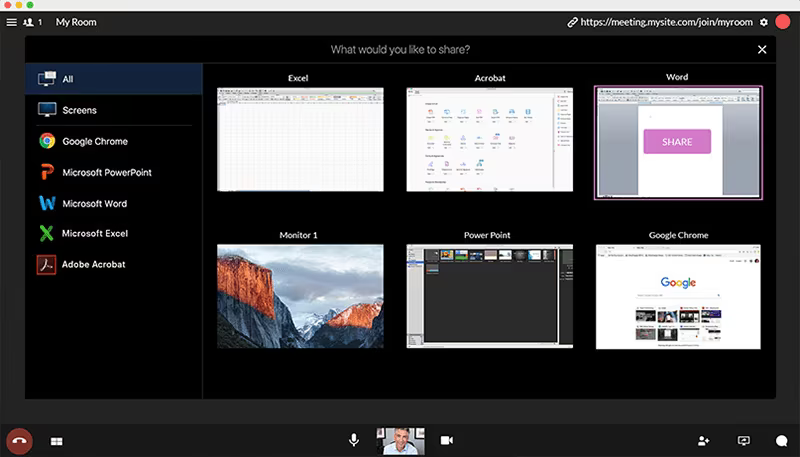
Vidyo serves as a comprehensive platform designed for video conferencing, catering to both small and medium-sized businesses as well as larger enterprises. This solution encompasses swift cloud development, screen sharing capabilities, and group video conferencing features. It is compatible with nearly any application environment, device, and network. Vidyo facilitates effective online meetings and video conferences, enabling thousands of individuals worldwide to connect visually each day through its secure, cloud-based services and scalable technology. The platform ensures an exceptional quality of video experiences that fosters trust, enhances team collaboration, and strengthens professional relationships.
Users can initiate point-to-point calls or directly call Vidyo clients with a resolution of up to 1440p, guaranteeing exceptional image clarity. The service can accommodate multipoint calls with up to 8 participants while maintaining commendable resolution. With this video conferencing solution, sharing screens is straightforward, allowing users to display shared content on another monitor or within a separate window. Moreover, participants have the flexibility to prioritize either video or audio data according to their preferences. The system excels in maintaining high call quality during video conferences by effectively reducing issues related to lower bandwidth.
This video conferencing service seamlessly integrates with various business process automation and office automation platforms such as Microsoft Lync, IBM Sametime, Adobe Connect, and Microsoft Outlook. This integration helps users achieve heightened productivity and efficiency among their teams. Vidyo provides several user-friendly options including Fullscreen mode – for enlarging the desktop view, Layout settings – for adjusting participant arrangements, Share functionality – for screen sharing, Volume control – for adjusting sound levels, and Toggle – for managing the visibility of shared screens.
Price
Vidyo offers three distinct pricing plans:
VidyoConnect – a desktop meeting solution designed for team collaboration, priced between $18.99 and $19.99 per user per month.
VidyoEngage – a live video chat system available with custom pricing.
Vidyo.io – an API for embedding video communication into other applications, starting at $65 per month.
Free Trial
The video conferencing service provides a complimentary 60-day trial period.
Support
The vendor ensures round-the-clock live support for users.
Unique Selling Proposition (USP)
Vidyo's system features multiple screen sharing options and supports group video conferencing capabilities.
Product Advantages
This platform is user-friendly and guarantees clarity in both video and audio during calls. Participants can join meetings without needing to install additional software. Furthermore, Vidyo allows users to communicate with others regardless of their location. Its HIPAA-compliant nature simplifies the process of scheduling conference calls for businesses.
Product Limitations
The pricing may be considered high compared to similar offerings in the market. Additionally, some users report a learning curve due to the interface being somewhat confusing at times.