

Worksmith
Streamline your vendor management with Worksmith. Efficiently handle work orders, scheduling, and invoicing for seamless operations across multiple locations.
Worksmith enables businesses to effectively oversee various service providers by facilitating work order submissions, scheduling jobs, tracking vendors, and providing unified invoicing. Although the options for customizing reports may be somewhat restricted, the platform ensures clarity and efficient workflows. It proves to be dependable for retail operations across multiple locations, as well as facilities and teams that manage external vendors.
What Is Worksmith?
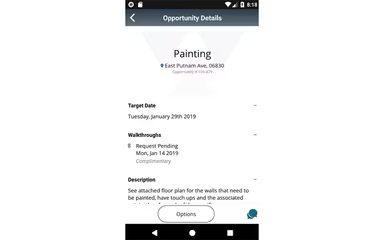
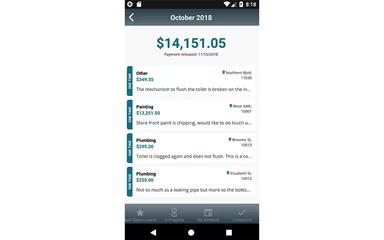
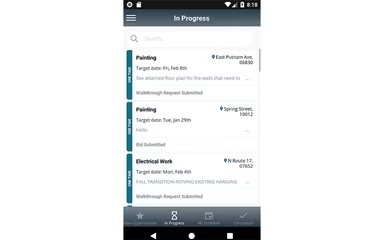
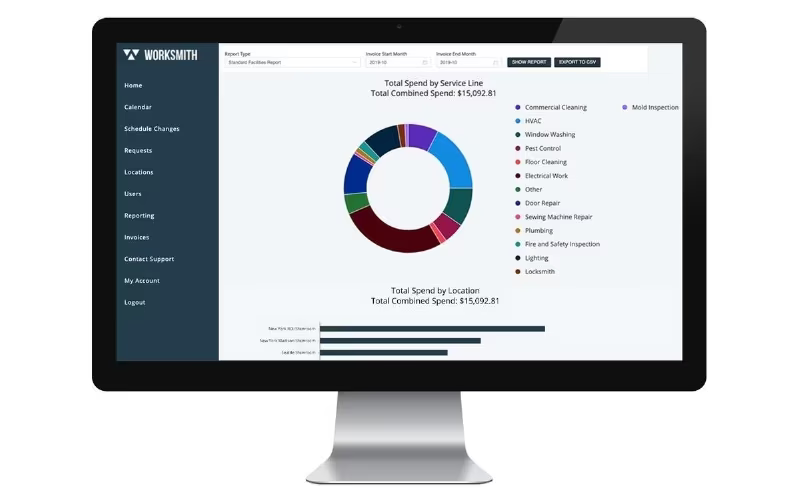
Worksmith is a comprehensive cloud-based platform tailored for facilities and vendor management, specifically designed for organizations that operate across various locations. It offers a suite of tools that facilitate vendor discovery, work order submission, job scheduling, management of service providers, invoicing, and reporting. Users can engage with the platform through both web and mobile applications, allowing for effective communication with vendors, monitoring of job completions, and simplification of payment processes. In essence, Worksmith assists organizations in optimizing their operations, ensuring uniformity, and enhancing visibility into vendor performance and expenditures, thereby ensuring efficient facility management.
Worksmith Pricing
The pricing structure for Worksmith generally starts from $40 to $120 per user each month. This range serves as a guideline for budgeting since actual expenses may vary depending on user count, the number of locations, necessary modules, reporting requirements, and any tailored contracts.
Beyond the base subscription fees, organizations should also consider additional costs related to implementation or add-ons:
Implementation Setup: Usually between $2,000 and $25,000 as a one-time fee for system configuration, workflow establishment, and data migration; this varies with the number of users and data complexity.
Data Migration: Typically costs around $2,000 to $20,000 for importing legacy records along with asset and work order history.
Training: Generally ranges from $1,000 to $10,000 for live training sessions or customized onboarding experiences.
Integrations and Customization: Costs can vary from $5,000 to $50,000 for API or ERP integrations along with custom workflows.
For precise pricing tailored to your organization's requirements, it is advisable to request a personalized Worksmith pricing estimate.
Note: Pricing information is based on publicly accessible third-party resources and industry standards. Actual prices may differ.
Worksmith Integrations
The vendor has not disclosed specific details regarding third-party integrations available for this software. To discover more about the functionalities of Worksmith, consider scheduling a demo.
Who Is Worksmith For?
Worksmith is particularly well-suited for organizations spanning various industries and sectors such as:
Retail
Warehouses
DTC Brands
Health and wellness
Residential
Medical facilities
Is Worksmith Right For You?
This platform is ideal for multi-location organizations that oversee numerous service providers, especially within retail, DTC sectors, and industries with significant facility management needs. Key features include unified work orders, effective vendor management, and simplified invoicing processes. As a cloud-based solution accessible via web and mobile platforms, it supports transparent reporting and has gained the trust of clients like INDOCHINO and Outdoor Voices. This makes it a compelling choice for teams striving for operational efficiency and consistency.
If you're still uncertain whether Worksmith aligns with your needs, feel free to reach out to our customer support team at info@softwareseekers.com for further assistance.