

EasyWorkforce
Optimize your workforce management with WorkEasy Software. Enjoy seamless scheduling, time tracking, and mobile access for efficient team oversight.
Key Insights
Derived from customer feedback, WorkEasy Software, formerly known as EasyWorkforce, serves as a workforce management and time-and-attendance solution utilized by HR, payroll, and operations teams in various industries such as education, security, and hospitality. Users frequently emphasize its effective scheduling and time tracking capabilities, along with payroll integration; however, there are mentions of limited reporting options and occasional delays in customer support.
Recently, the company introduced the ‘M2000 Mobile Time Clock,’ a compact biometric time-tracking device featuring GPS and LTE/Wi-Fi connectivity designed for managing both remote and on-site teams.
Our Assessment
WorkEasy Software stands out as a dependable workforce management tool that is particularly well-suited for mid-to-large organizations that operate on shift schedules across diverse sectors. It caters well to teams that manage a significant number of employees and require coordination across multiple sites. Although the pricing may provide better value for larger teams, it could appear expensive for smaller groups. This software is advisable for complex operations that need centralized oversight of labor management.
What Is WorkEasy Software?
WorkEasy Software, previously known as EasyWorkforce, is an all-encompassing tool aimed at enhancing and streamlining different facets of Human Resources (HR) management. This platform boosts data precision, fosters employee involvement, and refines workforce administration. It provides real-time visibility into the workforce and ensures compliance monitoring while automating various HR tasks through a single platform. Overall, this software serves organizations of all sizes across a multitude of sectors, delivering a thorough solution for their administrative requirements.
What Is WorkEasy Software Best For?
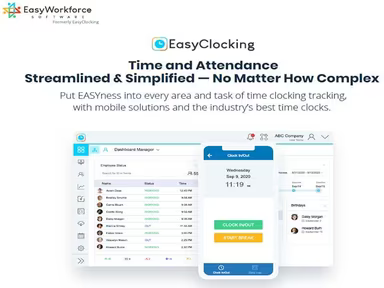
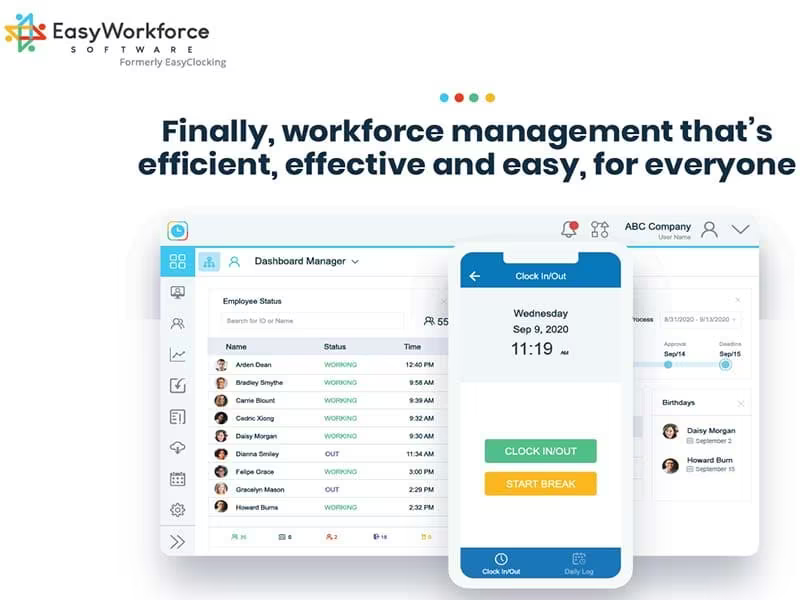
WorkEasy Software is particularly recognized for its robust time and attendance management features. It empowers organizations to efficiently track and manage employee work hours, which is crucial for accurate payroll processing and labor cost management. The software adeptly handles intricate clocking, time tracking, and compensation regulations with ease. It also offers real-time tracking and employee geolocation for enhanced workforce oversight. Users benefit from a consolidated view of all ongoing and scheduled attendance data and assignments at a glance. Furthermore, its monitoring feature alerts users when employees approach their scheduled lunch breaks or miss their breaks.
How Much Does WorkEasy Software Cost?
The platform starts at $3 per employee per month. This figure is an estimate; the final pricing may differ based on the products chosen, the number of employees, and other factors.
Additionally, custom per-employee, per-month pricing is available for these products:
Time and Attendance
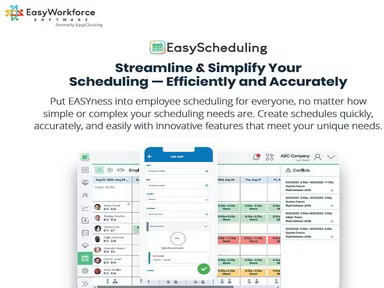
Scheduling
Time Off
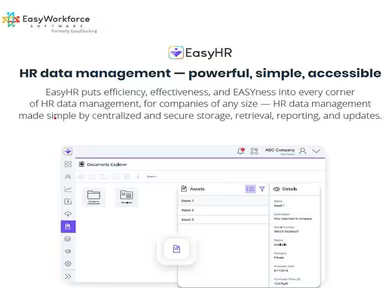
HR Data Management
The 'WorkEasy Software Platform' also comes with a custom price tag. Organizations might encounter additional costs such as:
Implementation And Onboarding Fees: Approximately $3,000–$15,000+
Training And Change Management: Generally $500–$5,000+
System Integration Costs: Typically $1,000–$10,000+
Hardware Devices (Time Clocks): Usually $200–$1,500+/device
Hardware Subscription Option: Ranges between $10–$50+/device/month
Extra User / Employee Scaling Fees: About $3–$30+/employee/month
Advanced Feature Add-ons: Typically $5–$20+/employee/month
Premium Support Services: Ranging from $100–$1,000+/month
A number of users find the starting rate to be reasonable for smaller teams; however, total expenses can accumulate quickly with the addition of add-ons, hardware, training, or support services. The custom pricing model can also make it challenging for some businesses to forecast long-term costs prior to consulting with sales.
You may also request tailored WorkEasy Software pricing to obtain a plan that aligns with your business needs.
Disclaimer: Pricing details are based on publicly accessible third-party information and industry standards. Actual costs may vary.
WorkEasy Software Integrations
This software seamlessly integrates with a variety of third-party applications including:
ADP Workforce Now
Clair
QuickBooks Online
BambooHR
Sage 300
Sage 500
Paychex Flex
How Does WorkEasy Software Work?
You can explore the dashboard and utilize the features of WorkEasy Software by following these steps:
After logging in, take some time to get acquainted with the layout and available modules.
Select the 'Add Employee' button to enter employee information such as personal details, contact info, job role, and more.
Go to the employee directory to access a complete list of all employees in the organization and use search tools to quickly locate specific individuals.
Access the time tracking module to log and manage employee attendance, including clock-in and clock-out times.
Utilize the leave management feature for processing employee vacation requests, sick leave applications, and other time-off inquiries.
Navigating to the payroll management section allows you to handle employee salaries, deductions, bonuses, and other payroll tasks.
The software aids in calculating and managing employee taxes, deductions, and other tax-related matters.
You can set individual and team goals while tracking progress and offering feedback using the goal-setting feature.
The reporting section enables you to generate various HR-related reports such as demographics of employees, attendance summaries, payroll records, and more.
Who Is WorkEasy Software For?
This software serves various industries including:
Education
Real estate
Healthcare
Retail
Transportation
Hospitality
Security
Agricultural biotechnology
Fast food chains
WorkEasy Software Use Cases
An analysis of user feedback alongside WorkEasy’s current capabilities reveals several scenarios where the platform proves beneficial for HR and workforce management teams:
Businesses Managing Staff Across Multiple Locations: This software is ideal for companies operating in several locations that require improved monitoring of employee attendance and schedules. Managers can oversee staffing activities without switching between different systems, ensuring accountability across distributed teams.
Companies Trying To Reduce Overtime Issues: Organizations employing hourly workers often face unexpected overtime expenses. WorkEasy is suitable for teams needing clearer insights into shift activities before payroll complications arise. Supervisors can examine overtime trends early on and adjust schedules as necessary.
Frontline Workforces That Need Self-Service Access:The platform works well for businesses where employees frequently check schedules or request time off independently. This functionality is particularly advantageous for non-office-based teams relying on mobile access during shifts while reducing repetitive inquiries directed at HR managers.
Teams Dealing With Frequent Timecard Problems:If a workplace regularly encounters missing punches or attendance disputes, WorkEasy is a good fit since it allows managers to swiftly review exceptions and resolve issues before payroll processing begins. This can save significant time during busy pay periods.
Operations Teams Focused On Labor Visibility:This software is beneficial for companies wanting a closer examination of how staffing decisions impact daily operations. Managers can compare planned hours against actual labor activity to identify patterns that may need addressing—particularly useful for organizations where labor costs fluctuate throughout the week.
Is WorkEasy Software Right For You?
If you are seeking an efficient solution to assist in managing schedules, tracking time lost hours, HR data, and maintaining records—then WorkEasy Software could be an excellent choice for you. It boasts a wide array of features designed to streamline HR processes while boosting productivity and enhancing overall organizational efficiency.
The software adheres to industry standards such as GDPR, CCPA, and SOC 2. It includes features like user permissions and data backup measures to ensure data integrity and confidentiality. Built on scalable architecture, it can adapt to growing business needs without sacrificing quality. Notable clients include Hilton Hotels & Resorts, Panda Express, GardaWorld, and the University of Arkansas.
If you’re still uncertain about this platform or need further details—reach out to us at info@softwareseekers.com for more information.