

Incident IQ
Streamline your operations with Incident IQ's service management and asset tracking solutions, ensuring efficient workflows and secure asset management.
Incident IQ enhances business functions by offering an all-encompassing solution for service management, asset tracking, and ticketing systems. It optimizes environments with effective inventory monitoring and flexible workflows, guaranteeing the secure handling of essential assets. While the initial setup may present challenges for newcomers, consistent updates and committed support significantly improve the overall user experience.
What Is Incident IQ?
Overview
Incident IQ is a cloud-based service management platform that has revolutionized workflows in K-12 education for both school districts and businesses. Tailored to address the distinct requirements of information technology (IT), this software provides a wide range of solutions, including IT asset management, help desk ticketing, facility management, event management, and human resource tools.
What Is Incident IQ Best For?
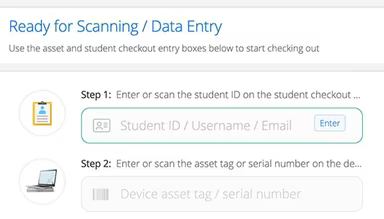
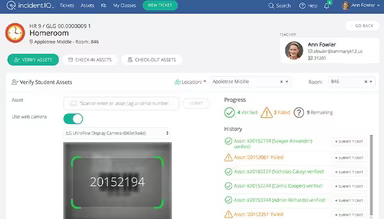
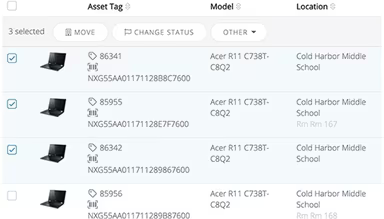
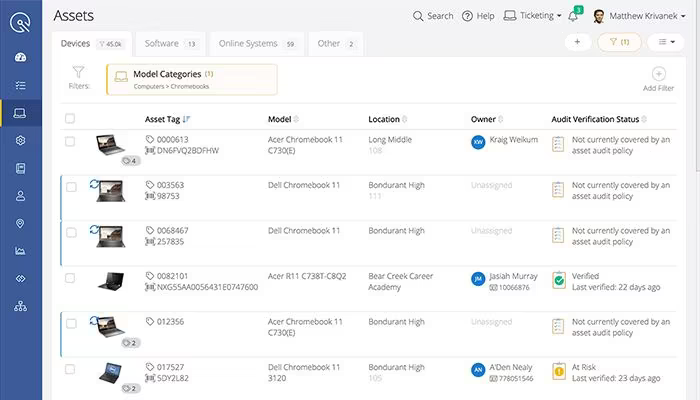
A key feature of Incident IQ is its extensive asset management functionality. This feature offers a centralized hub to monitor the status of all checked-out devices, empowering agents to lock, restart, and remotely wipe devices as needed. This capability to perform actions remotely distinguishes Incident IQ from its rivals.
Incident IQ Pricing
The platform features adaptable subscription-based pricing that caters to individuals or organizations based on enrollment rather than fixed pricing tiers. Reach out to us for a customized quote regarding Incident IQ costs today.
Incident IQ Integrations
Incident IQ seamlessly integrates with various third-party applications, such as:
Jamf School
Microsoft Azure
Zoho Assist
ClassLink
Alma SIS
How Does Incident IQ Work?
To begin utilizing the software after logging into your Incident IQ account, follow these steps:
Visit the 'Getting Started' section for training resources like guides and videos that explain how each module functions.
Set up user permissions and roles according to the teams or job functions within your district.
Utilize the ‘Asset Management’ module to upload your existing device inventory through Excel import or manually add new devices as they become available.
Create support requests in the ‘Help Desk’ module by selecting the appropriate issue type and assigning tags and priority levels.
Configure approval workflows, automation, and other settings under ‘Facility Management’ for work orders and maintenance tasks.
Make use of built-in analytics and reports to track KPIs, ticket volumes, and asset health to facilitate data-driven enhancements.
You can also schedule a complimentary demo of Incident IQ to explore its features further.
Who Is Incident IQ For?
Incident IQ serves a variety of businesses across different industries, including:
Information technology
Education
Marketing and advertising
Retail
Chemical
Is Incident IQ Right For You?
If you find it challenging to manage assets, streamline workflows, and achieve visibility in your operations, look no further. Organizations dealing with distributed environments and compliance needs require a secure and scalable solution that delivers comprehensive functionality. This is where Incident IQ shines.
Purpose-built to enhance operational workflows through a single unified platform, it undergoes independent audits and assessments to ensure adherence to security standards such as FERPA, PCI, and SOC 2, Type II. Incident IQ has received several accolades, including The Journal's esteemed 'Cool Tool' award, reinforcing its reputation as a leading option for scalable and user-friendly school management software.
If you're uncertain whether Incident IQ meets your needs, we are ready to help you. Contact us at info@softwareseekers.com, and we will assist you in making an informed choice.