

Webclock Management
Streamline your HR and payroll processes with WebClock Management, known for its ease of use and reliable time tracking across various industries.
Key Insights
Derived from customer feedback
WebClock Management serves as a workforce management solution mainly utilized by HR departments and payroll managers. It is advantageous for sectors including manufacturing, retail, IT, and healthcare. Users frequently commend its user-friendly interface and dependable time tracking capabilities as significant advantages. However, some drawbacks have been noted, such as restricted reporting options and sporadic issues with the mobile application. Recently, the provider has introduced integrations with services like QuickBooks, ADP, and Paychex Flex.
What Is WebClock Management?
WebClock Management is a cloud-based solution that aims to optimize business workflows and processes. It enables organizations to accurately monitor employee time through its web-based time clock feature, accessible from any location in real-time. By effectively linking financial and payroll systems, it streamlines payroll processing and workforce management, resulting in notable time and cost efficiencies. Additionally, the software supports expense management, employee scheduling, and data collection, all contributing to enhanced accuracy, reduced expenses, and adherence to regulatory standards.
What Is WebClock Management Best For?
A key highlight of WebClock Management is its remarkable GPS tracking functionality. This feature allows businesses to confirm the precise locations from which employees clock in and out, fostering transparency and trust. With geofencing capabilities included, WebClock ensures that employees log their hours accurately within specified areas, promoting fairness in time tracking. For organizations with mobile teams or remote workers, this capability provides vital oversight and control, making it an effective tool for managing personnel, boosting accountability, and ensuring compliance with attendance guidelines.
WebClock Pricing
The platform provides adaptable pricing plans tailored to your business requirements. Request a personalized WebClock pricing quote today.
WebClock Management Integrations
This software seamlessly integrates with various HR and payroll platforms for efficient data handling, including:
QuickBooks
ADP Workforce Now
Paychex Flex
Ceridian Dayforce
Sage HR
Workday HCM
Oracle
How Does WebClock Management Work?
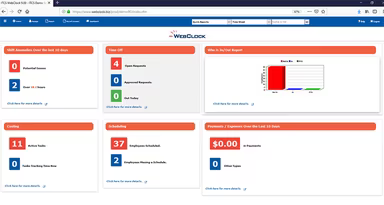
To start utilizing the WebClock Management dashboard after logging in, follow these steps:
Add or update employee profiles by entering user details and assigning roles and permissions.
Adjust the software settings to align with your business policies, including shift configurations, overtime regulations, and leave accrual calculations.
Establish the employee self-service portal for tasks such as viewing schedules and requesting time off.
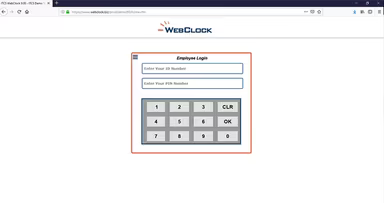
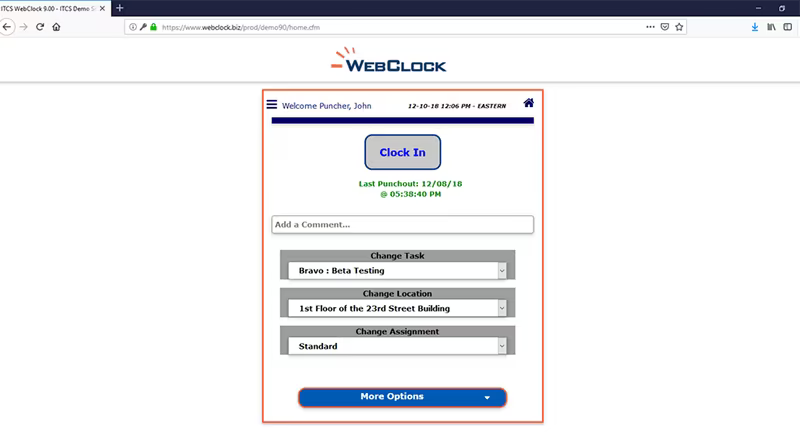
Guide employees on how to clock in and out via the web portal or mobile application.
Employees can begin recording their work hours and attendance using the GPS feature.
Set up notifications and approval workflows for requests like time off or expenses.
Create standard or customized reports regarding employee schedules, hours worked, and projects.
Utilize the payroll integration function to export data to your payroll processor for accurate paycheck calculations.
If you're interested in discovering more about WebClock, arrange a complimentary demo today to witness its powerful features in action.
Who Is WebClock Management For?
This software is suitable for organizations of various sizes across numerous industries and sectors, such as:
Information technology
Manufacturing
Retail
Healthcare
WebClock Use Cases
Based on user feedback and an evaluation of WebClock Management's capabilities, we've identified several practical scenarios where this platform adds significant value for organizations managing time, attendance, and workforce coordination:
Remote And Field Teams Requiring Location-Verified Time Tracking
Organizations employing field technicians, delivery personnel, construction crews, or mobile service teams depend on WebClock to accurately track multiple workers. GPS-enabled clock-ins allow supervisors to verify attendance without manual oversight, preventing time fraud while ensuring labor accountability. This capability enables businesses to manage remote scheduling effectively while validating availability across diverse locations.
Multi-Location Businesses Standardizing Timekeeping Across Branches
WebClock is utilized by companies operating multiple branches, warehouses, plants, or retail outlets to unify attendance practices under a single system. Managers can oversee staffing levels across various sites using one tool while enforcing consistent policies and comparing labor data. This centralized approach reduces discrepancies between locations and simplifies payroll preparation for dispersed teams.
Companies Automating Attendance And Payroll For Hourly Workforces
Businesses with large hourly or shift-based teams leverage WebClock to eliminate manual timesheets while enhancing payroll accuracy. HR departments can sidestep delays and errors linked to manual reconciliations by centralizing employee hours, break logs, and overtime calculations. Users frequently mention how simplified exports expedite payroll cycles and minimize correction requests.
Organizations Needing Documented Records For Compliance Or Audits
Sectors with stringent labor reporting demands—such as healthcare, hospitality, and manufacturing—utilize WebClock to maintain thorough attendance records. The platform provides a clear account of clock-ins, absences, and approvals that are beneficial during compliance evaluations or internal audits. Many users report that standardized records alleviate administrative burdens during regulatory inspections.
WebClock User Sentiments
Most Positive Sentiments
Ease of Use: 55% were positive; 10% were negative; 35% were neutral.
Workflow Reporting And UI Flexibility: 30% were positive; 30% were negative; 40% were neutral.
User feedback generally highlights WebClock's intuitive interface along with its efficient workflow for time tracking, scheduling, and payroll exports. Once set up correctly, daily operations become more streamlined. As one reviewer noted: 'Simple and easy to use. I integrated it into my payroll system without any issues.'
Certain users prefer more standardized reports while others feel the reporting tools lack flexibility and that the interface feels outdated. A reviewer shared: 'The reporting tools could be more customizable; sometimes the interface doesn’t meet modern software expectations.'
Reliable Time And Attendance Tracking
Scheduling And Time-Punch Corrections: 50% were positive; 15% were negative; 35% were neutral.
User Feedback: 20% were positive; 25% were negative; 55% were neutral.
The reliability of time tracking for attendance is appreciated by users who find it beneficial for accurately monitoring time off, breaks, and overtime—ensuring consistency and accountability among staff members. One user commented: 'I trust that my hours are tracked correctly with this program.'
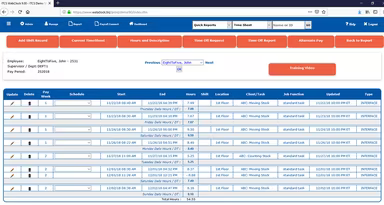
A few users expressed that adjusting schedules or correcting missed punches can be cumbersome due to multiple steps involved. One user remarked: 'It can require too much clicking to set a schedule or fix a missed punch.'
Onboarding And Customer Support
User Feedback: 55% were positive; 20% were negative; 25% were neutral.
Mobile / Remote Access Reliability: 15% were positive; 20% were negative; 65% were neutral.
A number of users appreciate prompt assistance during onboarding. The responsiveness of support reduces friction during adoption while ensuring issues are swiftly resolved. According to one user: 'Even if I'm stuck on something, the support team quickly provides solutions.'
The mobile app proves useful for remote workers but some users have reported inconsistent performance especially on Android devices. One user mentioned: 'The app sometimes logs me out unexpectedly which affects clock-ins.'
Is WebClock Management Right For You?
If your organization faces challenges with manual time tracking or inaccurate payroll processing coupled with ineffective scheduling practices, then WebClock Management might be just what you need. It simplifies time tracking for attendance as well as employee scheduling while managing expenses and integrating payroll functions—ultimately saving you both time and resources. The software employs robust security measures to protect employee data.
WebClock emphasizes strict compliance with current data privacy laws, ensuring your business stays within regulatory boundaries. Furthermore, this highly adaptable software solution is built to grow alongside your organization seamlessly. With a variety of customizable add-on features available, you can tailor the software precisely to your requirements—enhancing its overall functionality.
If you're still uncertain whether WebClock is suitable for you, please reach out to our customer support team at info@softwareseekers.com for guidance on making the best choice for your business needs.