

logo

Clickto

Enhance your task automation with Clickto, an intuitive platform designed for advanced scheduling, workflow oversight, and process automation. This essential to...

0.00 | 0 Reviews

Enhance your task automation with Clickto, an intuitive platform designed for advanced scheduling, workflow oversight, and process automation. This essential to...

Product Overview

Enhance your task automation with Clickto, an intuitive platform designed for advanced scheduling, workflow oversight, and process automation. This essential tool is perfect for companies looking to boost their productivity by streamlining operations and facilitating efficient, automated task performance. Begin your journey with a fitting Clickto pricing plan.
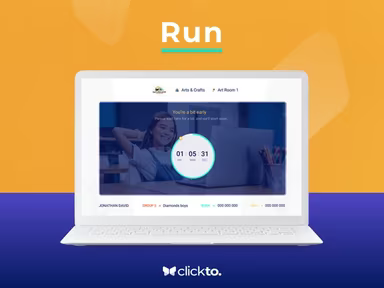
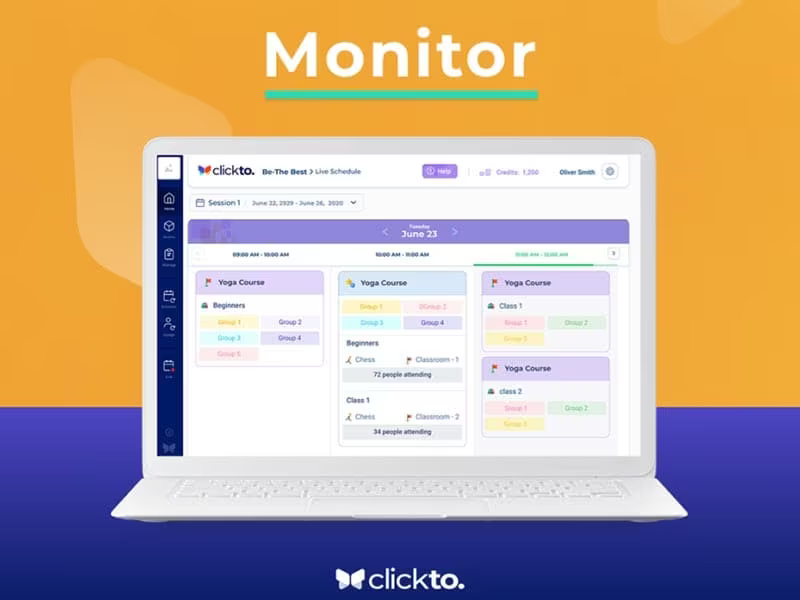
Product Snapshot

Product Details

What Is Clickto?

Clickto is an innovative cloud-based Learning Management System (LMS) designed for effective virtual group training tailored for individual employees. This platform features audio-video conferencing, document annotation, screen sharing, and live polling functionalities. Its intuitive interface allows users to effortlessly create both straightforward and intricate program schedules.

What Is Clickto Best For?

The software is ideal for managing online courses and fostering skill enhancement. Organizers can distribute personal access links (PALs) to participants, enabling them to join online sessions with a single click, thus removing the hassle of multiple links.

Clickto Pricing

Clickto operates on a pay-as-you-go basis, meaning you only incur costs for the days your participants utilize the service. A complimentary 7-day trial is available. Each participant day is charged at 1 credit, which is priced at $1.99. For example, if a participant is active for 50 days in a semester, they will be billed for 50 credits. Organizations that purchase a minimum of 2,000 participant days may be eligible for volume discounts. Click Get Pricing for further details.

Clickto Integrations

The provider has not revealed information regarding third-party integrations.

How Does Clickto Work?

Here’s a step-by-step guide to navigating the dashboard and utilizing the software effectively:

  1. Log in to your account and access the dashboard.

  2. Create a course and upload content such as videos.

  3. Design quizzes and activities to enrich your course.

  4. Distribute the course to students by sending them a link or integrating it into their learning management system (LMS).

  5. Easily track student progress by reviewing their grades, quiz results, and completed tasks.

  6. Engage with learners by providing comments on their submissions or messaging them for feedback.

Click Watch Demo for a complimentary demonstration of Clickto and discover more about its features.

Who Is Clickto For?

Clickto is designed for employees, professionals, and those pursuing self-directed learning. Employees can find engaging courses that help them upskill, learn new abilities, and progress in their careers. Professionals can access pertinent courses to remain informed and meet their career aspirations. Self-learners have the opportunity to explore self-paced courses aimed at mastering new concepts, preparing for exams, and completing projects.

Is Clickto Right For You?

The application serves various needs including learning, teamwork, and project management. It is user-friendly and represents an excellent choice for individuals seeking an accessible, cost-effective, and secure online platform for education or collaboration.

If you are still uncertain whether Clickto meets your needs, reach out to us at info@softwareseekers.com, and our customer support team will assist you in making an informed decision.

LMS Software Features

compliance
free trial
mobile app
mobile crm
quiz maker
ai features
cloud based
gamification
telemedicine
corporate lms
ispring cloud
learner porta
call recording
call scripting
learner portal
patient portal
call monitoring
content library
course creation
crm integration
e prescriptions
lab integration
lead management
lms for schools
mobile learning
personalization
user management
course templates
activity tracking
assessmentquizzes
claims management
email integration
progress tracking
sales forecasting
virtual classroom
activity dashboard
applicant tracking
contact management
content management
course development
customizable forms
elearning platform
predictive dialing
student assessment
attendance tracking
collaboration tools
mobile lms software
omnichannel support
real time dashboard
scorm compliant lms
training management
workflow automation
application tracking
inventory management
patient demographics
247 technical support
asynchronous learning
basic access controls
billing and invoicing
customer segmentation
opportunity management
analytics and reporting
certification licensing
hr workforce management
online course platforms
reporting and analytics
supply chain management
certifications licensing
cloud based lms software
course creation software
channel training software
social learning platforms
access controlspermissions
digital learning solutions
employee training software
lms for corporate training
virtual classroom software
access controls permissions
certification and licensing
corporate training software
higher education technology
limited collaboration tools
sources and related content
student engagement platform
call reporting and analytics
certifications and licensing
compliance training software
human resources management hrm
interactive voice response ivr
learning management system lms
access controls and permissions
certification and credentialing
certification tracking software
online exam management software
saas learning management system
appointment managementscheduling
certification licensing software
integration with marketing tools
learner portalactivity dashboard
learning content management system
activity dashboard activity tracking
customer relationship management crm
integration with helpdesks and support systems

Pros

  • Intuitive
  • Affordable
  • Personal access links

Cons

  • Not as customizable
  • It buffers, according to some Clickto reviews

Price

Professional

Custom

Get Free Guidance from Our Solution Experts.

Ratings

0.00 | 0 reviews

Ratings Distribution

Positive

0%

Neutral

0%

Negative

0%

User Reviews

No reviews yet

Be the first to share your experience with Clickto.

Frequently Asked Questions

Find answers to the most common queries about our software recommendation service.

No, Clickto does not offer an API.

Clickto supports the English language.

The vendor has not disclosed its third-party integrations.

Yes, Clickto supports mobile devices.

Clickto offers a Pay-As-You-Go model.

Large enterprises, mid-sized business, non-profit, public administrations, and small businesses.