

Coassemble
Transform your training with Coassemble, the intuitive LMS that enables flexible course creation and collaboration for small to mid-sized teams.
Key Insights
Derived from customer feedback, Coassemble serves as a Learning Management System (LMS) tailored for companies that require adaptable training solutions. This platform is mainly utilized by Human Resources and Learning & Development teams across various industries. Users commend its user-friendly course creation features and collaborative functionalities. However, some have pointed out that there is limited customization available within the templates. Recently, Coassemble has added translation capabilities in its Headless API to facilitate localized learning experiences.
Our Assessment
Coassemble stands out as a reliable option for small to medium-sized teams that value ease of use and collaborative course development. It is well-suited for organizations with evolving training requirements and reasonable budgets. The pricing structure is clear and scalable, positioning it as a sensible choice for teams in search of effective, straightforward training software without the intricacies associated with larger enterprise systems.

What Is Coassemble?
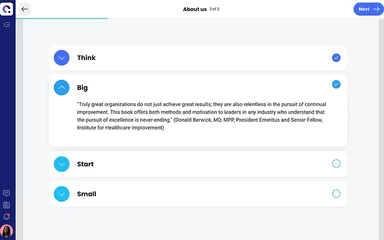
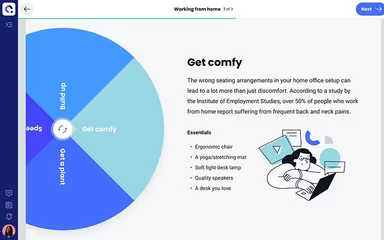
Coassemble is a versatile cloud-based platform designed for training and course development. It empowers organizations to create, publish, and assess online learning experiences from a unified system. By merging a user-friendly course builder with AI-enhanced tools, it allows users to convert existing documents or presentations into engaging and interactive content. This means teams can craft professional training materials without needing advanced design expertise.
The platform accommodates various learning formats, such as quizzes and assessments. Additionally, it integrates seamlessly with popular business applications, enabling the sharing of training materials via links, embedding into existing systems, or exporting to standards like SCORM for use in other educational environments.
What Is Coassemble Best For?
Coassemble shines in streamlining the creation and delivery of online training courses. Its drag-and-drop course builder makes it easy to develop captivating and interactive courses. Whether you’re designing training for employee onboarding, customer education, or compliance purposes, Coassemble’s AI-driven learning design tools can swiftly convert uploaded files into editable course content, facilitating quicker development from existing knowledge assets.
How Much Does Coassemble Cost?
The provider offers three distinct pricing plans tailored to meet the varying needs of different businesses. Each plan comprises different features and user capacities to suit a range of team sizes.
Free - $0/forever for 1 creator
Team - $100/month for up to 5 creators
Enterprise - Custom price
For a Coassemble pricing plan customized for your organization, please reach out to us.
Please note that pricing is subject to change.
Coassemble Integrations
This software connects with various third-party applications, including:
Slack
Google Drive
Notion
Salesforce
Loom
Docebo LMS
HiBob
How Does Coassemble Work?
You can start utilizing Coassemble by following these straightforward steps after installation:
Log in to your account using your credentials.
Select the 'Courses' tab on your dashboard.
Click on 'Create Course.'
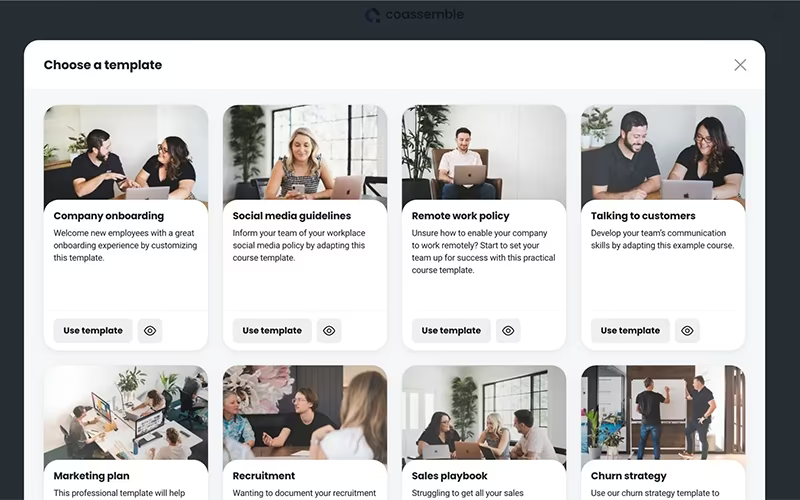
Choose a template or build a course from scratch.
Utilize the drag-and-drop editor to incorporate content into your course.
Add quizzes or assessments as necessary.
Save and publish your initial course.
Invite learners to enroll via email or through a shareable link.
Utilize reports to monitor and track participant progress.
You can also watch a free Coassemble demo to explore its features further.
Who Is Coassemble For?
This platform caters to businesses of all sizes, from emerging startups to large enterprises. It supports organizations in maintaining training effectiveness across sectors that require ongoing instruction or compliance updates, such as:
Healthcare
Finance
Manufacturing
Coassemble Use Cases
Based on our evaluation of user feedback and Coassemble's capabilities, we have pinpointed key scenarios where this software excels for businesses and teams seeking scalable online training and course development solutions:
Small Businesses Building In-House Training Programs: Coassemble is perfect for smaller companies developing internal training programs from scratch. Its drag-and-drop interface and ready-to-use templates simplify course creation, minimizing the need for specialized instructional design skills. Users frequently mention how quickly they can launch professional-looking courses without depending on external resources.
Companies Offering Client Or Partner Training: Organizations that need to train clients, vendors, or partners find Coassemble’s branding and customization options particularly beneficial. The ability to personalize learning environments with company logos and color schemes helps maintain brand consistency while offering polished, client-facing educational experiences.
Startups Seeking Cost-Effective LMS Solutions: With budget-friendly pricing tiers and a free plan available, Coassemble is suitable for startups and small teams looking for an economical way to manage online learning. Its straightforward setup and easy-to-use interface enable quick implementation without requiring IT assistance—making it an ideal option for early-stage businesses.
Organizations Focused On Rapid Course Deployment: This platform also suits teams that often update training materials or need to launch new programs quickly. Its AI Course Generator speeds up content creation by suggesting outlines and quiz formats, providing businesses with a centralized solution for developing and delivering online training.
Coassemble User Sentiments
Most Positive Sentiments
Ease Of Course Creation And Authoring:
65% were Positive
20% were Negative
15% were Neutral/Mixed
A number of users report that Coassemble facilitates quick and effortless course creation even for those without instructional design experience. The drag-and-drop functionality alongside pre-designed layouts receives notable praise in reviews. One user commented: “Coassemble is intuitive. I’ve worked with several authoring tools and this one is a gem.”
User Interface And Learner Experience:
70% were Positive
10% were Negative
20% were Neutral/Mixed
The platform garners positive feedback for fostering learner engagement through visually appealing layouts and interactive modules. Smaller organizations particularly appreciate this feature.
Customer Support Responsiveness:
75% were Positive
5% were Negative
20% were Neutral/Mixed
User reviews often highlight excellent support responsiveness and helpfulness, which enhances satisfaction especially during onboarding or content customization. One user stated: “Their support is fantastic and quick. They listen to our feedback and act upon it if possible.”
Least Positive Sentiments
Scalability And Advanced Enterprise Features:
20% were Positive
65% were Negative
15% were Neutral/Mixed
Certain feedback suggests that Coassemble may not be ideal for very large organizations or those with complex training structures due to limitations in permissions, reporting speed, and large-scale automation capabilities.
Feature Set Limitations:
15% were Positive
75% were Negative
10% were Neutral/Mixed
A number of users have pointed out absent features—such as integrated course sales options, advanced branching capabilities, or more comprehensive analytics—that could restrict the platform in more demanding or monetized training scenarios. For instance, one user remarked: “Redundant mouse clicks, frequent crashes, difficult to navigate interface.”
Value Perception And Change-Management Issues:
25% were Positive
60% were Negative < li > 15 % were Neutral/Mixed < p > Some users have expressed concerns regarding pricing relative to value received—especially when features change or when there are expectations for additional enterprise-level functionalities. A few have noted product adjustments affecting their perceived value; one user shared: “Core features removed mid-subscription … We subscribed … paid for a full year … what we have now is a cheap slide generator that destroys the content we submit.”
Is Coassemble Right For You?
Coassemble is an outstanding option for organizations looking for an intuitive platform that offers good value while creating and delivering online training. It’s particularly advantageous if you want to streamline your course creation process while enjoying the convenience of having everything centralized in one location. Additionally, Coassemble prioritizes security by providing SSL encryption for all data and adhering to GDPR requirements.
For further insights, please refer to Coassemble reviews or contact Software Finder at info@softwareseekers.com.