

iSpring Suite
Create engaging eLearning content effortlessly with iSpring Suite, featuring screen recordings and a vast content library for seamless LMS compatibility.
When it comes to tackling the difficulties of crafting intricate eLearning materials, iSpring Suite stands out as a top-tier freemium option. It simplifies the development process with tools like screen recording and a vast library of resources.
iSpring Suite generates content that integrates seamlessly with your LMS, ensuring broad compatibility across various learning management systems. Discover how iSpring Suite can enhance your eLearning creation experience.

What Is iSpring Suite?
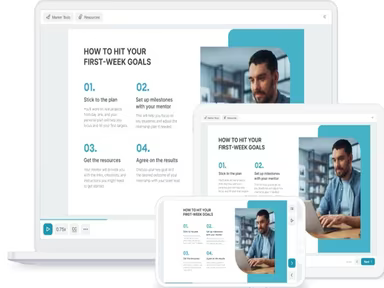
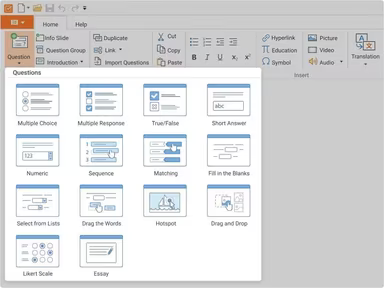
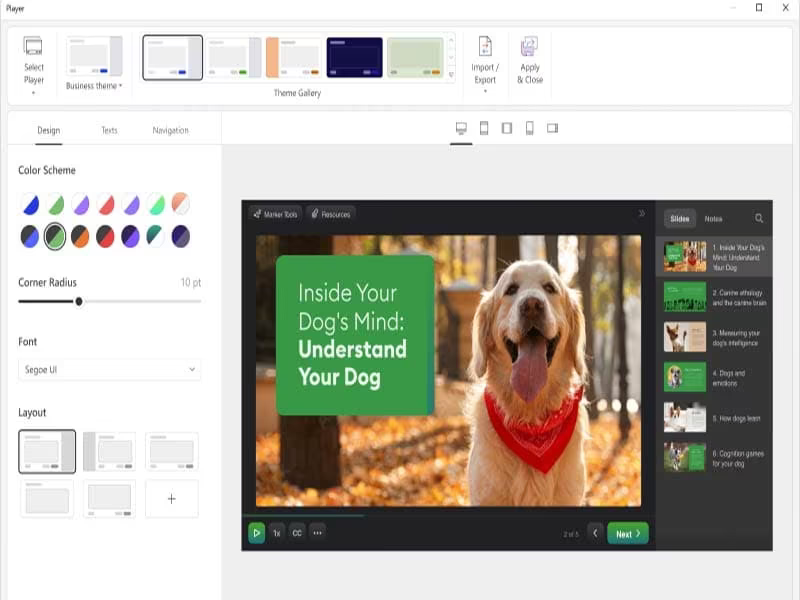
iSpring Suite is a cloud-based learning management system that seamlessly integrates with PowerPoint, tailored for educators, corporate trainers, and individual users. This powerful tool makes it easy to create engaging learning materials such as courses, quizzes, simulations, screencasts, and video lectures. With iSpring Suite, converting presentations into eLearning courses and uploading them to your LMS is a hassle-free process.
How Much Does the iSpring Suite Cost?
The software provides three distinct pricing options for businesses, along with a free trial for evaluation:
iSpring Suite – $770/author/year
iSpring Suite Max – $970/author/year
iSpring Suite Premium – $1970/author/year
Moreover, there are customized pricing plans available for freelancers and academic institutions. You can obtain a tailored iSpring Suite cost depending on your organization’s size and specific requirements.
Please note that pricing may vary.
iSpring Suite Integrations
The iSpring Suite software connects with various third-party platforms, including:
Zoom
Microsoft Teams
Salesforce
Bitrix24
Microsoft Outlook
Shopify
Power BI
BambooHR
How Does iSpring Suite Work?
After completing the installation, here’s how to navigate the dashboard:
Log in to iSpring Suite using your credentials.
Effortlessly explore the user-friendly interface.
Create online courses using the eLearning authoring toolkit.
Utilize screen recording to generate dynamic content and video tutorials.
Take advantage of text-to-speech features for improved narration.
Dive into the extensive content library for a variety of resources.
Easily incorporate multimedia elements into your eLearning content.
Facilitate smooth collaboration with built-in sharing options.
Optimize your workflow to enhance the eLearning content creation process.
You can schedule a complimentary iSpring Suite demo for an in-depth look at the software's capabilities.
Who Is iSpring Suite For?
The iSpring Suite software is predominantly utilized by corporations and educational organizations for online training and development purposes. It serves companies of all sizes across diverse sectors. The primary industries that benefit from this software include:
Education
Retail
Automotive
Food and beverage
Healthcare
Manufacturing
Technology
Is iSpring Suite Right For You?
If you seek a robust eLearning authoring tool integrated within PowerPoint that simplifies course creation, iSpring Suite may be an ideal choice. It has received numerous prestigious industry accolades and is trusted by thousands of users. The software collaborates with dependable hosting providers known for their high-security standards and offers scalability to accommodate a wide array of users.