
NetSupport School
Enhance your learning management with NetSupport School's real-time monitoring and collaboration tools, ensuring a safe and effective educational environment.
Discover the extensive capabilities of learning management through NetSupport School. This software equips administrators with tools for real-time monitoring, collaborative features, and thorough assessment functionalities. Experience a secure educational setting while maintaining focused evaluation. Although there may be some challenges during the initial setup, its robust features validate its status as an award-winning choice for a range of businesses.
What Is NetSupport School?
NetSupport School is a leading solution in the realm of instructional and classroom management, crafted to enrich both teaching and learning experiences. It boasts a variety of robust features that facilitate monitoring, control, collaboration, and assessment, empowering educators to leverage technology effectively in their teaching methods.
What Is NetSupport School Best For?
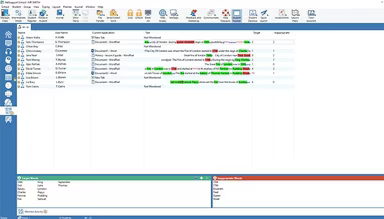
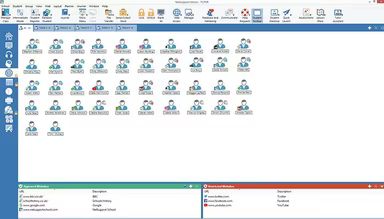
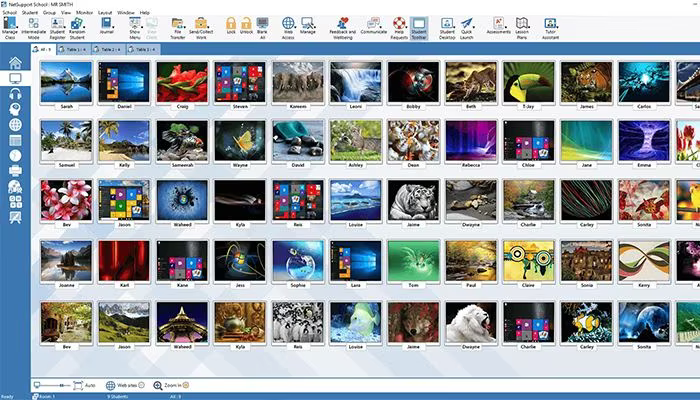
This software excels in providing real-time oversight of students' screens, applications, websites, and keyboard activity. Administrators have the capability to overlay additional information, remotely start or shut down applications, and track internet usage. They can also compile word lists to monitor and document application and internet usage history.
NetSupport School Pricing
The platform presents various pricing plans designed to accommodate the diverse needs of different organizations. Additionally, you have the option to request a tailored pricing plan for NetSupport School that aligns with your specific requirements.
NetSupport School Integrations
This software is compatible with several Student Information System (SIS) environments, including:
Google Classroom
OneRoster
How Does NetSupport School Work?
After logging into the software, you can explore the dashboard and utilize the features of NetSupport School by following these steps:
Navigate to the 'Manage' section to turn user PCs on or off from your device.
Select the 'Instruct' or 'Monitor' menu to connect to students' computers remotely.
Access the 'Printer and Device Management' section to impose printing restrictions like page limits.
Go to the 'Student Register' or 'Student Information' tab for standard and custom data requests from learners.
Utilize the 'File Transfer' or 'File Management' module to send files to individual users or groups.
Share your screen with all or selected participants using the 'Instruct' or 'Show' option.
Engage with the integrated interactive whiteboard and annotation tools through the 'Whiteboard' or 'Collaboration' section.
Monitor student screens, applications, and websites in real-time via the 'Monitor' or 'Assess' area.
You can also arrange for a complimentary demo of NetSupport School to discover more about its capabilities.
Who Is NetSupport School For?
NetSupport School is ideal for various sectors, including:
Corporate
Education
Healthcare
Is NetSupport School Right For You?
If you seek classroom management software that offers comprehensive instructional features, graded user modes, data protection, lesson objectives, and online safety trends, then NetSupport School is an excellent choice. It has garnered numerous accolades for its outstanding performance in classroom management software, such as the Bett, CODiE, and Tech and Learning Awards.
The platform prioritizes security and scalability, implementing strong measures against unauthorized access while ensuring data integrity. From small classrooms to extensive educational institutions with multiple locations, NetSupport School scales effectively to meet diverse organizational needs.
If you're still uncertain about whether this software is suitable for you, reach out to us at info@softwareseekers.com for further insights into its functionalities. We are here to assist you in determining if it's the right match for your requirements.