

OnScreen
Boost user productivity and streamline onboarding with OnScreen's intuitive in-app guides, making enterprise application adoption effortless.
OnScreen enhances the process of adopting enterprise applications by providing user-friendly in-application tutorials. By integrating interactive guides within workflows, it boosts user efficiency and minimizes the requirement for support. Although some may find the guide creation process challenging, OnScreen offers significant benefits through efficient onboarding and effective knowledge sharing.
What Is OnScreen?
Overview
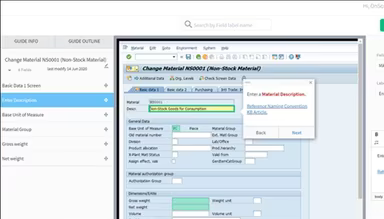
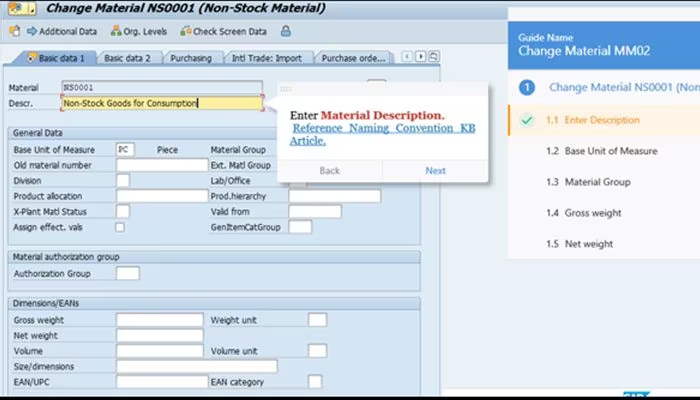
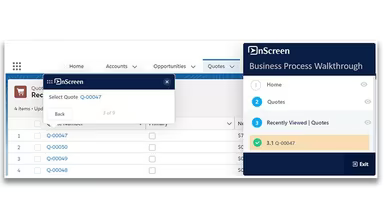
OnScreen is a digital adoption platform hosted in the cloud, designed to enhance employee training and onboarding processes for enterprise software and applications. It addresses common challenges faced by businesses, such as ineffective training methods and low user engagement, particularly during digital transformation initiatives. The platform enables specialists to effortlessly develop interactive guides that can be integrated into applications like SAP ECC, Salesforce, and other tools, offering users timely and contextual support. This functionality aims to enhance productivity, minimize support requirements, and speed up user competency.
What Is OnScreen Best For?
This software excels at simplifying and expediting the onboarding experience for new employees. By providing guidance directly within business applications, it ensures that newcomers can start contributing effectively from their first day. Self-paced onboarding guides assist users in navigating standard operating procedures step-by-step while they engage in actual tasks. This approach to in-workflow training is far more effective than traditional classroom settings or external e-learning options.
OnScreen Pricing
OnScreen features adaptable pricing plans to cater to various business requirements, sizes, and functionalities. Request a personalized quote for OnScreen tailored to your unique needs today.
OnScreen Integrations
The software offers integration capabilities with other applications; however, specific details regarding these integrations are not provided.
How Does OnScreen Work?
To effectively utilize the software's features and navigate the dashboard, follow these steps:
Log in to your OnScreen account using the credentials provided during setup.
Select the application for which you wish to create guides (e.g., SAP, Salesforce, etc.).
Record the expert's steps while creating the guide.
Review the recordings to confirm all necessary steps are accurately documented.
Click ‘Edit Recording’ to adjust the guide; you may incorporate text, images, or links for better clarity.
Organize the steps and content as required using the user-friendly editing tools.
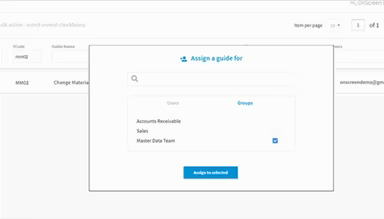
Publish the guide so that it becomes accessible to designated users and groups.
Evaluate guide usage and feedback to continually enhance the user experience.
Sign up for a complimentary OnScreen demo to explore its capabilities.
Who Is OnScreen For?
OnScreen is well-suited for organizations across various industries and sectors of all sizes, including:
Manufacturing
Information Technology
Education
Automotive
Consulting
Is OnScreen Right For You?
If you are searching for an effective method to enhance user adoption of your essential enterprise systems, OnScreen could be the solution you need. This digital adoption platform simplifies how users learn about and receive support for any business application. The software has received multiple awards due to its innovative offerings and exceptional customer service. Acknowledging security concerns, OnScreen complies with strict protocols and supports configurable SSO, MFA, data encryption, and role-based access.
If you're still uncertain whether OnScreen meets your needs, we are here to help. Reach out to us at info@softwareseekers.com, and we will assist you in making an informed decision.