

PlayerLync
Empower your deskless workforce with PlayerLync, the mobile app that enhances productivity through training, operations, and communication tools.
Discover PlayerLync, a cutting-edge mobile application that integrates training, operational tasks, and communication features. This tool aims to equip your workforce without desks with timely information, boosting efficiency and facilitating smooth operations across the entire organization.
What Is PlayerLync?
Overview
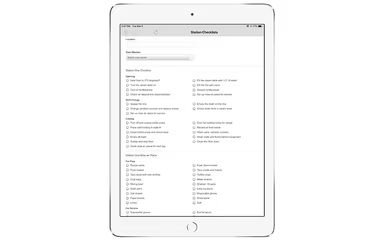
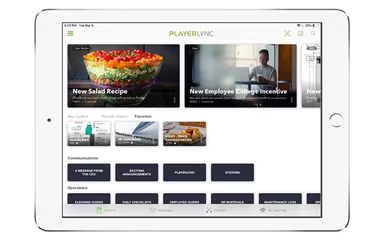
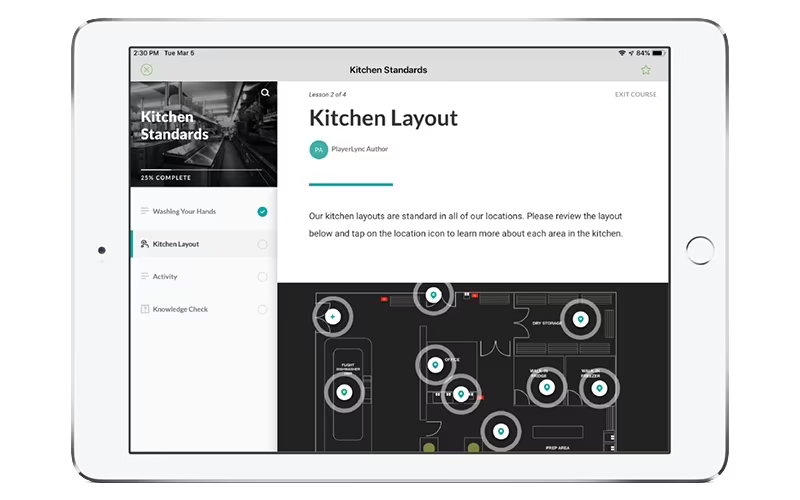
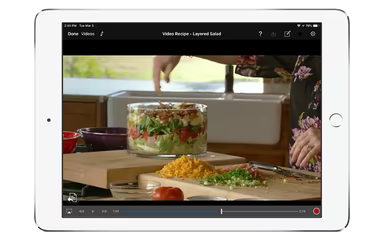
PlayerLync serves as a comprehensive learning management system (LMS) that combines mobility, digital forms, content distribution, daily performance oversight, and xAPI functionality. This platform focuses on mobile content management to facilitate mobile learning, operational assistance, and effective communication.
Additionally, the software provides various features including analytics and reporting capabilities, authoring tools with simulations, communication tools, and curriculum oversight.
What Is PlayerLync Best For?
PlayerLync is well-regarded for delivering exceptional customer service. This mobile workforce enablement platform empowers organizations to guarantee that every frontline employee receives personalized and timely information.
PlayerLync Pricing
The vendor presents the following pricing options:
Mobile Learning - $4.25/user/month
Mobile Operations - $3.75/user/month
Mobile Communications - $3.50/user/month
Enterprise Pricing - tailored to your needs
The pricing structure of PlayerLync accommodates a variety of organizations and their changing requirements. Request a custom quote today!
Please note: Pricing may vary over time.
PlayerLync Integrations
This software seamlessly integrates with several third-party applications, including:
Microsoft 365
Okta
Ping Identity
ADP
Paylocity
SkillSoft
How Does PlayerLync Work?
To get started with the software, follow these steps:
Log in to PlayerLync using your credentials.
Create user roles and permissions according to your organization’s structure.
Import pre-existing training materials or generate new content within the platform.
Organize your content into courses and assign them to designated user groups.
Monitor user progress and completion of training modules.
Create reports on course completion, performance metrics, and more.
You can also watch a free demo of PlayerLync to explore its features further.
Who Is PlayerLync For?
This software is tailored for businesses of all sizes, from small to large enterprises. It is utilized across various industries such as:
Restaurants
Retail
Sports
Communications and content
Information technology
Is PlayerLync Right For You?
If you're in search of a mobile content management solution for effective mobile learning, consider exploring PlayerLync LMS. It also offers operational support, compliance assistance, and communication tools.
The software complies with SCORM standards and integrates smoothly with other systems while ensuring your content is compatible with any LMS platform. Additionally, it is designed for use by organizations of all sizes.
If you're still uncertain after reviewing the details about PlayerLync, reach out to our customer support team at info@softwareseekers.com; they will assist you in making an informed decision.