
SCORM Cloud
Streamline your e-learning with SCORM Cloud. Effortlessly test courses, track progress, and generate detailed reports for a seamless experience.
Are you facing challenges with testing SCORM courses and monitoring progress efficiently? Conventional systems often lead to unnecessary delays. SCORM Cloud, an effective Learning Management System (LMS), simplifies the process of course testing, detects issues, tracks learner advancement, and delivers comprehensive reports to enhance your e-learning journey. Explore the capabilities of SCORM Cloud now!
What Is SCORM Cloud?
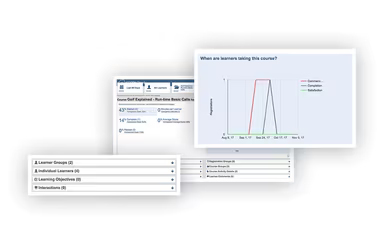
SCORM Cloud LMS is a platform designed for hosting, delivering, and tracking e-learning courses that comply with SCORM standards. It allows content creators to upload and share courses through an intuitive web interface, while also keeping tabs on learner progress and producing comprehensive reports and analytics. This solution is particularly popular among organizations and developers who need SCORM support and a dependable system to facilitate course delivery and performance tracking across different learning management systems.
What Is SCORM Cloud Best For?
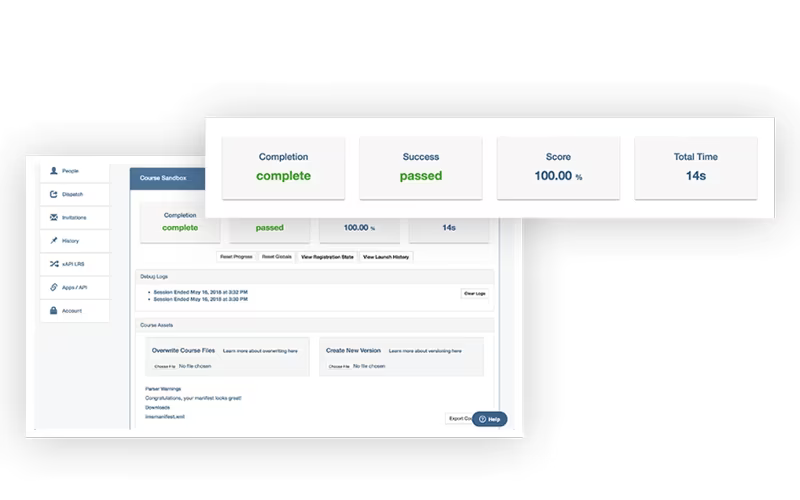
SCORM Cloud is particularly effective for testing SCORM courses, thanks to its straightforward interface. It streamlines the testing procedure and allows for quick identification of errors, enabling prompt corrections. Moreover, it tracks user performance and generates detailed reports in just minutes.
SCORM Cloud Pricing
SCORM Cloud offers a variety of pricing plans:
Trial - $0/month (10 users)
Tester - $40/month (10 users)
Little - $90/month (50 users)
Medium - $180/month (100 users)
Big - $360/month (300 users)
Bigger - $1,100/month (4,000 users)
Mega - $2,000/month (10,000 users)
Ultra - $5,000/month (50,000 users)
You can obtain a customized quote for SCORM Cloud based on your organization's specific needs and size.
Please note: Pricing may change over time.
SCORM Cloud Integrations
The software does not detail specific third-party integrations but offers an API that allows you to connect SCORM Cloud functionalities with other systems.
How Does SCORM Cloud Work?
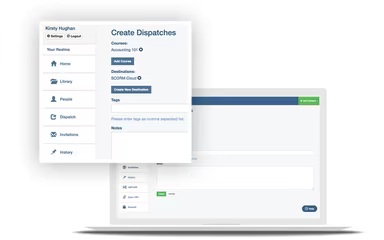
Here's a brief guide on how to navigate the dashboard and utilize the features of the software:
Log in to the SCORM Cloud web application using your credentials.
Select 'Library' from the left-hand menu to see your uploaded courses.
Use the 'Upload' feature to add SCORM courses directly.
Select 'People' to assign courses to learners.
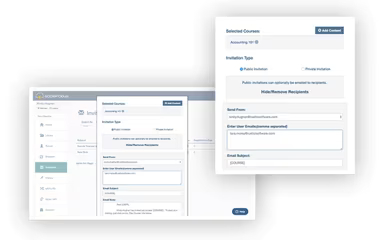
Choose between 'Public or Private Invitations' to share courses with other users.
You can control training access by sending your course directly via email using 'Private Invitations.'
Visit the 'Invitations' page to send and manage invitations through email.
You have the option to disable course access once a license expires.
Gather data regarding content usage across different learning platforms.
A free demo of SCORM Cloud is available for those interested in gaining a detailed understanding of the platform.
Who Is SCORM Cloud For?
The following sectors utilize SCORM Cloud LMS:
Hospitality
Education
Healthcare
Recruitment
Information technology
Is SCORM Cloud Right For You?
If you are in search of a robust eLearning platform that provides various functionalities to enhance the educational experience, SCORM Cloud could be an ideal choice. This software has garnered acclaim for its quality within the eLearning sector.
Additionally, SCORM Cloud adheres to a dual approach regarding infrastructure and application security. The platform employs the SANS 20 Critical Controls (20 CC) framework as its guiding principles for managing infrastructure and network security.
If you're still uncertain whether SCORM Cloud meets your needs, please reach out to our customer support team at info@softwareseekers.com. They will assist you in determining if this software aligns with your organizational goals.