logo

SwipeGuide

In the intricate world of manufacturing, maintenance, and the development of frontline skills, clarity can often be hard to come by. SwipeGuide streamlines thes...

0.00 | 0 Reviews

In the intricate world of manufacturing, maintenance, and the development of frontline skills, clarity can often be hard to come by. SwipeGuide streamlines thes...

Product Overview

In the intricate world of manufacturing, maintenance, and the development of frontline skills, clarity can often be hard to come by. SwipeGuide streamlines these processes with user-friendly visuals and detailed step-by-step guidance. This tool facilitates effective project management and guarantees smooth execution, making it essential for effortless operations. Discover its features to boost your organization’s efficiency.
Product Snapshot

Product Details

What Is SwipeGuide?

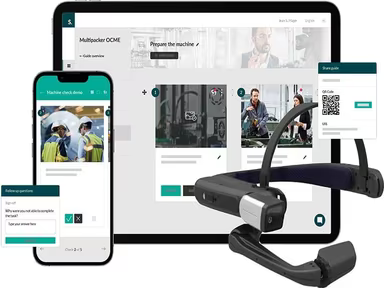
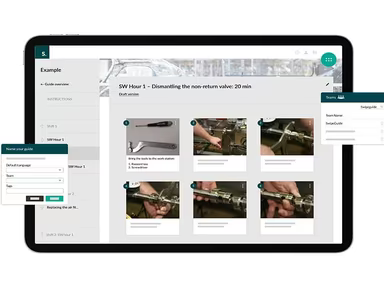
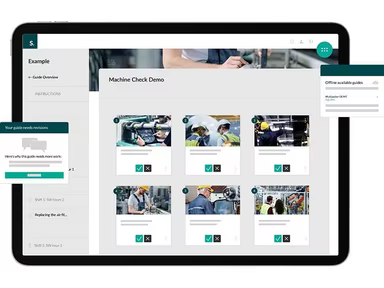
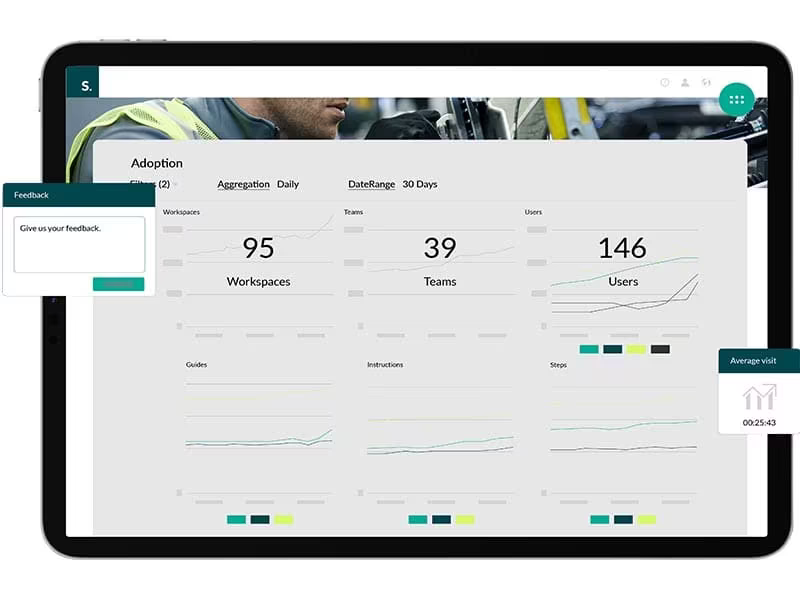
SwipeGuide is a cloud-based platform designed to enhance efficiency in manufacturing, maintenance, and customer support. With its intuitive interface and detailed step-by-step instructions, teams are empowered to tackle tasks and projects with ease. Key features of the software include integration of images and videos, real-time analytics, custom branding options, and much more.

What Is SwipeGuide Best For?

This software excels in delivering clear, step-by-step instructions and visual support. Unlike other project management tools, it emphasizes straightforward guidance, allowing users to follow along effortlessly and accomplish their tasks effectively. This distinct focus makes it especially beneficial for sectors such as manufacturing, maintenance, and customer support, where accurate instructions are crucial.

SwipeGuide Pricing

The company provides two pricing options for SwipeGuide:

  • Pro – $649/month

  • Enterprise – Customized pricing based on your organization’s size and user requirements.

Please note: Pricing is subject to change.

SwipeGuide Integrations

The following third-party applications can seamlessly integrate with SwipeGuide:

  • SAP

  • Salesforce

  • Microsoft Teams

  • Grafana

  • Power BI

  • Snowflake

How Does SwipeGuide Work?

Here’s a brief overview of navigating the dashboard and utilizing the software's capabilities:

  1. Log in to your SwipeGuide account to access the dashboard.

  2. Create a new project or choose an existing one.

  3. Add tasks and assign them to team members.

  4. Customize instructions and incorporate visuals for step-by-step guidance.

  5. Collaborate with team members by sharing updates and tracking progress.

  6. Monitor project milestones and check completion status.

  7. Generate reports to assess project performance and pinpoint improvement areas.

You can also schedule a free demo of SwipeGuide to explore its features in greater detail.

Who Is SwipeGuide For?

The following sectors commonly utilize the SwipeGuide LMS:

  • Automotive

  • Healthcare

  • Engineering

  • Pharmaceuticals

  • Biotechnology

  • Environmental Services

Is SwipeGuide Right For You?

If you're searching for project management software that simplifies intricate processes while offering clear instructions, then SwipeGuide could be an ideal choice for your organization. It has earned a reputation for its effectiveness in project management, gaining the confidence of many clients across various industries.

SwipeGuide also emphasizes security and scalability, ensuring that your data remains protected while accommodating your business's growth.

If you're still uncertain whether SwipeGuide meets your needs, reach out to our customer support team at info@softwareseekers.com; they will assist you in making an informed decision.

LMS Software Features

compliance
free trial
mobile app
mobile crm
quiz maker
ai features
cloud based
gamification
telemedicine
corporate lms
ispring cloud
learner porta
call recording
call scripting
learner portal
patient portal
call monitoring
content library
course creation
crm integration
e prescriptions
lab integration
lead management
lms for schools
mobile learning
personalization
user management
course templates
activity tracking
assessmentquizzes
claims management
email integration
progress tracking
sales forecasting
virtual classroom
activity dashboard
applicant tracking
contact management
content management
course development
customizable forms
elearning platform
predictive dialing
student assessment
attendance tracking
collaboration tools
mobile lms software
omnichannel support
real time dashboard
scorm compliant lms
training management
workflow automation
application tracking
inventory management
patient demographics
247 technical support
asynchronous learning
basic access controls
billing and invoicing
customer segmentation
opportunity management
analytics and reporting
certification licensing
hr workforce management
online course platforms
reporting and analytics
supply chain management
certifications licensing
cloud based lms software
course creation software
channel training software
social learning platforms
access controlspermissions
digital learning solutions
employee training software
lms for corporate training
virtual classroom software
access controls permissions
certification and licensing
corporate training software
higher education technology
limited collaboration tools
sources and related content
student engagement platform
call reporting and analytics
certifications and licensing
compliance training software
human resources management hrm
interactive voice response ivr
learning management system lms
access controls and permissions
certification and credentialing
certification tracking software
online exam management software
saas learning management system
appointment managementscheduling
certification licensing software
integration with marketing tools
learner portalactivity dashboard
learning content management system
activity dashboard activity tracking
customer relationship management crm
integration with helpdesks and support systems

Pros

  • Intuitive design for easy navigation
  • Effective step-by-step instructions with image and video integration
  • Access actionable data for monitoring and decision-making
  • Personalize the platform to reflect your company's identity
  • Efficiently assign, track, and manage tasks for streamlined workflows

Cons

  • Some users may experience a slight learning curve initially
  • Advanced customization may be challenging, according to some reviews
  • Setting up projects may take a bit of time for comprehensive detailing

Price

Professional

$649

Get Free Guidance from Our Solution Experts.

Ratings

0.00 | 0 reviews

Ratings Distribution

Positive

0%

Neutral

0%

Negative

0%

User Reviews

No reviews yet

Be the first to share your experience with SwipeGuide.

Frequently Asked Questions

Find answers to the most common queries about our software recommendation service.

No, SwipeGuide does not offer an API.

SwipeGuide supports the English language.

SwipeGuide integrates with Salesforce, Grafana, SAP, Power BI, Microsoft Teams, and Snowflake.

Yes, SwipeGuide SwipeGuide supports mobile devices.

The software has two pricing plans: Pro ($649/month) and Enterprise (Custom Pricing). Get a custom SwipeGuide pricing plan based on your company’s size and user requirements.

Typical users of SwipeGuide include biotechnology, healthcare, pharmaceutical, automotive, engineering, and environmental industries.

SwipeGuide offers several support options, including phone, chat, a 24/7 customer representative, a knowledge base, email, a help desk, FAQs, and forums.

SwipeGuide offers a single, unified platform known as the Frontline how-to platform1. This platform is designed for collaborative and connected work, allowing frontline teams to create, share, and improve digital work instructions.