

Teachfloor
Transform your teaching with TeachFloor, a user-friendly learning management system that enhances course creation and boosts interactive learning experiences.
TeachFloor is an all-in-one learning management system designed to simplify the process of course development, promote engaging learning activities, and offer valuable analytics for ongoing enhancement. While its robust features might be daunting for certain users, the platform's intuitive interface, a wide range of assessment options, and compatibility across various devices position it as a flexible choice.


What Is Teachfloor?
Overview
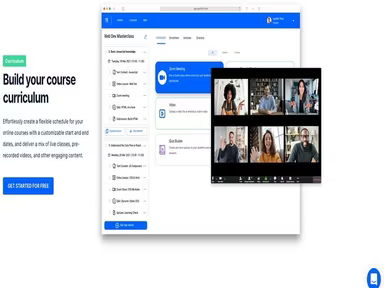
Teachfloor is an innovative cloud-based Learning Management System (LMS) designed to help you build online educational platforms. This solution empowers organizations to train and enhance the skills of their workforce using advanced tools for course development, live sessions, and learner engagement. Additionally, it provides strong web and mobile support, along with a practical API (Application Programming Interface).
What Is Teachfloor Best For?
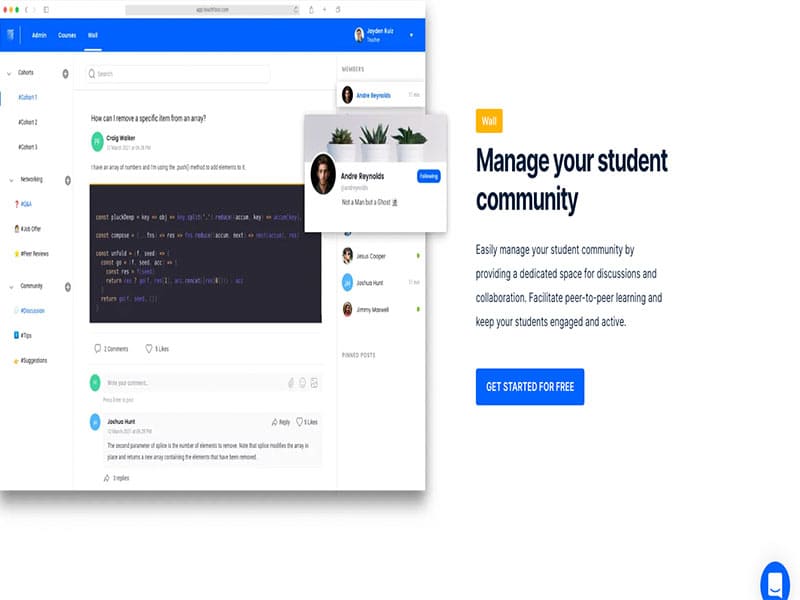
The strengths of Teachfloor LMS lie in its powerful collaboration features that promote interactive conversations between instructors and learners. This approach cultivates a community atmosphere and encourages active involvement. The integrated chat, forums, and messaging options facilitate smooth communication and teamwork. Consequently, this leads to improved knowledge sharing and heightened learner engagement.
Teachfloor Pricing
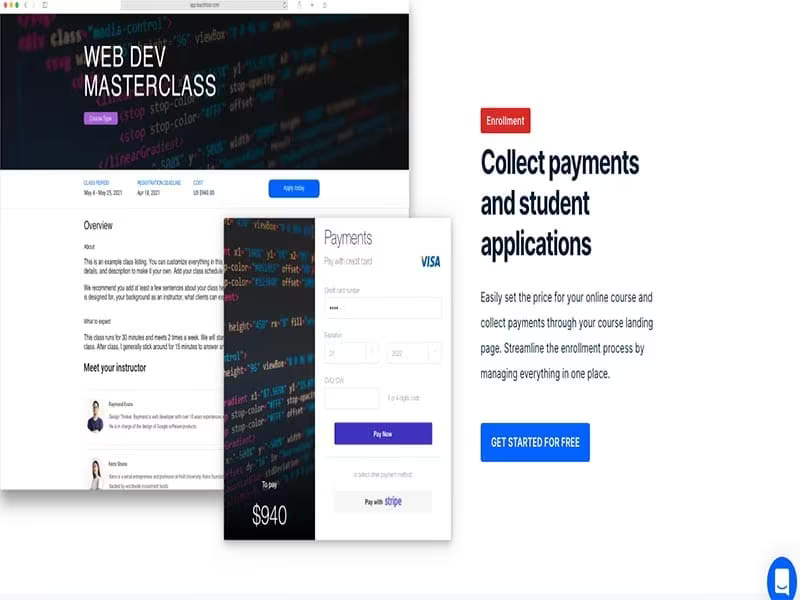
Teachfloor presents various pricing options, and you can also request a customized quote.
Starting Price: $59/Month (Annual Billing)
Click Get Pricing to learn more.
Teachfloor Integrations
Teachfloor seamlessly connects with multiple third-party applications, including:
Calendly
Asana
Airtable
ClickUp
Dropbox
Zoom
Gmail
HubSpot
How Does Teachfloor Work?
You can start using Teachfloor software by following these simple steps:
Log in using your username/email and password.
Select the tool, feature, or module from the all-access dashboard that you wish to use.
Click on the “Create Course” option to initiate the development of a new course and input the necessary details.
Add relevant learning materials in various formats (documents, videos, slide presentations, etc.).
Personalize the course layout and design while incorporating interactive elements to create an engaging learning atmosphere.
Invite your team to start their learning journey by sharing a unique enrollment link or sending email invitations.
If needed, establish enrollment limits and prerequisites to control access to the course.
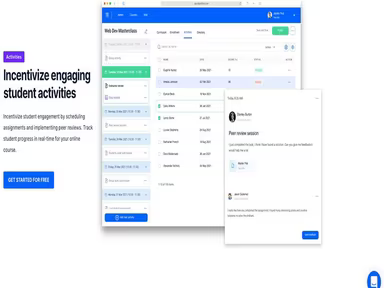
Utilize the comprehensive analytics dashboard to track learners’ progress.
Explore the Teachfloor demo for additional insights. You can access it by clicking Watch Demo.
Who Is Teachfloor For?
The Teachfloor software serves as an excellent professional learning platform suitable for organizations of all sizes and types (SMEs, multinationals, nonprofits, etc.). It enables you to create impactful learning experiences through your personalized online academy. Typical users include:
Human Resource (HR) Managers
Professional Educators
Corporate Trainers
Organizational Development (OD) Specialists
Training and Development (T&D) Professionals
Is Teachfloor Right For You?
If you are in search of an intuitive and feature-rich LMS solution for your organization, Teachfloor may be just what you need. Its user-friendly interface combined with cutting-edge collaboration tools can enhance your professional training efforts. Whether your goal is to upskill your workforce, expedite onboarding for new employees, or optimize existing training processes, Teachfloor covers all bases.
This is why many esteemed companies trust this software for their learning and employee development requirements, including Finclass, GoPillar Academy, and On Deck among others.
If you're still uncertain about your choice, feel free to reach out to us at info@softwareseekers.com for support from our dedicated team!