

Adobe Workfront
Transform your project management with Adobe Workfront, the all-in-one platform that boosts collaboration and productivity for your team.
Discover a new era of work management with Adobe Workfront, a comprehensive platform that consolidates all your project tasks, content, processes, and reports into a single accessible space. By fostering collaboration, improving efficiency, and enhancing visibility among teams, it transforms the landscape of project management, leading to greater productivity. Explore its features to find out more.
What Is Adobe Workfront?
Overview
Acquired by Adobe, Workfront stands out as a premier project management tool that is transforming how businesses oversee their workforce. This software aims to assist teams in managing and optimizing entire project lifecycles, ensuring that projects proceed smoothly, even when unexpected challenges arise. With its intuitive interface, users can enhance their operations, boost productivity, and foster business growth.
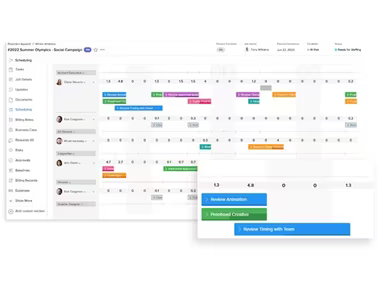
The Adobe Workfront solution further enables teams to create tailored client experiences on a large scale. By integrating various tools, it enhances team collaboration and offers sophisticated work management features, including strategy planning, resource allocation, and content development. These comprehensive solutions make it an invaluable resource for organizations aiming to refine their workflows and enhance productivity.
What Is Adobe Workfront Best For?
Adobe Workfront is highly regarded for its sophisticated project management functionalities that expedite workflows in nearly every organizational environment. The platform is crafted to streamline the entire workflow process—from planning and resource distribution to execution and final delivery.
As An Industry-leading Project Management Software Enabler
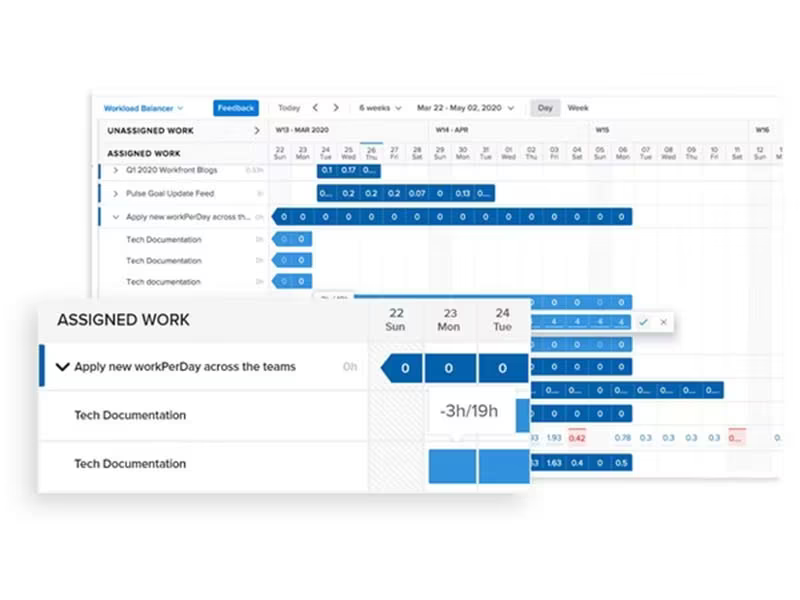
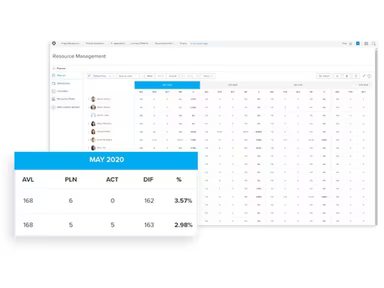
The interface is particularly recognized for its strong resource management capabilities. It allows teams to allocate resources efficiently and monitor time effectively, ensuring that projects are completed both smoothly and successfully. Additionally, the software offers extensive reporting and analytics features that enable teams to assess performance and make informed decisions based on data.
As A Cutting-edge Portfolio Management Program
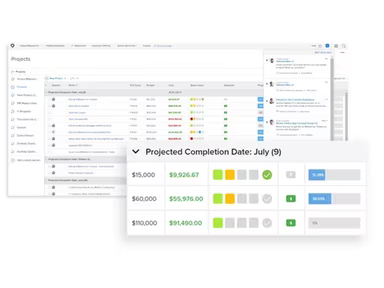
A standout feature of Adobe Workfront is its exceptional portfolio management capabilities. This function allows users to track their ongoing project investments and identify projects that may be underperforming, facilitating quick adjustments in strategy or execution to restore profitability.
Adobe Workfront Cost And Trial
Adobe Workfront provides various licensing options and plans with differing levels of functionality, ranging from enterprise-level subscriptions to more limited plans for team members.
The comprehensive licensing options offer extensive project management tools tailored specifically for project managers, administrators, and executives. In contrast, the basic license allows for tracking, approval processes, and task handling across teams.
A table detailing the service features associated with each plan type (including the vendor’s Pro, Business, and Enterprise offerings) is available for reference. For precise pricing tailored to your organizational needs, please reach out for a quote regarding Adobe Workfront. The trial for the Adobe Workfront pricing plan is provided on a case-by-case basis following further communication.
Adobe WorkFront Demo
The demo for Adobe Workfront offers an engaging, interactive multimedia experience showcasing how the platform could function in your organization. Best of all, this demo is available at no cost—allowing you to make an informed decision about your subscription. To begin exploring the demo, please click Watch Demo.
Adobe Workfront Integrations
Adobe Workfront integrates effortlessly with a range of popular applications used for productivity, collaboration, marketing, and customer relationship management through:
Workfront + Adobe Experience Manager
Workfront + Creative Cloud
Workfront + Adobe Experience Manager + Creative Cloud plan add-on arrangements
The tool connections include notable applications such as:
Google G-Suite/Google Drive
Microsoft SharePoint
Microsoft Outlook
Microsoft Teams
Jira
Slack
Salesforce Sales Cloud
Box
Microsoft OneDrive
Microsoft Project
Additionally, it features a dedicated integration platform known as Workfront Fusion that allows further customization and integration with third-party applications. This provides organizations with the flexibility to manage everything from a single dashboard.
How Does Adobe Workfront Work?
From a technical standpoint, the project management software operates on an open API architecture. This design enables easy integration with other applications and systems, allowing teams to tailor their workflows according to specific requirements. The platform also accommodates custom scripting languages like JavaScript and Python, simplifying the process for developers seeking to create custom solutions atop the existing framework.
User experience-wise, the platform serves as a centralized hub where individuals can oversee all their projects seamlessly.
Who Is Adobe Workfront For?
Adobe Workfront is a versatile project management tool well-suited for various organizations and sectors aiming to manage projects effectively.
This software is particularly advantageous for:
Large Enterprises
Non-Profits
Public Administrations
These environments often handle complex projects and workflows that demand robust planning and resource management capabilities—key solutions offered by Workfront.
How Is Adobe Workfront Different From Other Software?
A few standout features of Adobe Workfront, which distinguish it from competing products in the market include:
Advanced Project Management Capabilities: It provides extensive project management functionalities that exceed basic task tracking and scheduling—enabling intricate task executions.
Customizable Workflows: The software adapts to meet the unique requirements of different teams within an organization—allowing users to modify templates at fundamental levels seamlessly.
Robust Reporting And Analytics: Advanced reporting features allow teams to monitor performance closely and make data-driven decisions—even down to minor deviations that may significantly impact outcomes.
Is Adobe Workfront Right For Me?
If you’re seeking one of the industry’s top-rated tools for task and work management that can cater to your organization’s diverse needs regarding:
Your Projects
Your Resources
Your Teams
This could realistically maximize productive efficiency.
The most effective way to determine if this subscription fits your needs is by scheduling a demo. Alternatively, feel free to reach out to our friendly customer service team at info@softwareseekers.com for insights on how Adobe Workfront could benefit your organization.