logo

APUtime

Are inefficient workflows holding back your productivity? Regain command over your projects and resources with APUtime. Utilizing advanced artificial intelligen...

0.00 | 0 Reviews

Are inefficient workflows holding back your productivity? Regain command over your projects and resources with APUtime. Utilizing advanced artificial intelligen...

Product Overview

Are inefficient workflows holding back your productivity? Regain command over your projects and resources with APUtime. Utilizing advanced artificial intelligence, it handles the scheduling for you, allowing your team to concentrate on their tasks and ensuring deadlines are achieved. Explore how APUtime simplifies execution to enhance outcomes and turn your workload from a hassle into a smooth experience. Begin your journey today!
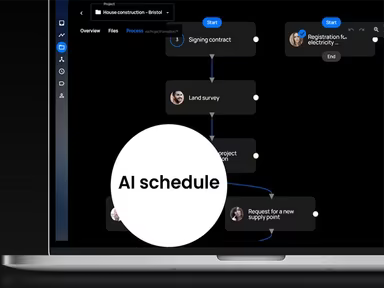
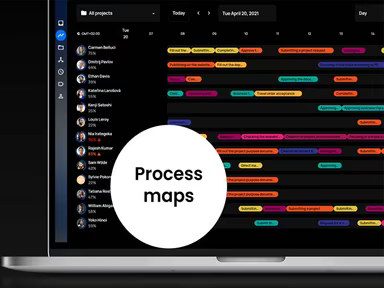
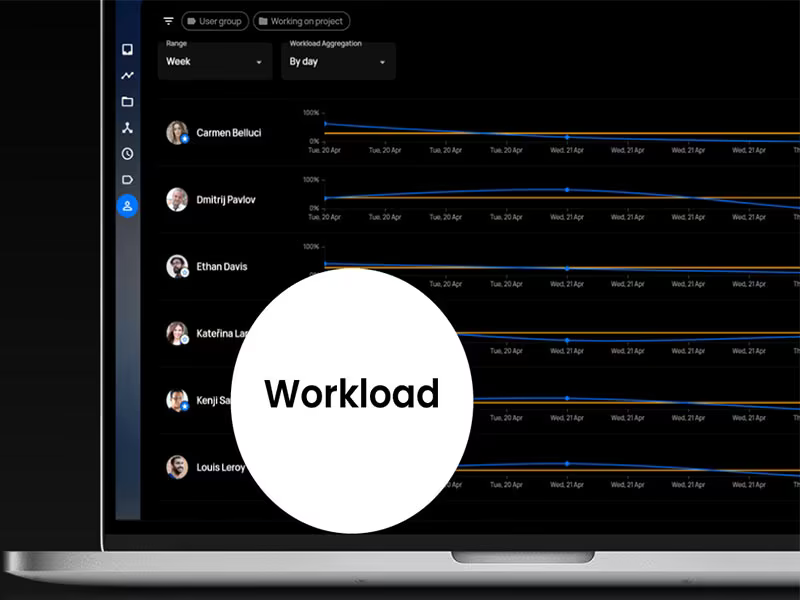
Product Snapshot

Product Details

What Is APUtime?

APUtime is a cloud-based solution for project management that aims to enhance workflow efficiency for businesses. Users can oversee orders, projects, and processes seamlessly. The software includes an execution management system (EMS) with a virtual project assistant that autonomously devises the quickest and most effective methods to accomplish tasks.

What Is APUtime Best For?

The standout feature of APUtime is its enhanced Gantt chart, which offers a real-time snapshot of task and project progress. This functionality helps users quickly spot any potential delays or workflow bottlenecks.

APUtime Pricing

The EMS suite starts at $149 per month, which includes:

  • $93 for five users each month

  • $56 for three managers monthly

  • 1GB of complimentary storage per user

A free version of the software is also accessible. Click Get Pricing for further details.

Note: Pricing may vary.

APUtime Integrations

The vendor provides a variety of third-party integrations via Integromat, including:

  • Google Calendar

  • Google Drive

  • One Drive

  • Dropbox

  • Microsoft Outlook / Outlook events

  • Raynet CRM

  • Slack

  • Salesforce

How Does APUtime Work?

After logging in, here’s how to navigate the dashboard and utilize the software’s features:

  1. Create a new project to organize your tasks and resources.

  2. Name your project, provide a description, and set relevant deadlines or milestones.

  3. Invite team members to the project by clicking the 'Add Member' button or going to the team management section.

  4. Break down your project into smaller, manageable tasks.

  5. Create tasks by clicking the 'New Task' button or visiting the task management section.

  6. Use the AI-driven prioritization feature to assign priority levels to your tasks.

You can also schedule a free APUtime demo for more information.

Who Is APUtime For?

APUtime caters to businesses of all sizes, from small startups to large corporations. It proves advantageous for various industries and sectors, including:

  • Engineering

  • Construction

  • Media

  • Marketing

  • Professional services firms

  • Manufacturing

  • Healthcare

  • Education

  • Consultancy

Is APUtime Right For You?

If you find yourself overwhelmed by managing multiple tools and facing inefficient processes, APUtime can streamline your operations. This software helps you bring structure and organization to every part of your business. It offers a unified platform that consolidates all your management requirements in one location.

If you have any doubts about whether this software fits your needs, feel free to reach out to us at info@softwareseekers.com, and we’ll assist you in making an informed choice.

Project Management Software Features

dashboard
free plan
reporting
scheduler
dashboards
free trial
mobile app
purchasing
ai features
file sharing
integrations
telemedicine
collaboration
mobile access
time tracking
bid management
patient portal
budgeting tools
e prescriptions
email marketing
lead generation
marketing tools
quality control
rent collection
task management
asset management
automation tools
custom workflows
document sharing
easy integration
expense tracking
lab integrations
lease management
maintenance logs
project tracking
shared calenders
budget management
claims management
data importexport
project templates
safety management
tenant management
time zone support
content management
customizable forms
data visualization
equipment tracking
project management
project scheduling
shop floor control
team communication
alertsnotifications
campaign management
communication tools
contract management
document management
employee engagement
employee management
employee onboarding
facility management
incident management
production planning
property accounting
reporting analytics
resource allocation
workforce analytics
financial management
inventory management
maintenance requests
patient demographics
portfolio and assets
real time monitoring
bill of materials bom
billing and invoicing
business intelligence
customer segmentation
equipment maintenance
inspection management
partner data exchange
product health scores
scalable architecture
work order management
attendee communication
customizable workflows
facilities maintenance
performance management
benefits administration
change order management
compensation management
registration management
reporting and analytics
social media management
supply chain management
workflows and approvals
business intelligence bi
communication and access
documents and compliance
manufacturing management
subcontractor management
training and development
integrated team calendars
stakeholder collaboration
access controlspermissions
human resources management
maintenance and operations
attendance and time tracking
employee self service portal
integration with erp systems
product lifecycle management
centralised product portfolio
venue and resource management
agenda and schedule management
compliance and risk management
human resources management hrm
sales and marketing automation
speaker and content management
audience interaction technology
data driven product performance
employee information management
on site and virtual event tools
project planning and scheduling
tenant and lease administration
appointment managementscheduling
product lifecycle management plm
integration with financial systems
production planning and scheduling
recruitment and applicant tracking
financial management and accounting
customer relationship management crm

Pros

  • Includes video conferencing
  • Offers time and cost tracking
  • Provides API access
  • Supports multiple languages

Cons

  • Customization may be difficult, according to some APUtime reviews
  • Initially challenging to navigate

Price

Professional

Custom

Get Free Guidance from Our Solution Experts.

Ratings

0.00 | 0 reviews

Ratings Distribution

Positive

0%

Neutral

0%

Negative

0%

User Reviews

No reviews yet

Be the first to share your experience with APUtime.

Frequently Asked Questions

Find answers to the most common queries about our software recommendation service.

APUtime pricing starts from $149/month. A free version of the software is also available.

Small to large organizations in construction, engineering, and other industries and sectors use the software.

It supports English, Czech, Finnish, Hungarian, and Polish.

It is compatible with Android and iOS devices.

Yes, API access is available.

APUtime users can connect the software with several third-party apps, like SAP, Raynet CRM, and more.

Support options include chat, email, phone, FAQs, and a knowledge base.